Managing Your Training Session
Your workout begins once you have selected the workout, pressed the
Begin Workout
button and paired
your impulse pack.
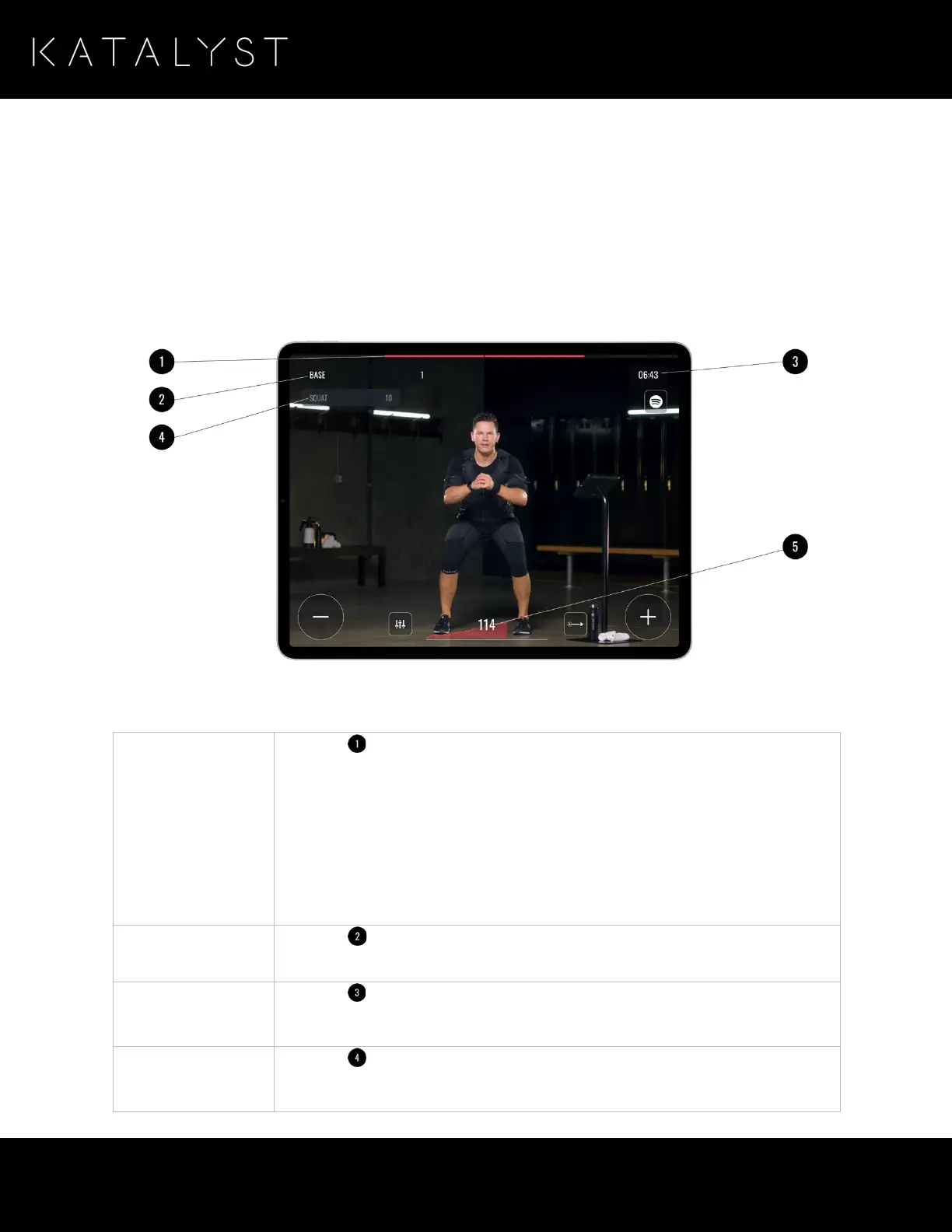
Once the workout session begins, the training interface is displayed.
Understanding the Training Interface
The training interface provides the following information:
Displays ( ) the remaining time for the current stimulation period:
• When red, the impulse pack is sending electrical impulses to the Katalyst
Training System components.
• When white, the impulse pack is in rest and has stopped sending
electrical impulses.
Please note that, the impulse pack provides constant stimulation in cardio mode,
so this bar is used to show the duration of the exercise.
Displays ( ) the name and remaining reps for the current exercise. When the
number of reps reaches the end, the next exercise is automatically started.
Displays ( ) the remaining time for the total training session.
Displays ( ) the name and number of reps for the next exercise.



 To Next Page