17
FUNCTION OF REMOTE CONTROL
遙控器功能介紹
If there is no sound from product after you press the remote control, it means the product does
not receive the remote control signal, you need to reoperate.
3.
使用遙 控器操作 後,產品沒有提示音,則表示產品沒有接收到遙控器的信號, 需要重新 操作。
Please remove the protective film on the remote control before use.
4.
使用前 請將遙控 器上的保護膜撕掉。
換氣功能的使用方法
HOW TO USE VENTILATION FUNCTION
Used to ventilate the bathroom
1
2
3
4
5
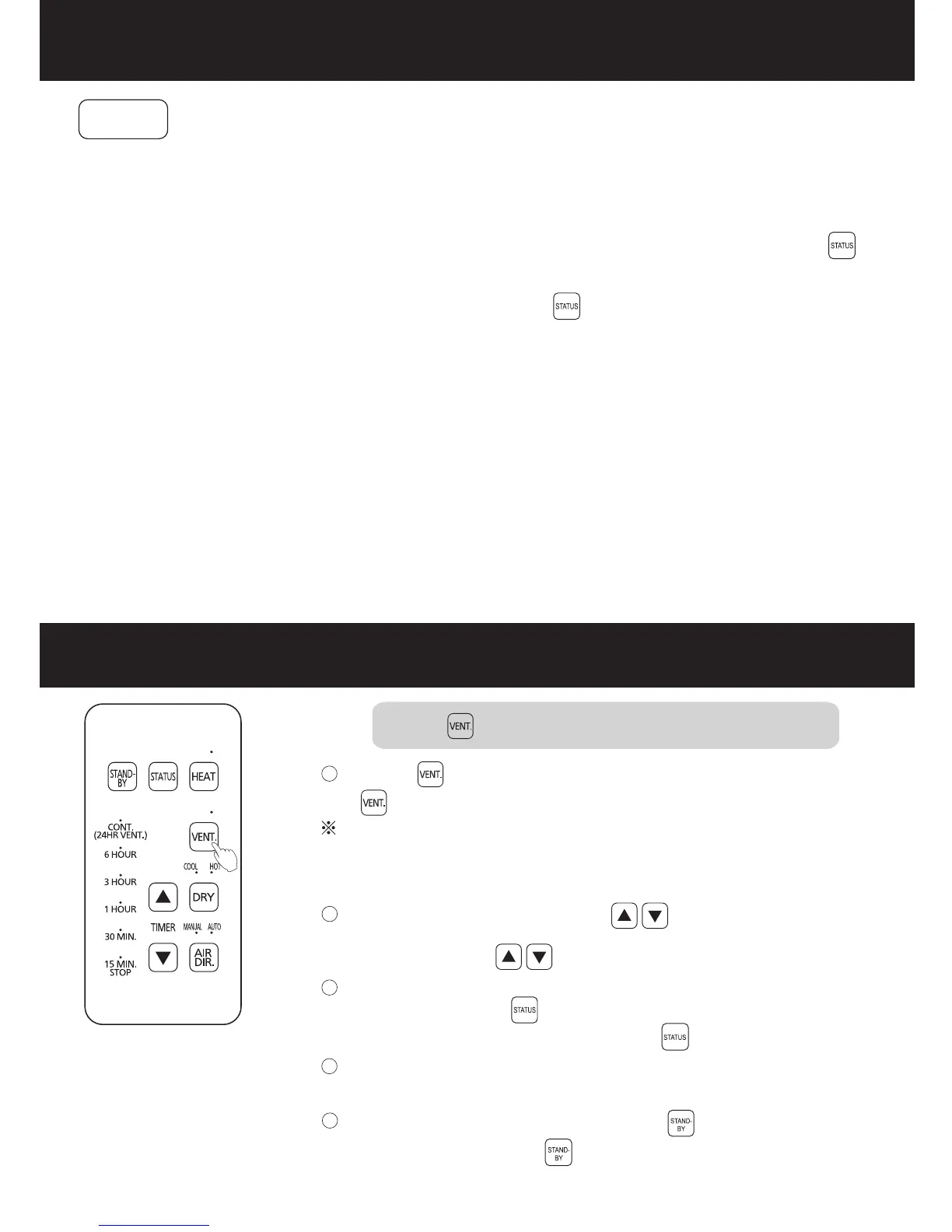
Press the button to start the air change mode.
This product will stop automatically when the set time is up.
To stop midway in operation, press the button.
During operation, you can press to change the running
time.
To confirm the current running mode and remaining time for
reference, press the button.
浴室換氣時使用
按 按鈕,換氣模式開始運轉。
運轉過程中,可通過 按鈕,調整運轉時間。
如需確認當前運轉模式及參考剩餘時間請按 按鈕。
如需在運轉途中停止,請按 按鈕。
運轉完所設置時間後,本機會自動停止。
The indicators of VENT. and default setting time (15 MIN.) light
on, then turn off automatically after 3 seconds.
VENT的指示燈和初始設置時間(15 MIN.)的指示燈亮,3秒鐘後指示燈
自動熄滅。
提示事項
Notice
When the heating mode or hot drying mode is switched to the air ventilation mode, the fan
blade will run at a low speed for 20 seconds to cool the heater down, then enter the air
ventilation mode.
1.
從“暖 氣”或“ 熱乾燥”模式切換到換氣時,為使加熱器冷卻,扇葉將以低速 運轉20秒 後切換到 換氣。
When you use the mode button on the mode button panel on main body, then press the
button on remote control, the status displayed by the remote control may different from the
actual product status.
2.
當操作 了機體模 式按鈕面板上的模式按鈕後,再按遙控器上的 按鈕,遙控器所顯 示的狀態 與產品實 際
狀態可 能會不一 致。


 To Next Page