20
暖氣功能的使用方法
HOW TO USE HEATING FUNCTION
Heater may stop heating when temperature in bathroom is up to required degree, and may
restart heating as the temperature in bathroom cools down.
2.
1.
Hot startup function: After the product starts up in the heating mode when the temperature
in the bathroom is lower than 20 °C, it enters the hot startup status to avoid blowing of cold
air, and the fan runs at a low speed. When the temperature in the bathroom reaches 20 °C or
above or after running for 60 seconds, the hot startup status stops and the fan runs at a high
speed.
當浴室內溫度上升到一定程度時,加熱器停止工作,待溫度下降到一定程度後 ,加熱器 重新開始 工作。
熱啟動功能:當浴室溫度低於20 °C時,以暖氣模式啟動後,為避免冷風吹出, 產品進入 熱啟動狀 態,扇葉
以低速運轉,待浴室溫度達至20 °C以上或經過60秒後,熱啟動狀態停止,扇葉以高速運轉。
Use when you feel cold in a bath
In the heating mode running for 30 seconds above, press the
button to stop the heater. The fan will stop running after a delay
of 20 seconds.
1
2
3
4
5
6
在浴室中感到冷時使用
在沐浴前開暖氣功能,可提前將浴室升溫。
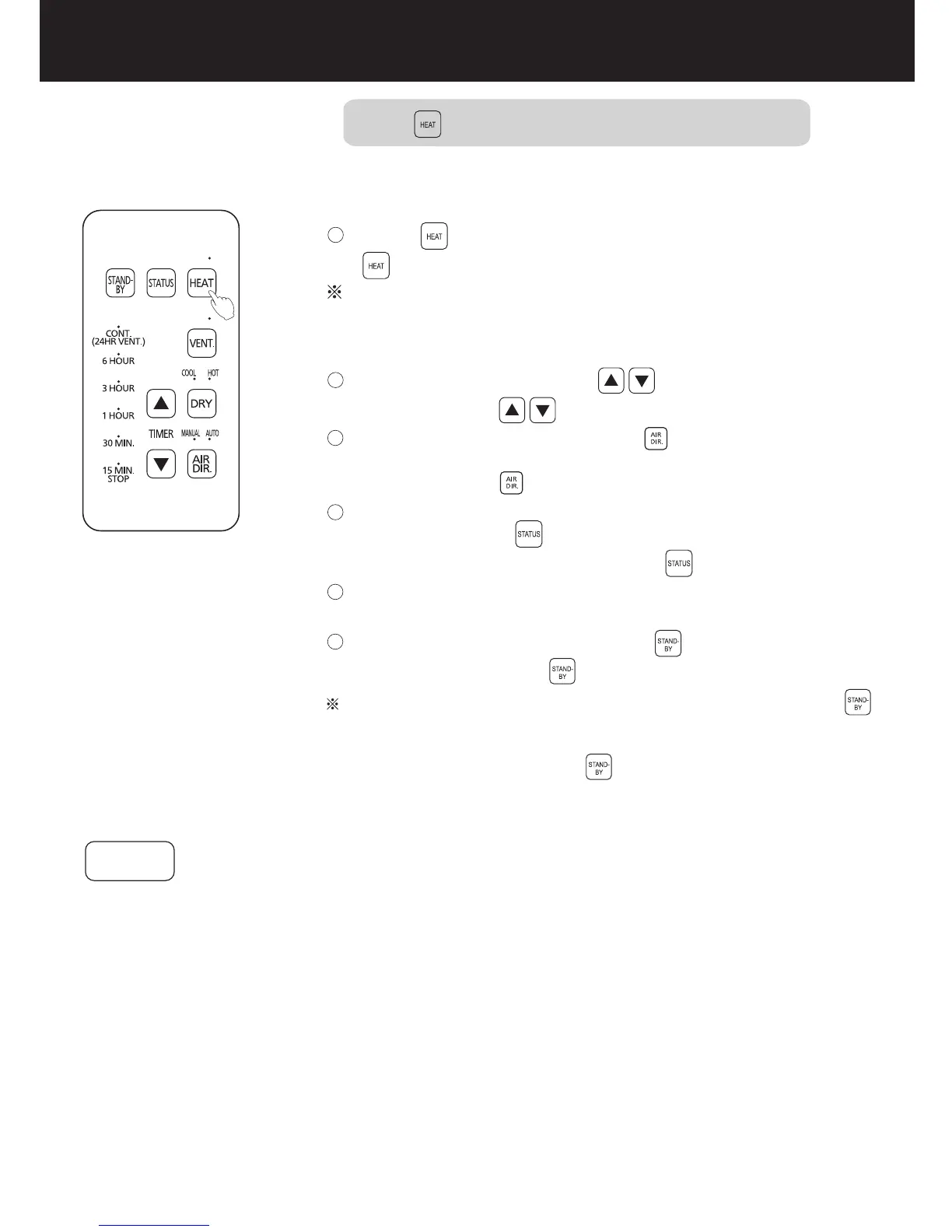
按 按鈕,暖氣模式開始運轉。
運轉過程中,可通過 按鈕,調整運轉時間。
運轉過程中,可通過 按鈕,調整風向。
如需確認當前運轉模式及參考剩餘時間請按 按鈕。
運轉完所設置時間後,本機會自動停止。
如需在運轉途中停止,請按 按鈕。
若在暖氣模式運轉30秒以上 ,按 按鈕後 ,為使加 熱器冷卻 ,
扇葉將延遲20秒停止運轉。
Before taking a bath, start the heating function to warm the
bathroom beforehand.
Press the button to start the heating mode.
To confirm the current running mode and remaining time for
reference, press the button.
During running, you can press to change the running time.
This product will stop automatically when the set time is up.
To stop midway in running,pressthe button.
During operation, you can press the button to change the air
direction.
The indicators of HEAT and default setting time (15 MIN.) light
on, then turn off automatically after 3 seconds.
HEAT的指示燈和初始設置時間(15 MIN.)的指示燈 亮,3秒鐘後指示燈
自動熄滅。
提示事項
Notice


 To Next Page