flash to fully recharge before firing again.
2. Daytime photos or videos appear too dark
a. Make sure that the camera is not aimed at the sun or other light
sources during the day, as this may cause the auto exposure to
produce darker results.
3. Night photos or videos appear too bright
a. You will get the best results when the subject is within the ideal
flash range, no closer than 10′ (3m) from the camera. Subjectsmay
appear too light at closer distances.
4. Daytime photos or videos appear too bright
a. Make sure that the camera is not aimed at the sun or other light
sources during the day.
5. Photos with streaked subject
a. In some cases with low lighting conditions and fast moving
subjects, the 5MP or 8MP resolution settings may not perform as
well as the 3MP setting.
b. If you have multiple images where fast moving subjects produce
streaks on the photo, try the 3MP setting instead.
6. Red , green or blue color cast
a. Under certain lighting conditions, the sensor can become
confused resulting in poor color images.
b. If this is seen on a consistent basis, then the sensor may need
servicing. Please contact KeepGuard customer service.
7. Short video clips!anot recording to the length set
a. Check to make sure that the SD card is not full.
b. Make sure that the camera has good batteries in it.Near the end
of the battery life, the camera may choose to record shorter video
clips to conserve power.
4342
Date/Time Stamp not appearing on images
Make sure that the "Time Stamp" parameter is set to "On" .
Photos Do Not Capture Subject of Interest
1. Check the "Sensor Level" (PIR sensitivity) parameter setting.
For. warm environmental conditions, set the Sensor Level to "High"
and for cold weather use, set the sensor for "Low"
2. Try to set your camera up in an area where there is not a heat
source in the camera's line of sight
3. In some cases, setting the camera near water will make the
camera take images with no subject in them. Try aiming the
camera over ground.
4. Try to avoid setting the camera up on small trees that are prone
to being moved by strong winds.
5. Remove any limbs which are right in front of the camera lens.
PIR Sensor LED Flashes/Doesn't Flash
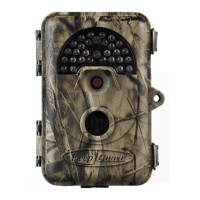
1. When the camera is in the "Setup" mode, a special LED on the
front of the camera will flash when it senses motion. This is for
setup purposes only and will help the user aim the camera.
2. During use, the LED will not flash when the camera takes an
image. This is to help keep the camera hidden from game.
LCD Screen Issues
1. LCD screen powers on but no text is present.
a. After moving the switch from "Off" to "Setup" or "On",makesure
that the switch is correctly in position to ensure the proper mode
(avoid positions "between" two modes).


 To Next Page