55
Table of ContentsSetting UpWi-Fi StreamingUsing KEF Connect AppFAQ and Troubleshooting
14.3.2 Playback Controls
The below features are available to control playback or behaviour. Please note that
these features may not be available to all music sources and there may be slight
differences in the control interface.
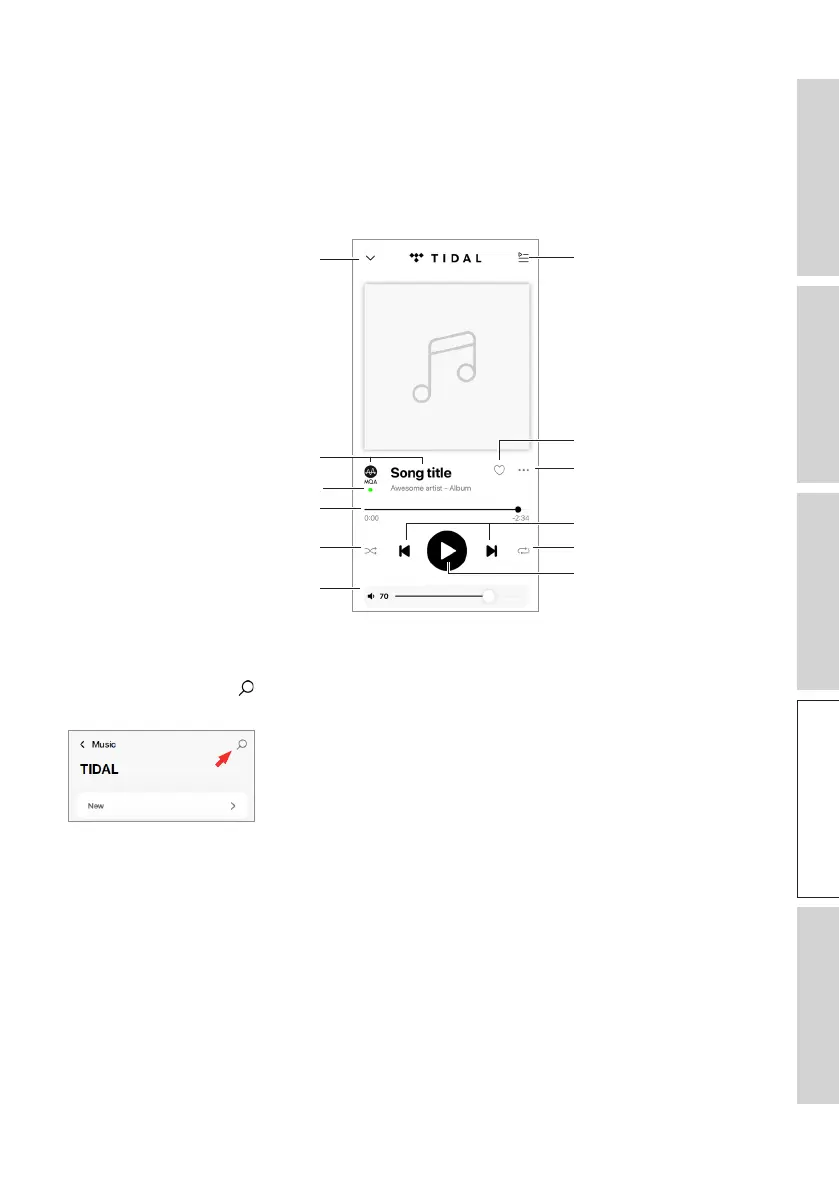
14.3.2.1 Playback Screen
Previous/next
Play/pause
Track scroll
Options
Repeat
Hide playback screen
Shuffle
Volume control
Favourites
Track metadata
Queue
MQA authentication type
14.3.2.2 Search
Tap the search icon ( ) to look for artists, albums or songs in the current music
source.



 To Next Page