61
Table of ContentsSetting UpWi-Fi StreamingUsing KEF Connect AppFAQ and Troubleshooting
14.4 Equalisations
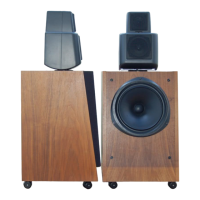
For the best audio performance, apply sound settings according to your listening area.
14.4.1 Normal Mode
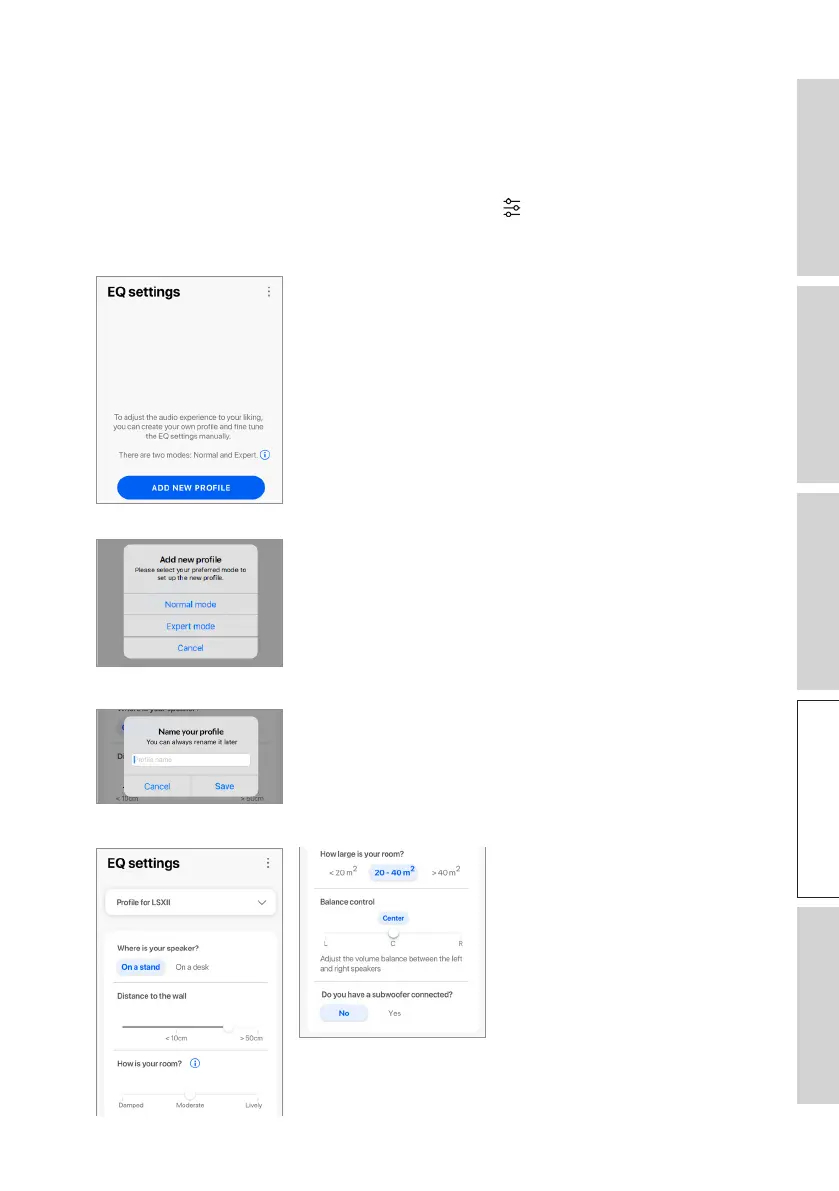
1. In the KEF Connect App, tap the EQ settings icon ( ) at the bottom of the Home
screen.
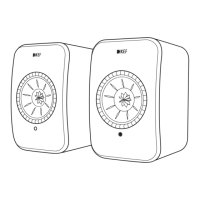
2. Tap“Addnewprole”
3. Select “Normal mode”.
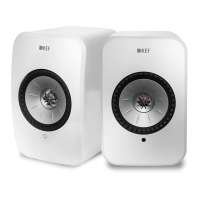
4. Createanameforyournewproleandthentap“Save”.
5. Congurethesettingsaccordingtoyourlisteningarea.


 To Next Page