EN
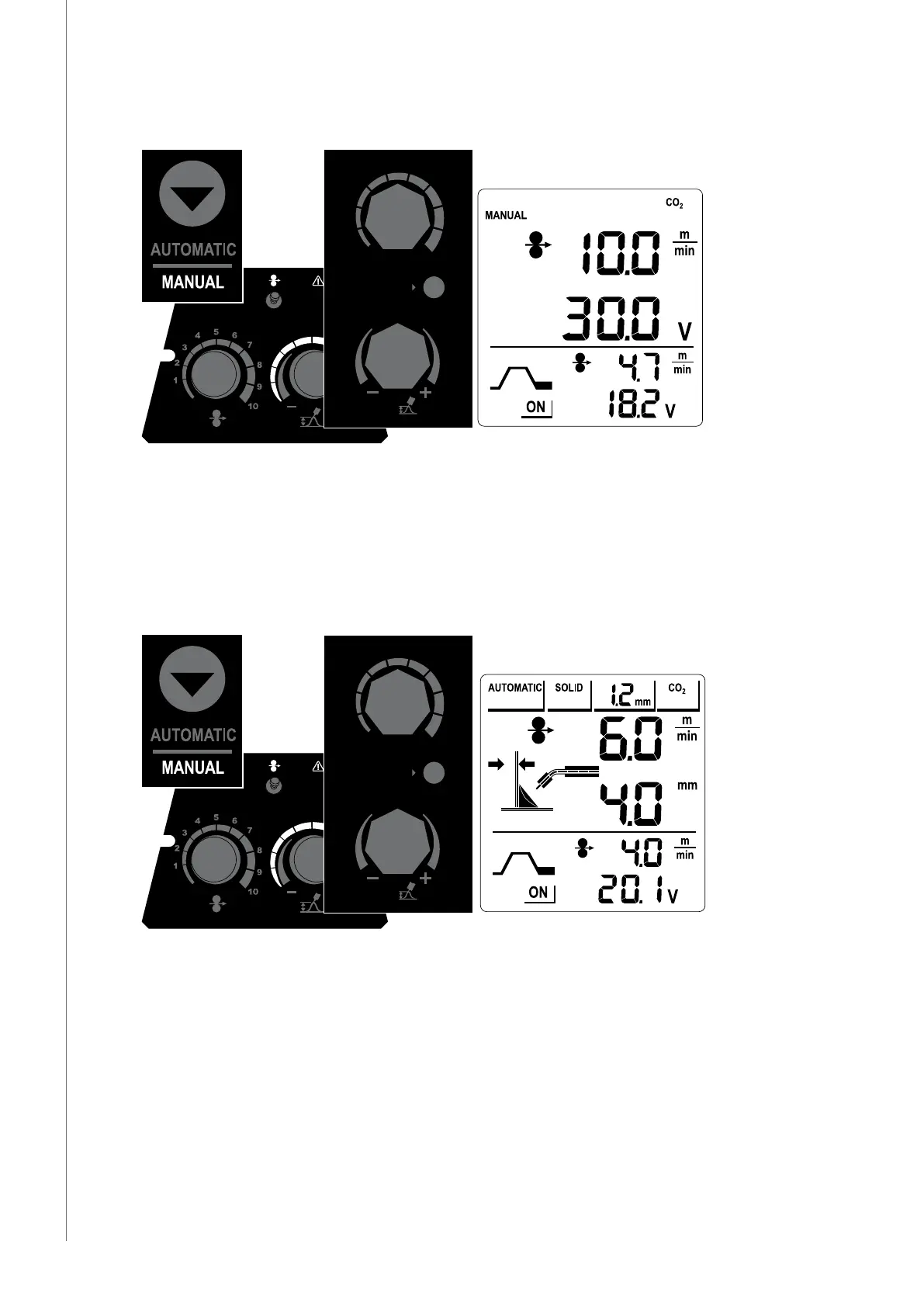
3.4.1 Using Manual operating mode
1
2
3
4
5
6
7
8
9
10
1
2
3
4
5
6
7
8
9
10
POWER
WIRE INCH
MANUAL
AUTOMATIC
A
V
Press AUTOMATIC/MANUAL button to select the Manual mode. In Manual mode, the display
shows no Automatic mode information, such as welding wire thickness.
In Manual operating mode, you use control knobs of the wire feeder to set the welding
voltage and wire feed speed.
Set these values according to the base material, the type and size of the welding wire, and
according to your own welding style.
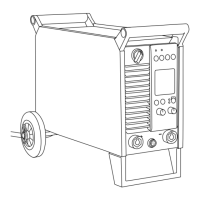
3.4.2 Using Automatic operating mode
1
2
3
4
5
6
7
8
9
10
1
2
3
4
5
6
7
8
9
10
POWER
WIRE INCH
MANUAL
AUTOMATIC
A
V
The Automatic mode is in use by default, when you start the machine. Press the AUTOMATIC/
MANUAL button to change between Automatic and manual operating modes.
When you set the welding power with the wire feeder's control knob (A), the HiArc calculates
the optimal welding parameters. With the wire feeder's arc length control knob (V) you
can make ne-adjustments to the arc lenght. The optimal Automatic values are calculated
automatically also when you select the Tail Arc settings with the power source controls.
HiArc M 400A, M 500A
12



 To Next Page