EN
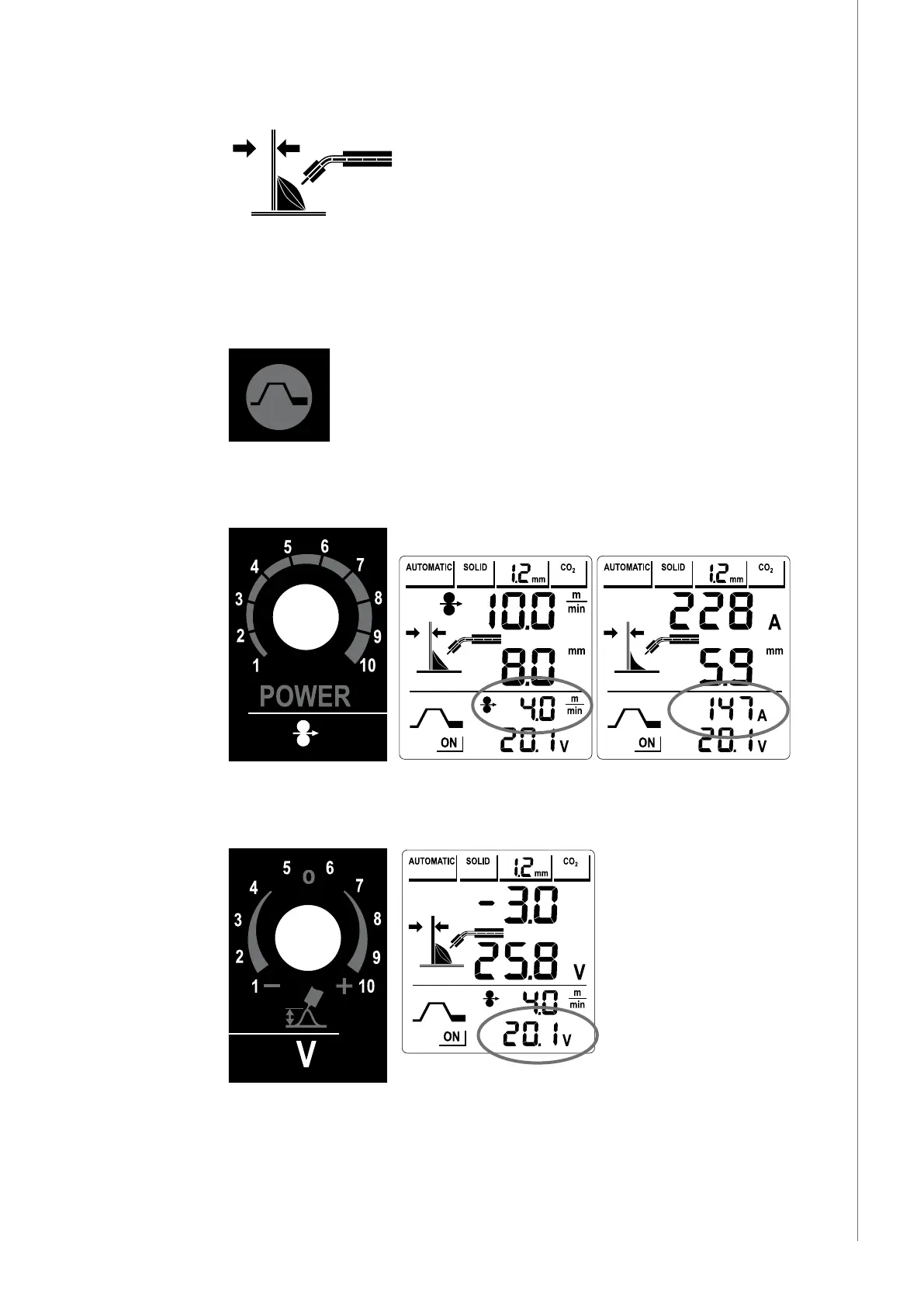
3.4.7 Material thickness and weld shape display
When operating in AUTOMATIC mode the material thickness is displayed, based on your input
selections for plate thickness in mm. As you adjust the power control (2), you will see the
graphic indicating plate thickness become thicker or thinner. Select the desired settings and
you are ready to weld.
3.5 Crater ll
Crater ll function is OFF by default, when you start the machine. Press Crater ll button to
select Crater ll function ON.
3.5.1 Crater ll (wire feed speed or power)
This control knob increases and reduces the speed of ller wire delivery or power to the
welding arc at crater ll phase. The scale is regulated in meters per minute or amperes.
3.5.2 Crater ll (voltage or arc length)
This control knob increases and reduces the available output voltage of the machine to the
welding arc. The scale is regulated in volts.
In automatic mode this control knob oers minor arc voltage adjustment for ne tuning the
welding arc at crater ll phase.
15
© Kemppi Oy / 1244



 To Next Page