3 APRS
27
6
.
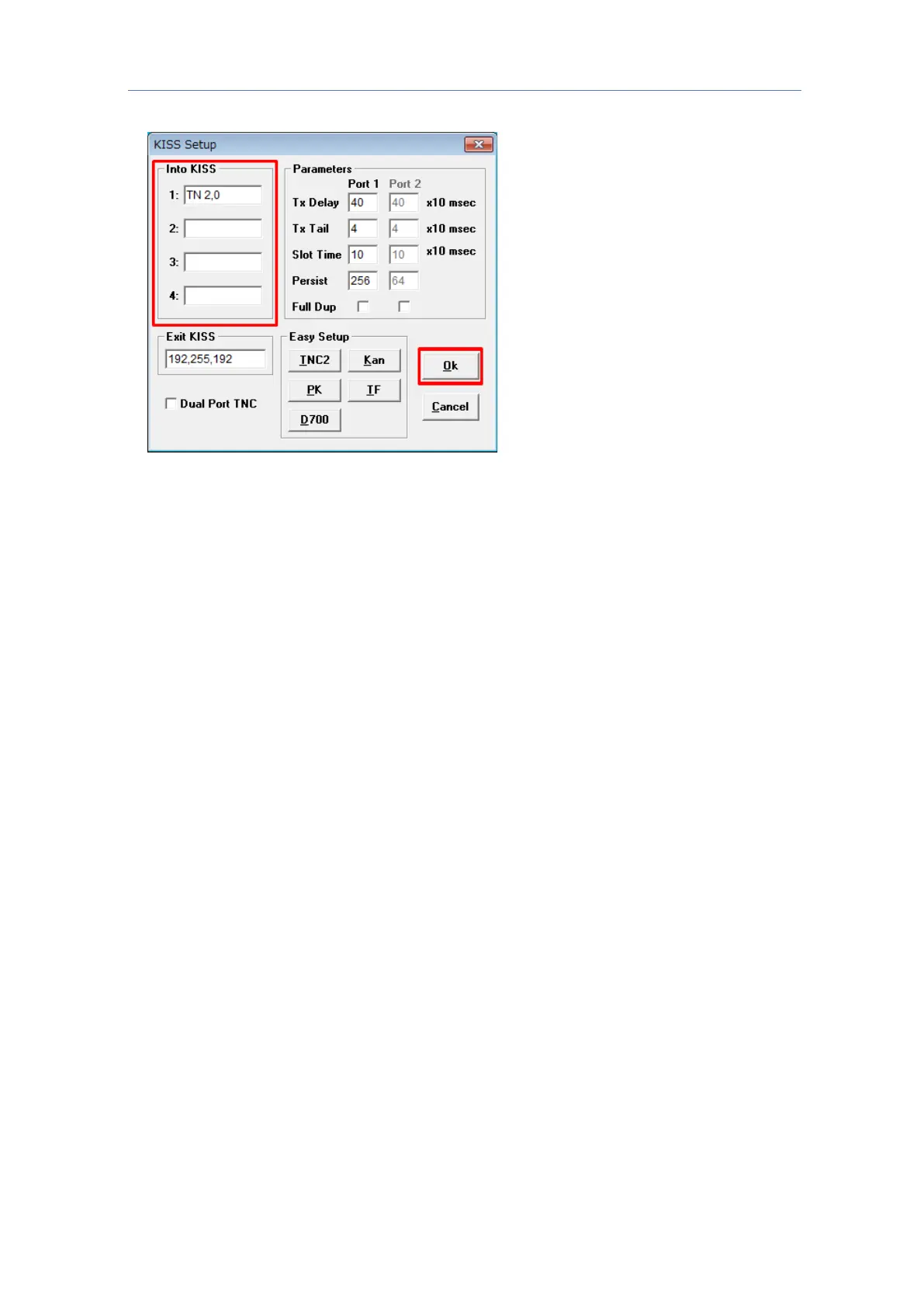
Click the “OK” button in the Comms Setup window to close the Comms Setup
window.
A command is sent from UI-View32 to the built-in TNC of the TH-D74A/E, and the
built-in TNC shifts to the KISS mode.
The "KISS12" or "KISS96" icon lights up when the KISS mode of the TH-D74A/E is turned
on. While in the KISS mode, configurations related to APRS of the TH-D74A/E unit
(
Menu Nos. 500 to 580) will not be applied to the operations.
For details on the other configurations of the UI-View32, please refer to the descriptions in
the Help file.



 To Next Page