3 APRS
26
3.3 KISS Mode
An IGate station and or digipeater station can be operated using a PC that is installed with
the APRS software and with the KISS mode of the TH-D74A/E.
Operation of Digipeater via Combination of the TH-D74A/E and UI-View32 3.3.1
The TH-D74A/E can be combined with the UI-View32 to form a digipeater.
1.
Press [F] [LIST] in sequence to set the KISS mode to OFF.
Check to ensure that "KISS12” or “KISS96” is not displayed.
The "KISS12" or "KISS96" icon is illuminated when the TH-D74A/E is in the KISS mode.
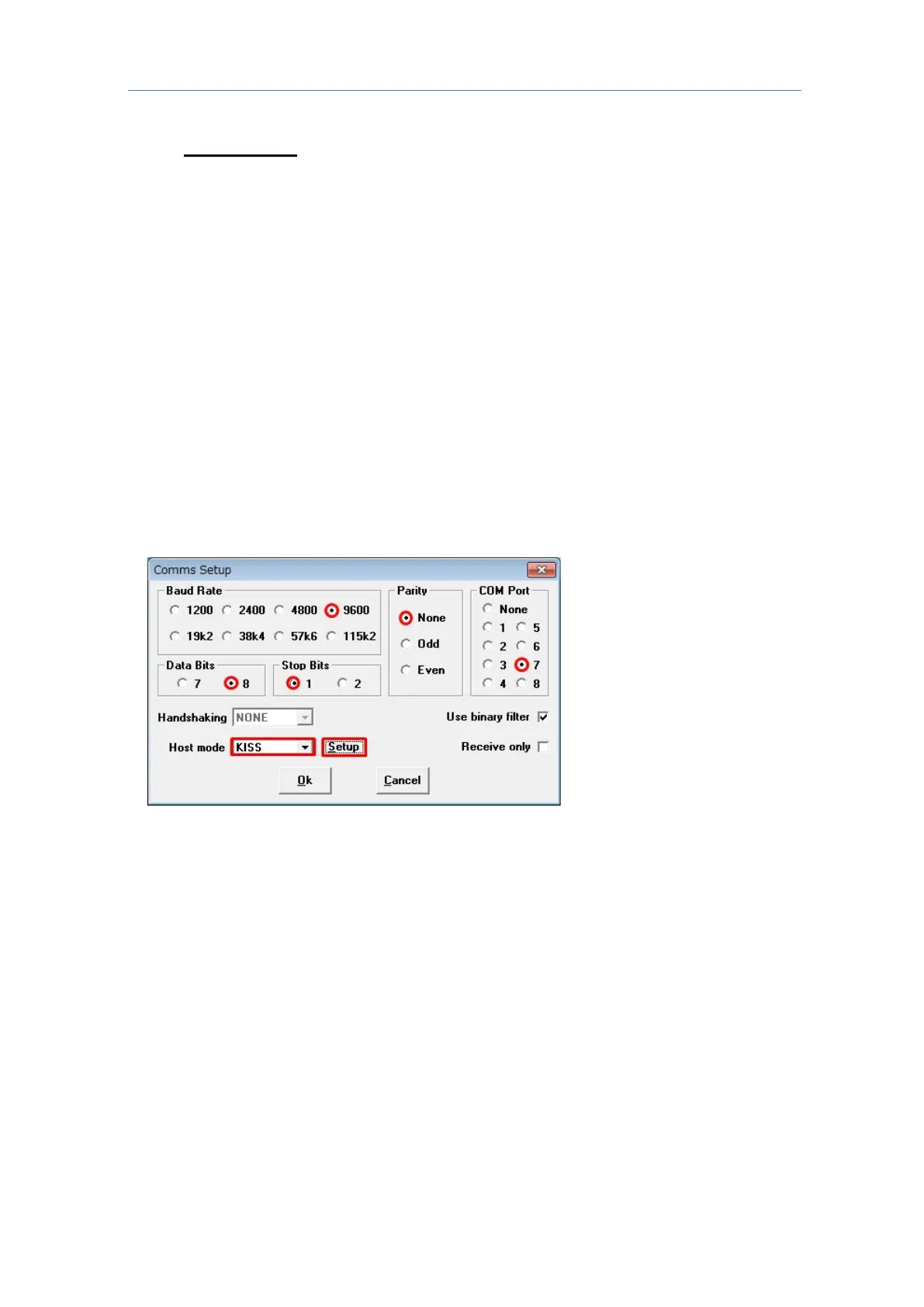
2. Meanwhile, on the UI-View32, open the Comms Setup window from the Setup pull-down
menu.
3.
In the Comms Setup window, configure the PC terminal requirements of the
TH-D74A/E in UI-View32 as follows.
Baud Rate: 9600 bps (either one); Data Bits: 8; Stop Bits: 1; Parity: None
COM Port: COM port number on the PC in use that is assigned as the virtual COM port by
the TH-D74A/E.
4. From the Host mode drop-down list, select “KISS”, followed by clicking the “Setup” button.
5. The KISS Setup window appears.
Configure as follows in Into KISS: 1: TN 2,0; 2: Blank; 3: Blank; 4: Blank. Next, click the
“OK” button to close the KISS Setup window.



 To Next Page