5 D-STAR
41
5.5 How to Update the Repeater list
The repeater list can be imported to your TH-D74A/E by using MCP-D74 or a microSD
memory card.
Please download the Repeater List file "D74_yyyymmdd_E.tsv" ("yyyymmdd" is the
numerical release date) from the following KENWOOD website in advance.
http://www.kenwood.com/i/products/info/amateur/software_download.html
By using MCP-D74 5.5.1
1. Connect the TH-D74A/E and the PC via a Micro-USB cable.
2. Start the MCP-D74.
3. Read data from the TH-D74A/E.
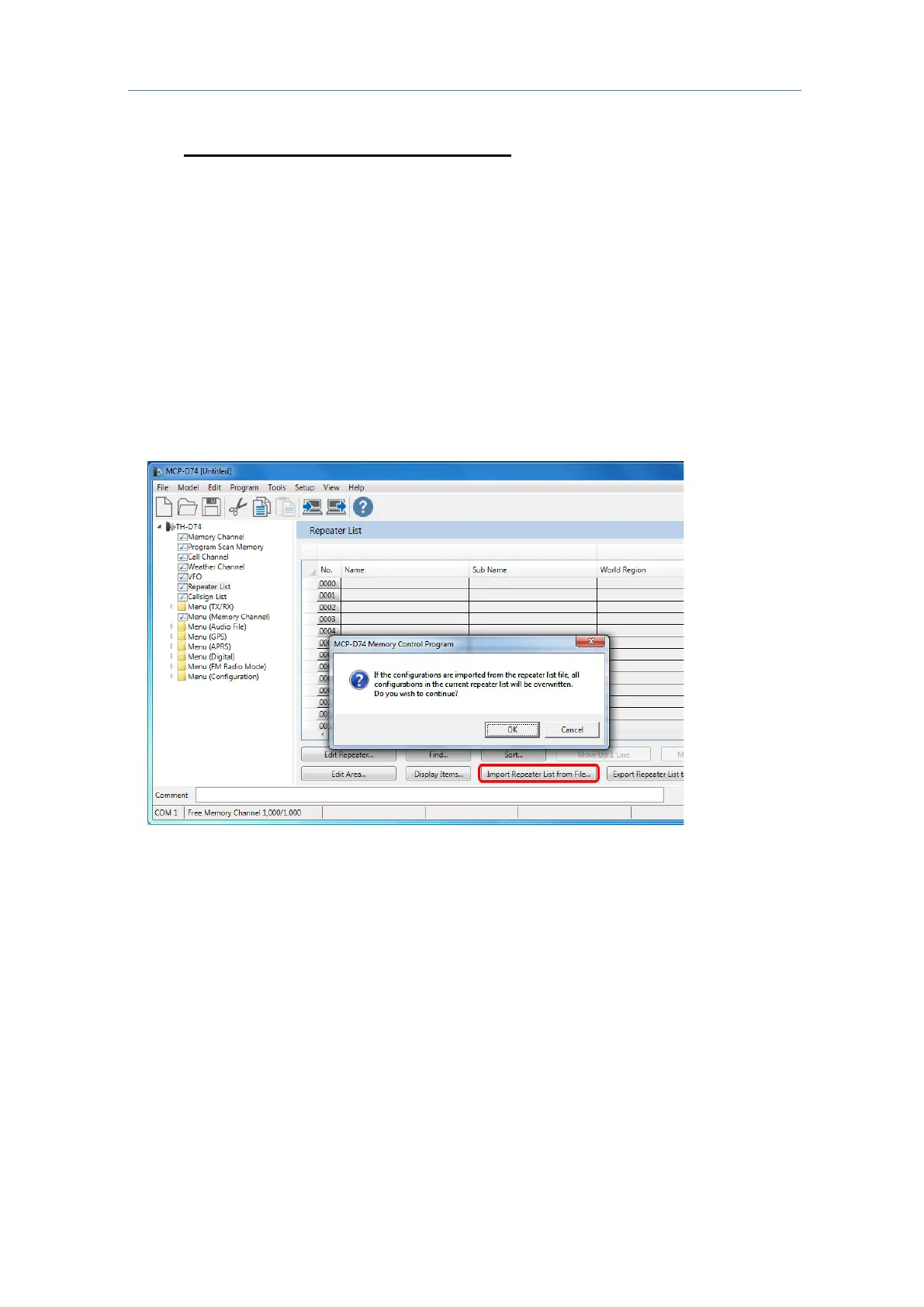
4. Click [Repeater List], [Import Repeater List from File...], and click [OK]
5. Select the downloaded Repeater List file "D74_yyyymmdd_E.tsv".



 To Next Page