5 D-STAR
34
Using the Digital Function Menu 5.2.2
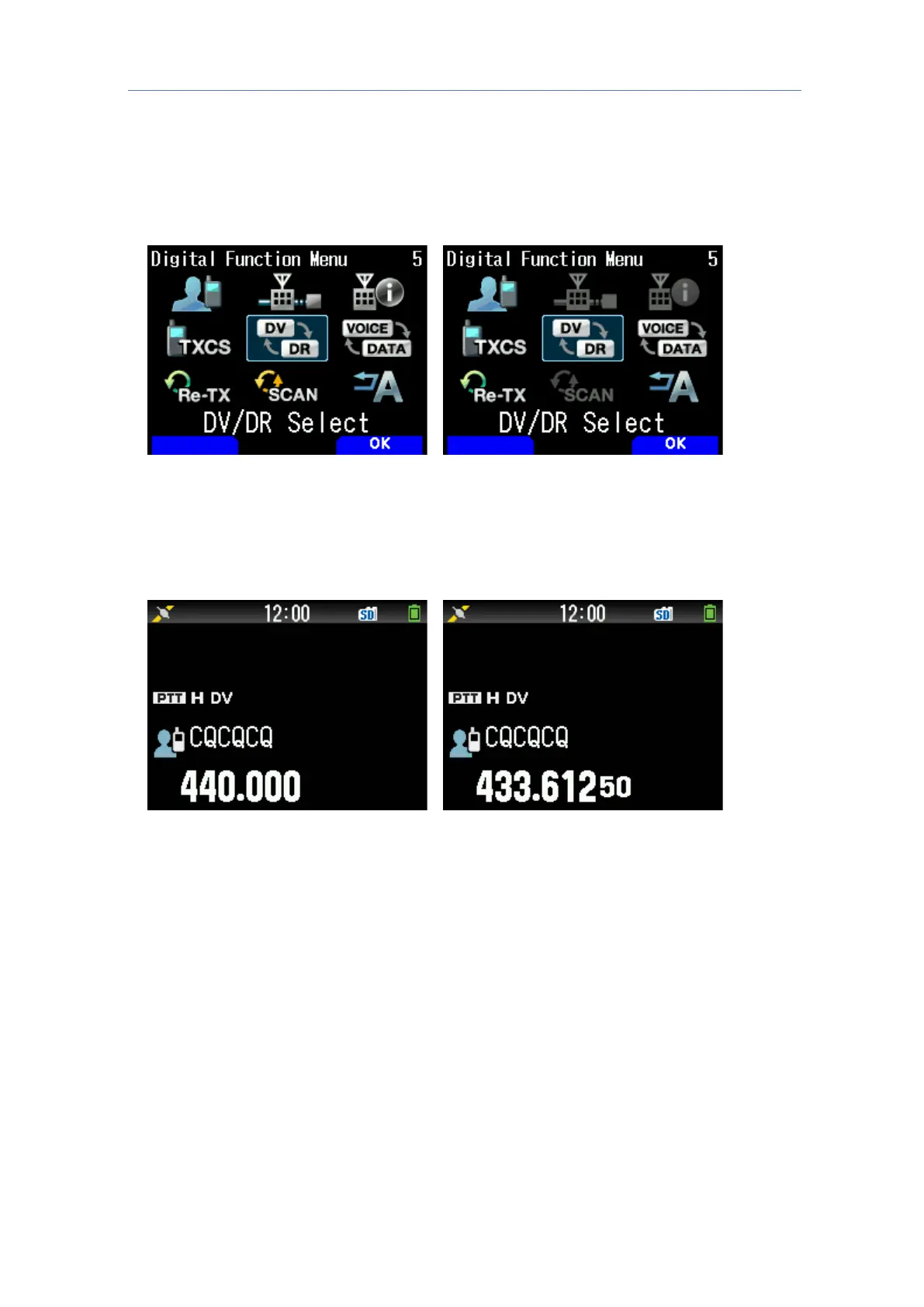
1. Press [MODE] to switch to the DR mode
2. Press [F] [MODE] in sequence
The Digital Function Menu is displayed.
3. Select "DV/DR Select" and press [A/B]
Doing so toggles between the DV mode and DR mode.
C
arrying out Simplex Communication 5.2.3
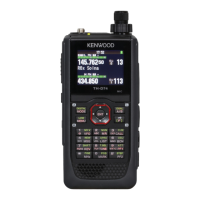
1. Configure the frequency using the [
/
] or [ENC] control
2. Press [MODE] to switch to the DR mode.
If the TH-D74A/E is in the DV mode, go to Step 4.
3. Switch to the DV mode in the Digital Function Menu
4. In the Digital Function Menu, select "Select Target"
The Destination Select screen appears.
5. Select "Local CQ" and press [ENT]
"TO" is now configured as "CQCQCQ".
6. Press [PTT] to start transmission



 To Next Page