5 D-STAR
43
By using a microSD card 5.5.2
1. Install a microSD card to the TH-D74A/E.
2. Access the TH-D74A/E's
Menu No.980 (USB function) and set the transceiver to Mass
Storage mode.
3. Connect the TH-D74A/E and the PC via a Micro-USB cable.
4. Copy the downloaded Repeater List file "D74_yyyymmdd_E.tsv" to the microSD card
folder [KENWOOD]-[TH-D74]-[SETTINGS]-[RPT_LIST].
5. Remove the TH-D74A/E from the PC.
6. Access
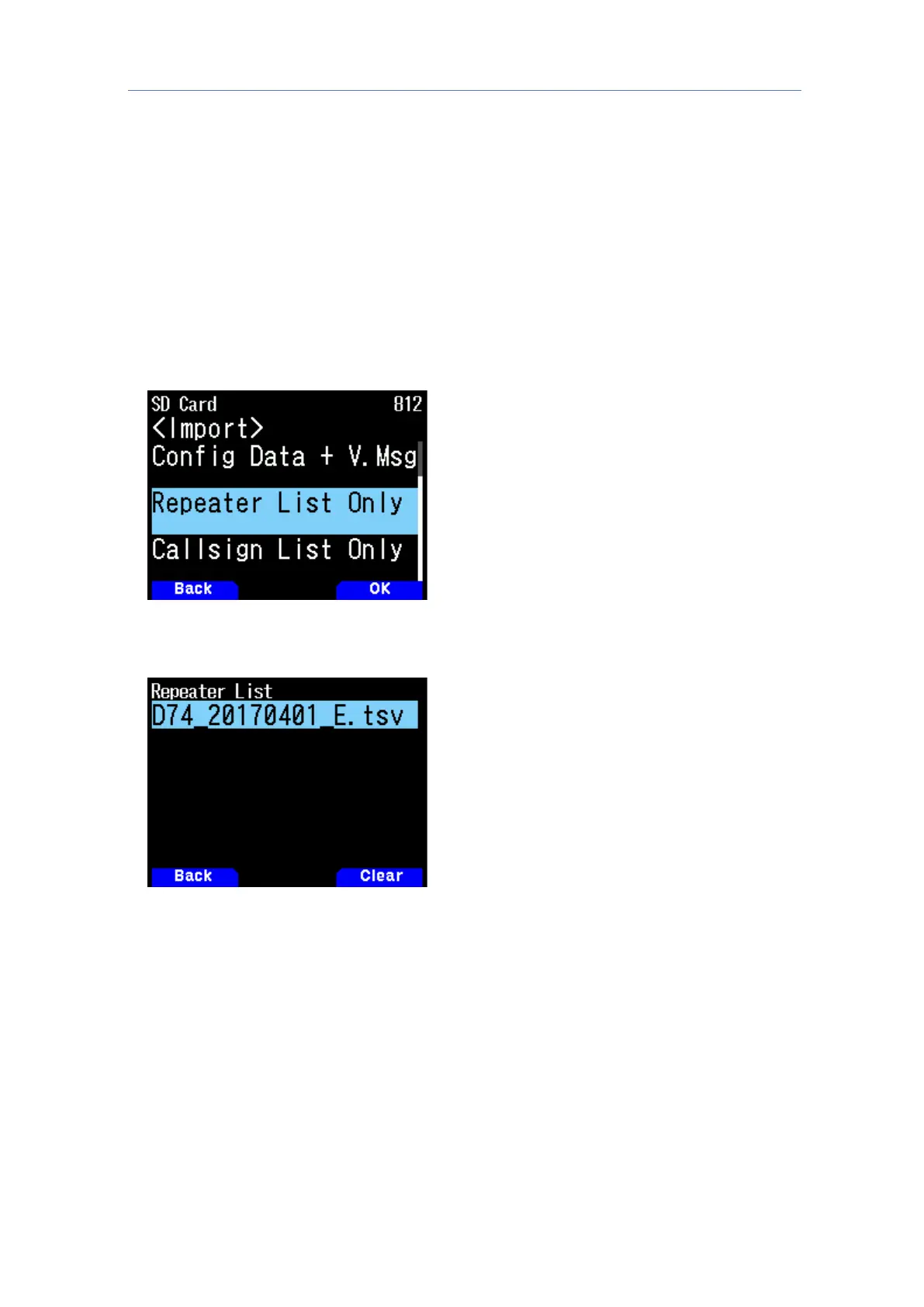
Menu No. 812 (Import - Repeater List only) and press [ENT].
7. Select the copied Repeater List File and press [ENT].



 To Next Page