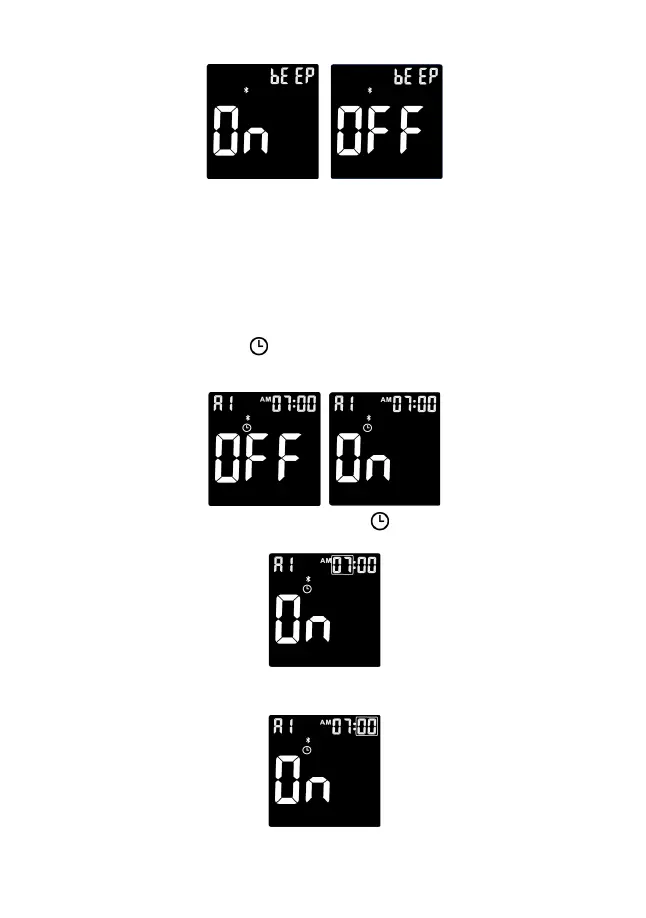
8
Set the Test Alarm
After the audio setting is completed, the meter will enter the test alarm setting mode;
this function reminds users to take a measurement. Your meter is pre-set with the
test alarm function to “OFF,” however, you can set up to 5 reminders per day. If you
turn 5 test alarms on (A1, A2, A3, A4 and A5), your meter is pre-set with the
following times for your convenience; you can adjust each time to suit your needs.
A1 7:00 A2 9:00 A3 14:00 A4 18:00 A5 22:00
Before you set the time, the and the word “OFF” will be displayed, the symbol
“A1” flashes. Press the side button to turn the alarm function on or off and press
the power button to save.
If you select “On” the hour flashes “A1” and the remains on the display. Press
the side button to select the hour. Press the power button to set.
When the minutes flash, press the side button to select 00, 15, 30, or 45. These
are the only choices. Press the power button to set.


 To Next Page