21
• Control results of blood glucose are not included in your 7, 14 and 30-day
average calculation.
Viewing Your Test Results
When your meter is off, press the power button to turn the meter on. After a beep,
a symbol of a strip flashes on the display. Press the power button again. Your last
test result will display on the screen.
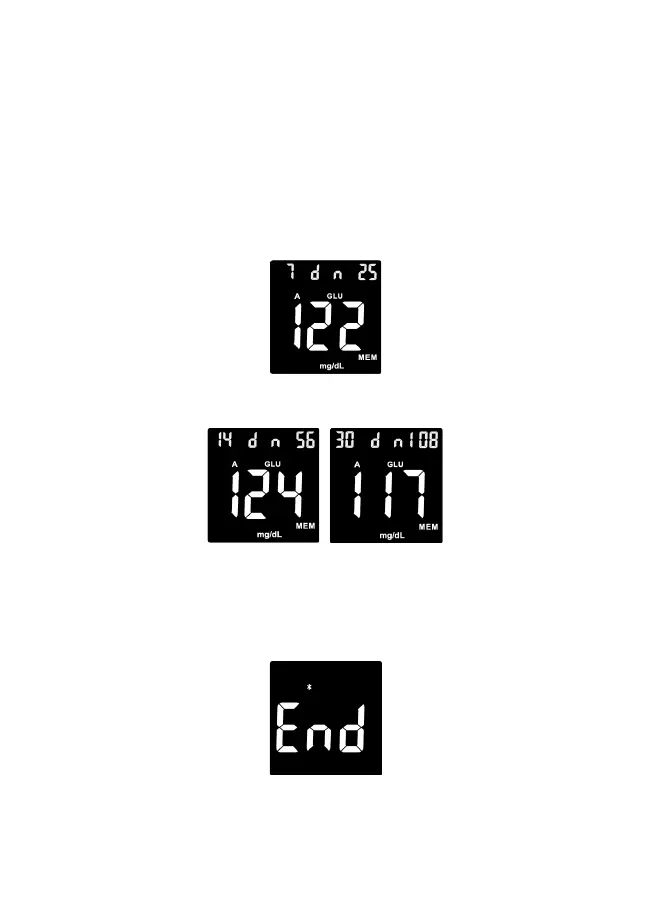
To view your 7, 14, and 30-day average blood glucose (averages are available
only for glucose, not β-ketones), press the top side button; the 7-day average of
blood glucose will appear in the center of the display.
Continue to press the top side button to view the 14-day average of blood glucose,
then press the top side button again to review the 30-day average of blood
glucose.
To view your previous readings (both glucose and β-ketones), press the bottom
side button. Results will be shown starting with the most recent. Continue to press
the side button to scroll through your readings.
When END appears on the display, you have viewed all the results in the memory.


 To Next Page