Home
Keysight
Measuring Instruments
E4417A
Page 32 (Rack Mounting the Power Meter)
Keysight E4417A - Rack Mounting the Power Meter; Rack Mounting One Meter (Using the Option 908 Rack Mount Kit)
47 pages
Manual
Save Page as PDF
To Next Page
To Next Page
To Previous Page
To Previous Page
Loading...
Getting S
tarted
Rack Mounting the Power
Meter
30
EPM-P Installation Gu
ide
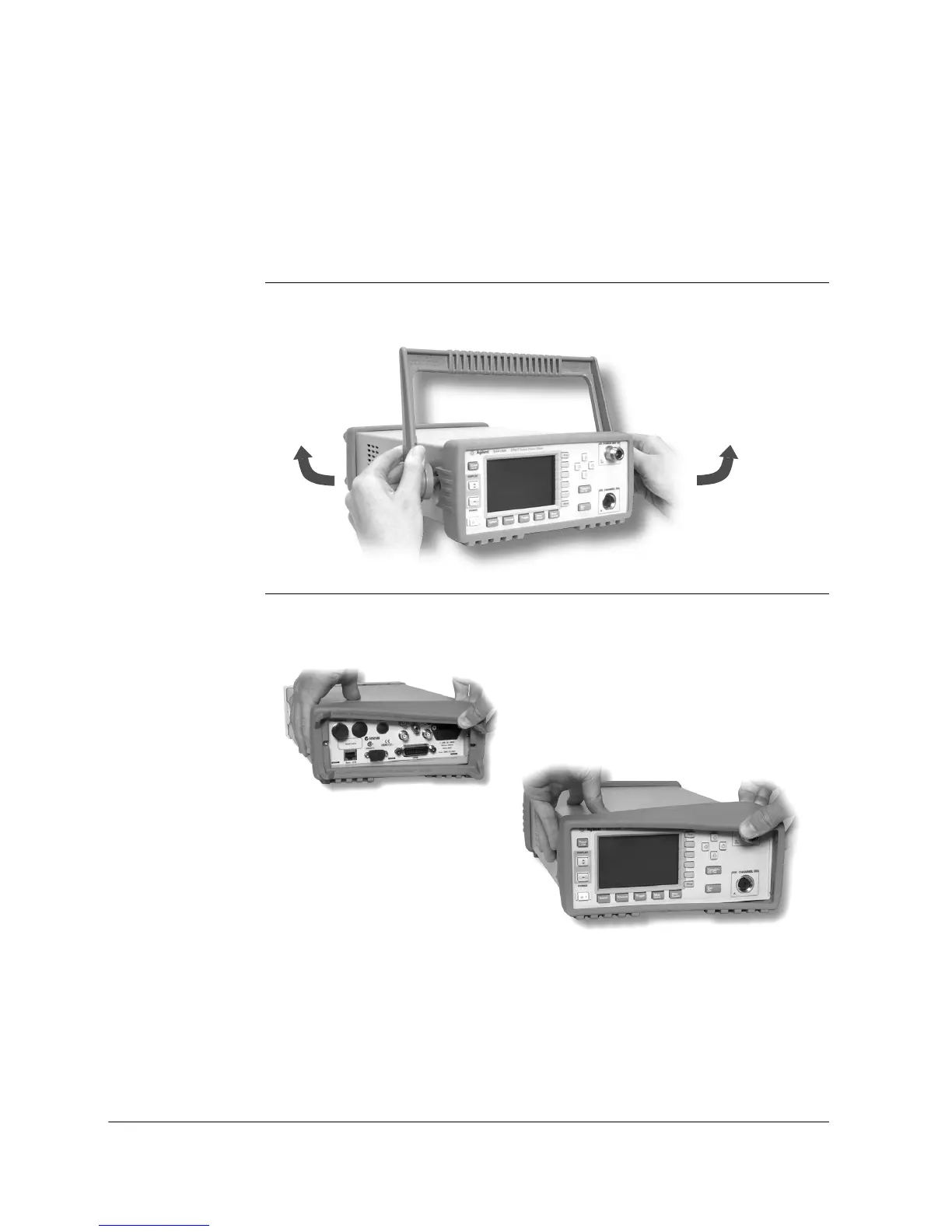
Rack Mounting the Power Meter
Rack Mounting One Meter
(Using the Option 908 rack mount kit)
1. Remove the carry
ing handle.
2. Remove the front and re
ar rubber bumpers.
31
33
Table of Contents
Main Page
Safety Symbols
5
General Safety Information
6
Table of Contents
9
Getting Started
11
Welcome
12
Initial Inspection
12
Documentation Information
13
What You'll Find in this Guide
14
Power Meter and Sensor Capability
16
Specifications
16
Adjusting the Carrying Handle
17
Turning the Power Meter on
18
Front Panel Keys and Connections
21
Connecting a Power Sensor
25
Rear Panel Connections
28
Remote Interface Configurations
30
Gpib
30
Rs232/Rs422
31
Rack Mounting the Power Meter
32
Rack Mounting One Meter (Using the Option 908 Rack Mount Kit)
32
Rack Mounting Two Meters Together (Using the Option 909 Rack Mount Kit)
34
Regulatory Information
37
General Specifications
38
Compliance and Markings
40
IEC61010-1 Compliance
40
Electromagnetic Compatibility (EMC)
40
Safety
40
Markings
41
Regulatory Information
42
Sound Emission
42
According to ISO 7779 (Type Test)
42
Declaration of Conformity
43
Responsibilities of the Customer
45
Keysight Sales and Service Offices
46
Related product manuals
Keysight E4980A
519 pages
Keysight E4990A
669 pages
Keysight E4981A
259 pages
Keysight E4991B
38 pages
Keysight E4980AL
529 pages
Keysight E5080B
31 pages
Keysight E5052B
265 pages
Keysight E5061B
64 pages
Keysight E5063A
41 pages
Keysight ENA Series
217 pages
Keysight PNA E8362C
16 pages
Keysight E5071C ENA Series
73 pages












 To Next Page