Application Tutorial 3
Keysight U3401A User’s and Service Guide 67
Measure AC Voltage and Frequency on an AC Circuit
A single measurement for both AC voltage and frequency can be displayed
through both displays while testing a rectifier circuit.
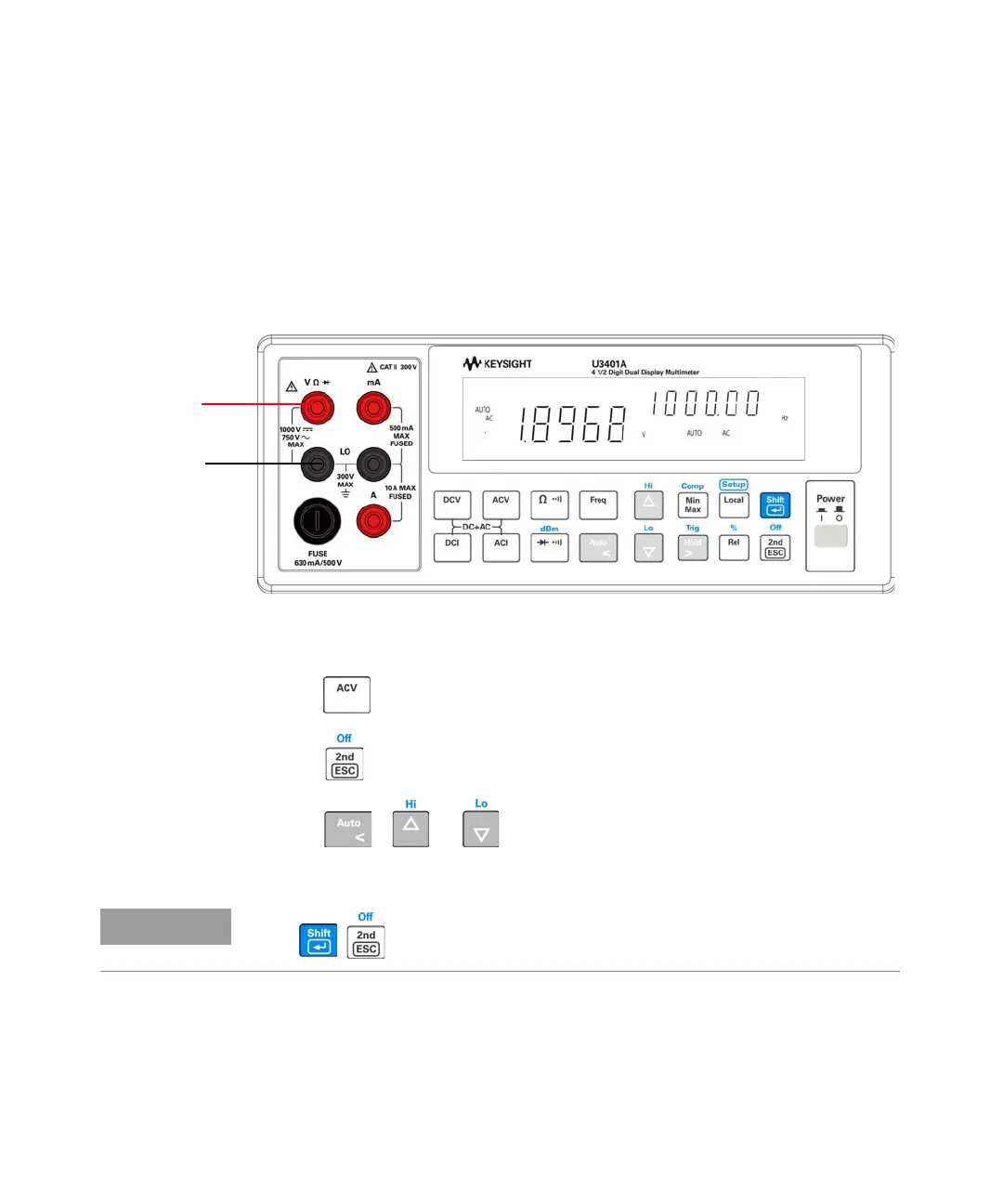
1 Connect the red and black test leads to the input terminal and probe the test
points as shown in Figure 3-3.
Figure 3-3 Connection terminal when measuring AC Voltage and
Frequency
2 Press to select AC voltage measurement for primary display.
3 Press to select frequency measurement for secondary display.
4 Press , or to select autoranging or manual range for
secondary display.
Press to disable the secondary display.
AC voltage
source
+
–



 To Next Page