12
PlaybackInterfaceControls
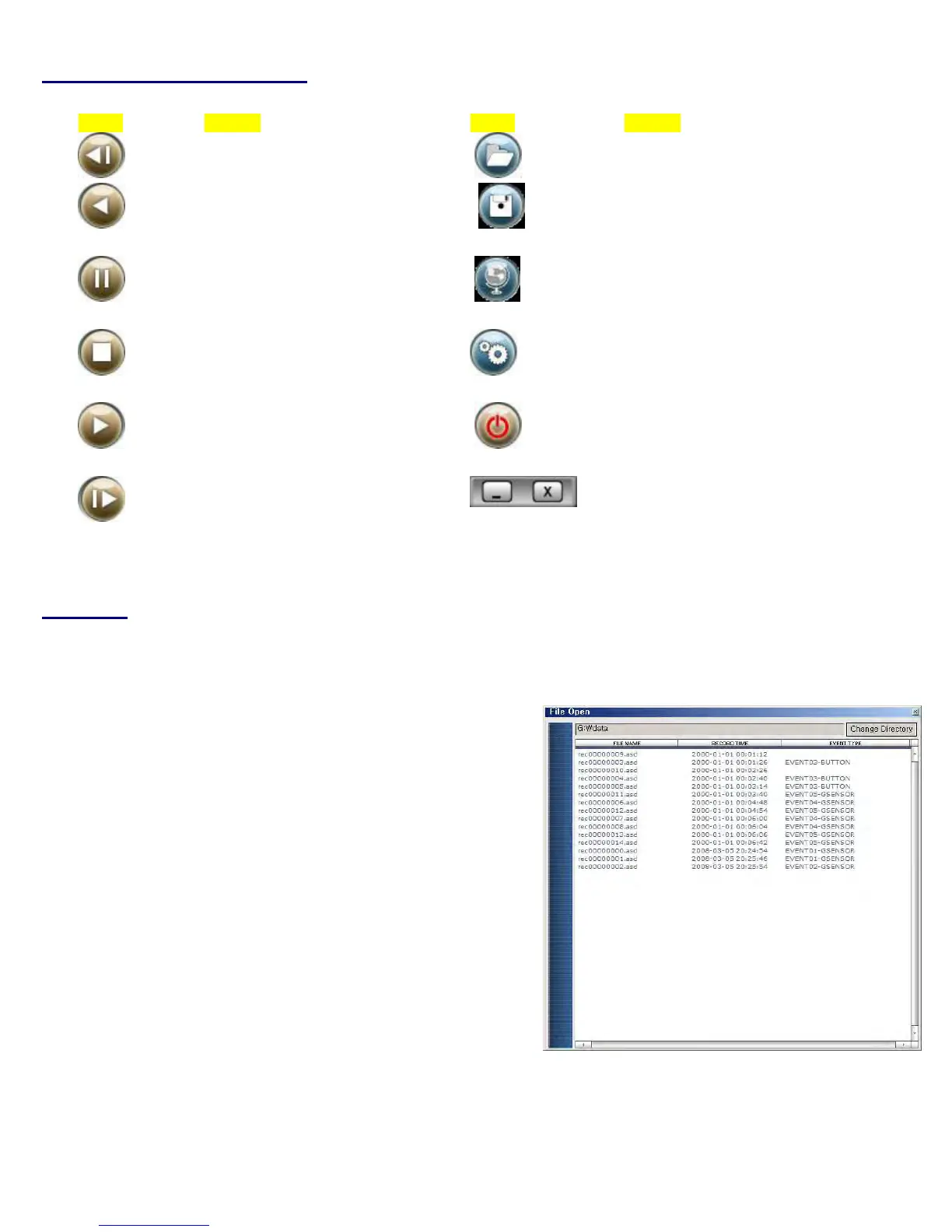
Button Function Button Function
Movetothepreviousframe Openafile
ReversePlayback
ConvertthefileintoanAVI
format
PausethePlayback
Linkrecordeddatawith
map
StopPlayback
ConfigurationSetUpMenu
Playback
Exit,closetheprogram
Movetothenextframe
Hide/closethewindow
Playback
1.WiththePlaybackinterfaceOpen:Afterclickingthefoldericononthelowerrightcorneroftheviewer,clickChangeDirectoryto
selectthelocationfortherecordeddata.TypicallythefirsttimeyoudothisallthefilesarelocatedontheSDcard.Ifsavedelsewhere,
usethisutilitytoexpl
oreyourcomputertolocatethefileforplayback.
2.Whenthefilelistappears,double‐clickthedesiredfiletoplayback.
FILENAME:Filenameoftherecordedvideoimages.
RECORDTIME:Dateandtimewhentheimageshavebeenrecorded.
EVENTTYPE:Displaysrecordingtype(Continuousrecording/eventbutton)recording/remoteeventbuttonrecording)
ClickthelistnametosortbyFileName,RecordTimeorEventType.
*Even
tType:
Continuousrecording:Nonomenclatureapplied.Clickingonthisshowstherecordedfilewhendriving.
ManualEventRecording:AnnotatedwiththewordBUTTON.Thisallowsyoutolocatefilesthatweremarkedbythedriverusing
thepushbuttonontherecorderortheremoteeventpushbutton.


 To Next Page