EasyManua.ls Logo

Kilotech Integrator C30 - Set Date and Time

Kilotech Integrator C30
26 pages
Print Icon
To Next Page IconTo Next Page
To Previous Page IconTo Previous Page
Loading...
18
Weight
Display
Unit Price
Display
Total Price Display
Keys used
Comment
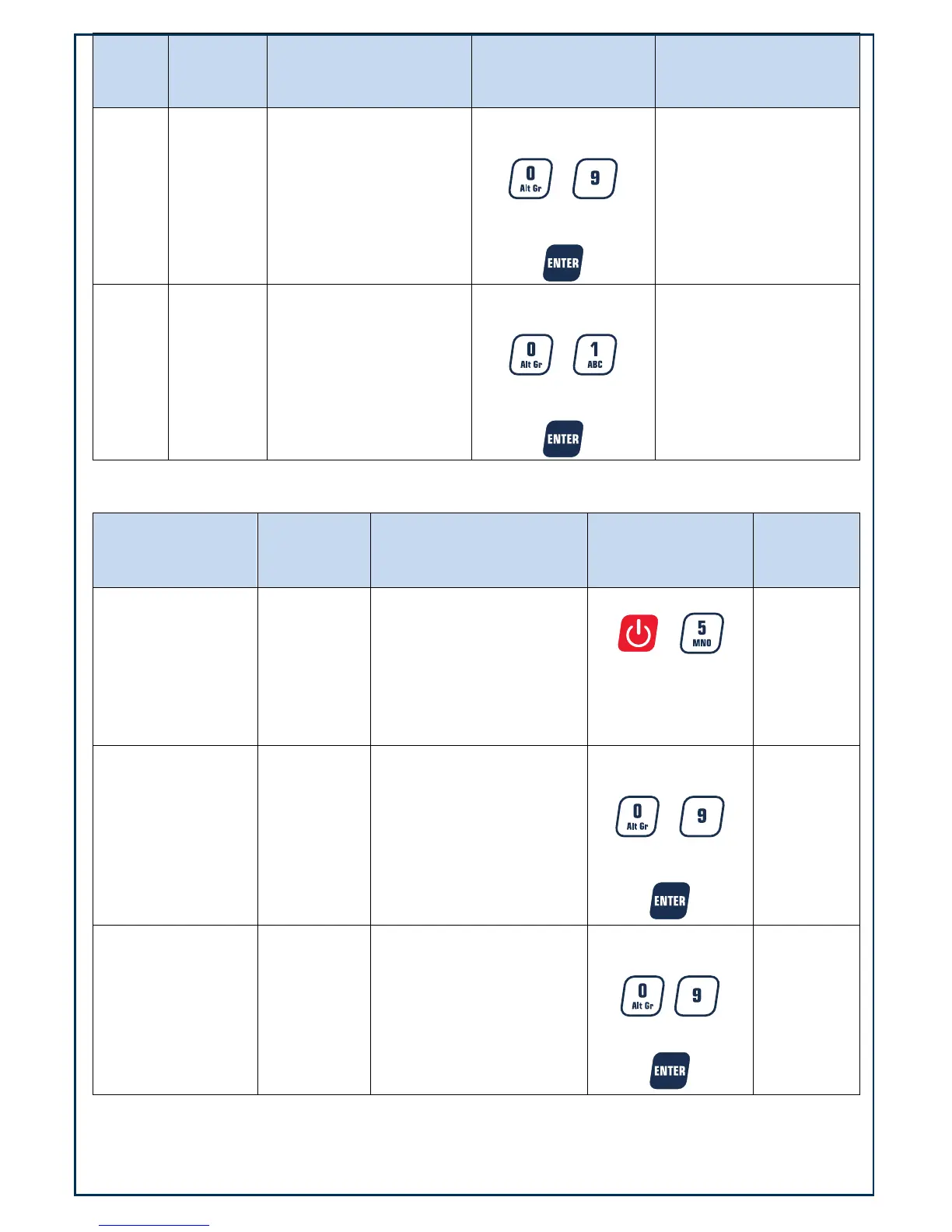
Setup Usb.dft XXX
Choose baud rate using
numerical keys
~
To confirm press
Format options
1 = 8N1
2 = 7O1
3 = 7E1
Setup Urt.CFt
XXX
Choose format setting
using numerical keys
~
To confirm press
0 = None
1 = SN
Data will be transmitted
when the print key is
pressed and scale is stable
The system will automatically reboot after changing the above parameter settings
Set date and time
Weight Display
Unit Price
Display
Total Price Display Keys used Comment
0.00 0.00 0.00
Press both
+
simultaneously and
hold down for more
than three seconds
.
Setup dAtE
xx.xx.xx
Enter date using
numerical keys
~
To confirm press
format
YY.MM.DD
Setup timE xx.xx.xx
Enter time using
numerical keys
~
To confirm press
Format
hh.mm.ss

Related product manuals