2."NO" is the default . Press the button"UP" or "DOWN" to
take "YES" or "NO" then hit the button "MODE" to confirm.If
take "YES",TRIP&TRIP TIME is cleared up,take "NO" the
record keeps the same.
BACKLIGHT
3.Repeat STEP 1 then hit the button "MODE" to pick setup
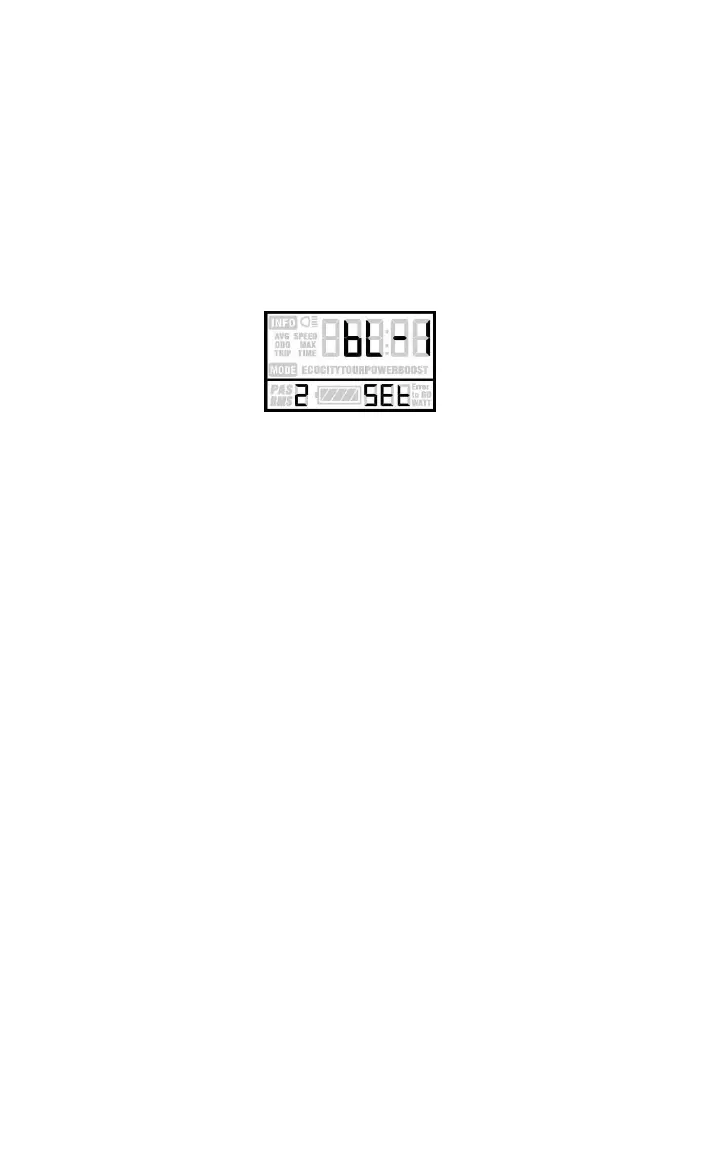
menu till flash showing bL-1 which is default setup for
BACKLIGHT.
Backlight setting interface
4.Press the button"UP" or "DOWN" to change the brightness
for backlight. bL-1 is bright,bL-2 brighter,bL-3 the brightest.
KM/MILE
5.Repeat STEP 1,hit the button "MODE" to pick setup menu till
flash showing "KM" or "MILE".Press "UP"or "DOWN" to make
choice for KM or MILE ,then hit the "MODE" to confirm.
AVERAGE&MAX SPEED
Press and hold the buttons "DOWN"+"MODE" for 2 seconds
till AVG SPEED appears on the screen,then release the
buttons and hold the both buttons down again till MAX
SPEED showing on the screen.Exit setup by holding the both
buttons once again for 2 seconds.
8



 To Next Page
 Loading...