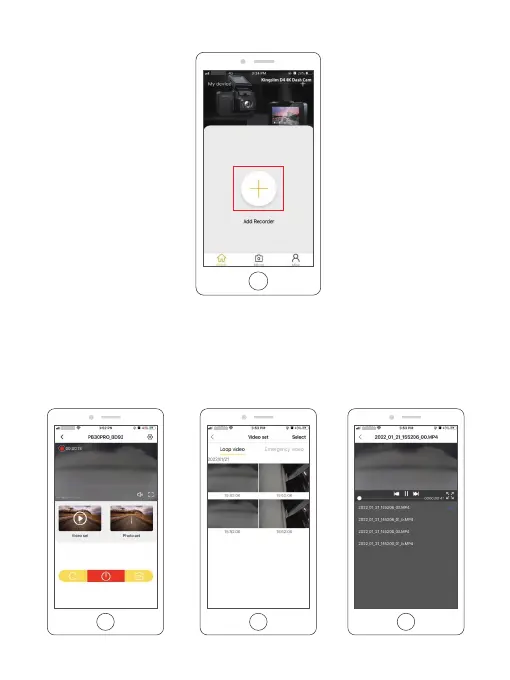
⑤ Tap "Add Recorder", wait a few seconds to enter the preview interface.
3. APP playback
To play on smartphone, simply turn on Wifi first from the camera, then connect the KINGSLIM
Hot spot by entering the default password “12345678”. Once connected, simply open the
correct KINGSLIM APP for your model. Please note that for KINGSLIM model, only “KINGSLIM”
APP can be used for operation. Enter the preview interface, tap the “Video set” icon, then you
can watch those videos.
27



 To Next Page