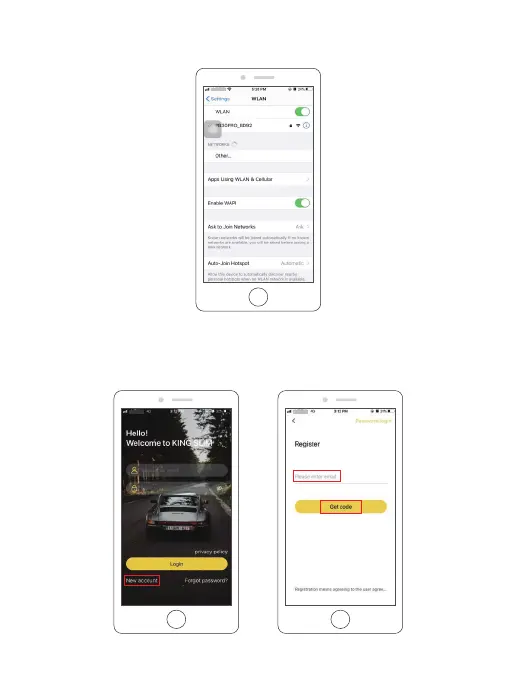
③ GO to your smartphone’s WIFI setting, search for the same Wifi SSID name displayed on the
screen, and enter the password 12345678 for connection.
④ Open the “KINGSLIM” APP, tap the “New Account” icon, enter your email and get the
verification code for login.
26



 To Next Page