5742.892 | 11.50
EN
3 Installation
The following section describes only the installation of the
tions of each respective manufacturer when installing external components (collectors,
pumps, storage tanks, valves etc.)
3.1 Opening / Closing the casing
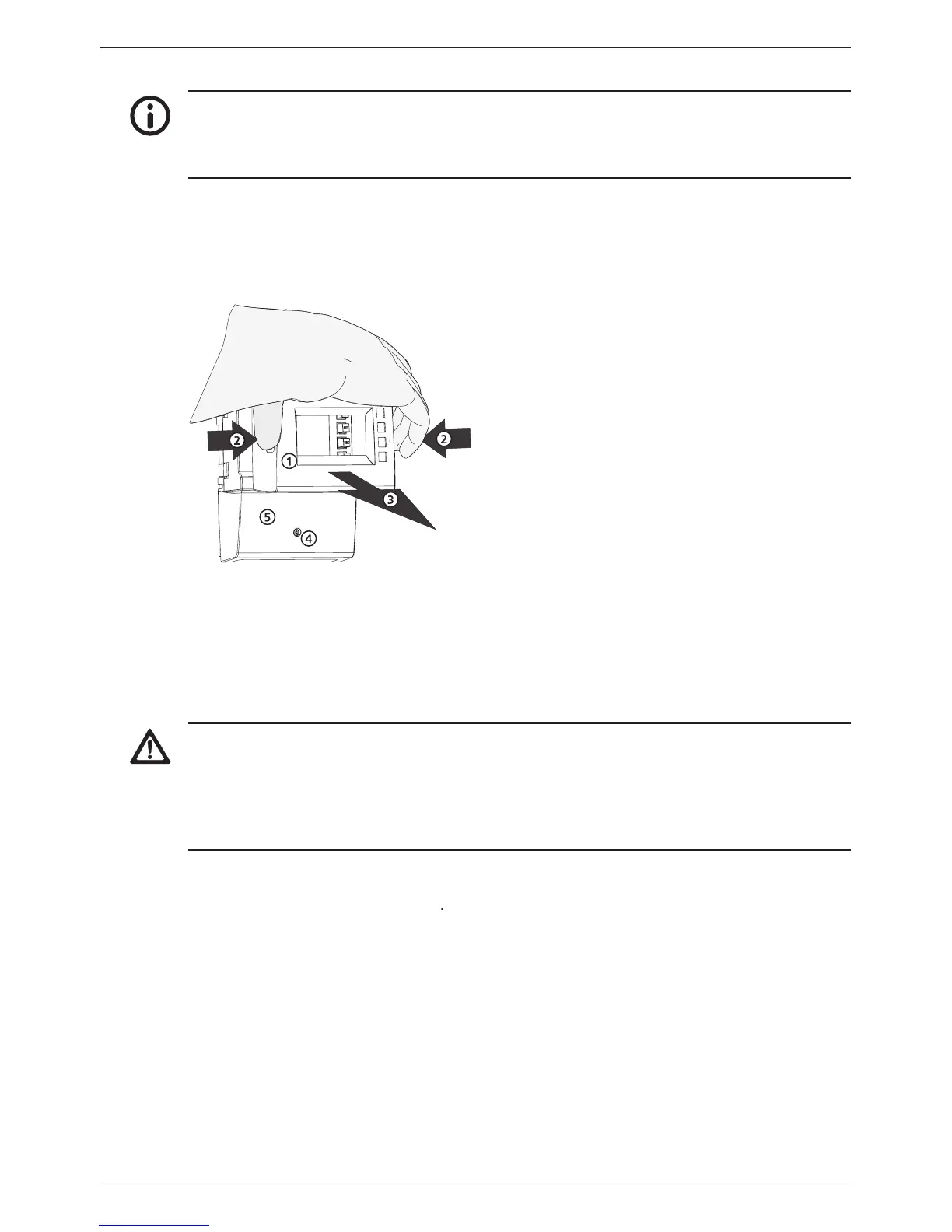
3.1.1 Removing the front panel
by the grooves at the sides
3.1.2 Mounting the front panel
Carefully position the front panel
and then press it onto the casing until it latches
3.1.3 Removing the terminal cover
Risk of death by electrocution!
Disconnect the controller from the power supply before removing the terminal
Make sure that the power supply cannot be unintentionally switched on when the
Remove the terminal cover
3.1.4 Mounting the terminal cover


 To Next Page