20 742.892 | 11.50
EN
6 Operation
This section contains general information on operating the controller.
6.1 Operating buttons
The device is operated using the , , SET, ESC and buttons as follows:
• Scrolls up through the menu
1)
• Increases the setting value by 1 step
• Scrolls down through the menu
1)
• Decreases the setting vaule by 1 step
SET
• Selects a setting to be changed (setting value flashes)
• Confirms a setting value or jumps one level down in the menu
structure
1)
• Calls up the settings menu (not in manual mode)
ESC
• Discards an entered setting
• Jumps up by one operating level
Sets the operating mode
1)
Exception: Initial commissioning
Note
We recommend that you write down all settings that you have changed.
6.2 Display when operating
• A flashing component in the system graphic means: The displayed operational or
setting value applies to the flashing component.
Exception: always flashes in manual mode.
• A flashing symbol is indicated in the figures by
.
• Displays that are automatically alternately displayed are shown overlapping in the
figures. Example: Figure in Section 7.2, p. 21.
7 Modes of operation
7.1 Changing the mode of operation
Caution
Danger of pump damage if run dry. Only switch the system to manual or automatic
mode when the system is filled.
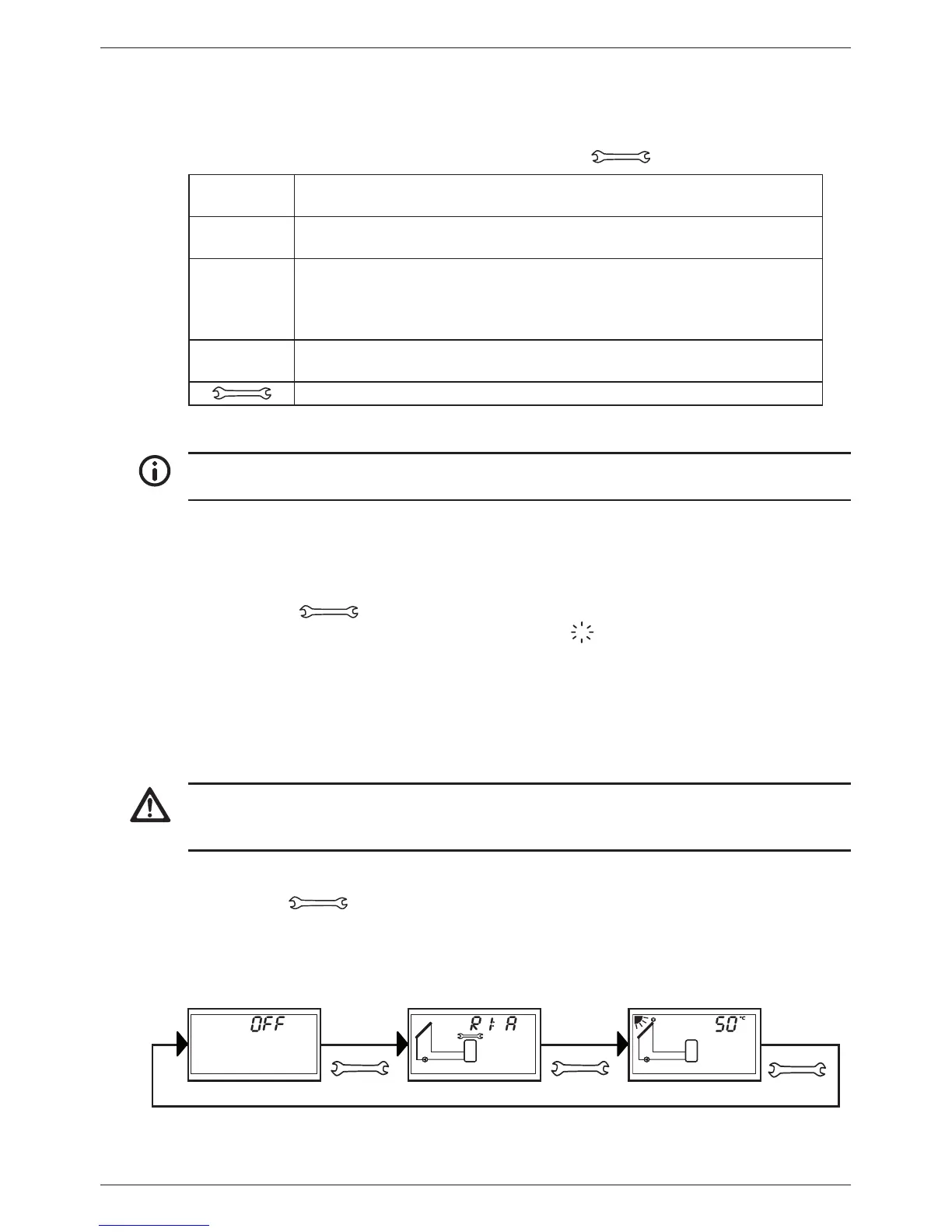
1. Remove the front panel.
2. Press the button for 2 seconds to change the mode of operation.
3. Repeat step 2 if necessary.
4. Mount the front panel.
Off
Manual
operation
Automatic
2 s 2 s 2 s


 To Next Page