17742.892 | 11.50
EN
5 Construction
5.1 Casing
SC400
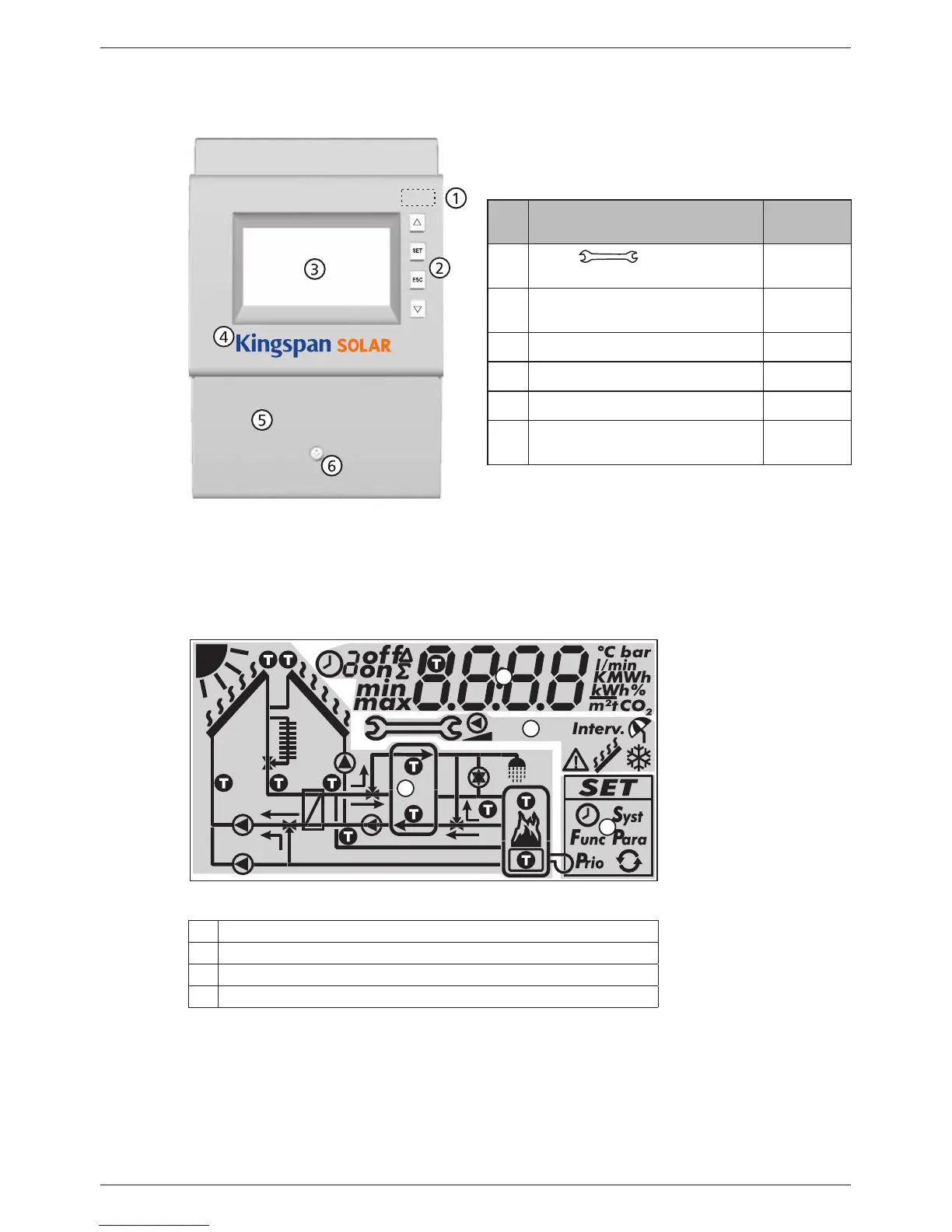
No. Element
See sec-
tion
Mode button (under
front panel)
6.1, 7
Operating buttons: , SET,
ESC,
6.1
Display 5.2
Front panel 3.1
Terminal cover 3.3.1
1)
Terminal cover fastening
screw
–
1)
Section 3.3.1 describes the terminals under the
terminal cover.
Fig. 7: Front view of the controller
5.2 Display
5.2.1 Overview
3
2
4
1
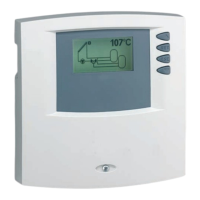
Fig. 8: Overview of the display areas (all elements visible)
System graphics
Settings menu
Pictograms for functions
Operational and setting values
The display areas are described below.


 To Next Page