Chapter 2 Basic Operations 2-22
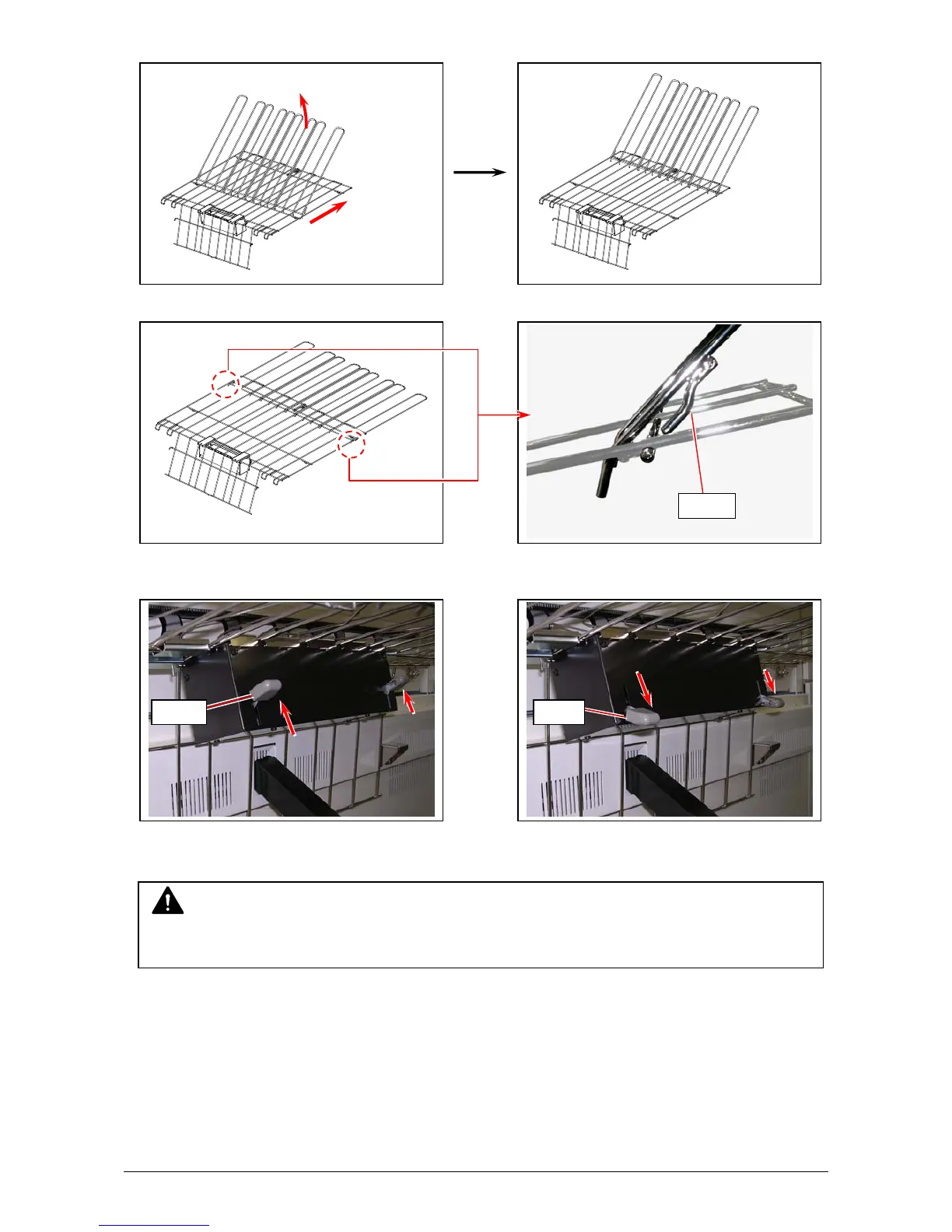
. With holding the extension tray, slide it completely to the arrow direction.
3. Lower the extension tray and insert the hooks on the base tray.
For use of thin vellum / tracing paper and film in D/A1 portrait or E/A0, press the lever down.
In most sizes / types, the lever should remain up.
Lever UP: most size, type Lever DOWN: Large Tracing, Vellum, Film
Please contact your local dealer for other outer devices (Scanner, Auto Stacker, Folder, etc).
See the device’s documents if you use one. That might include additional information for
usage / notice of the printer.
Lever Lever
NOTE
This equipment is exclusive use of stacking ejected prints from the printer.
Hook



 To Next Page