Chapter 3 Error Correction 3-18
NOTE
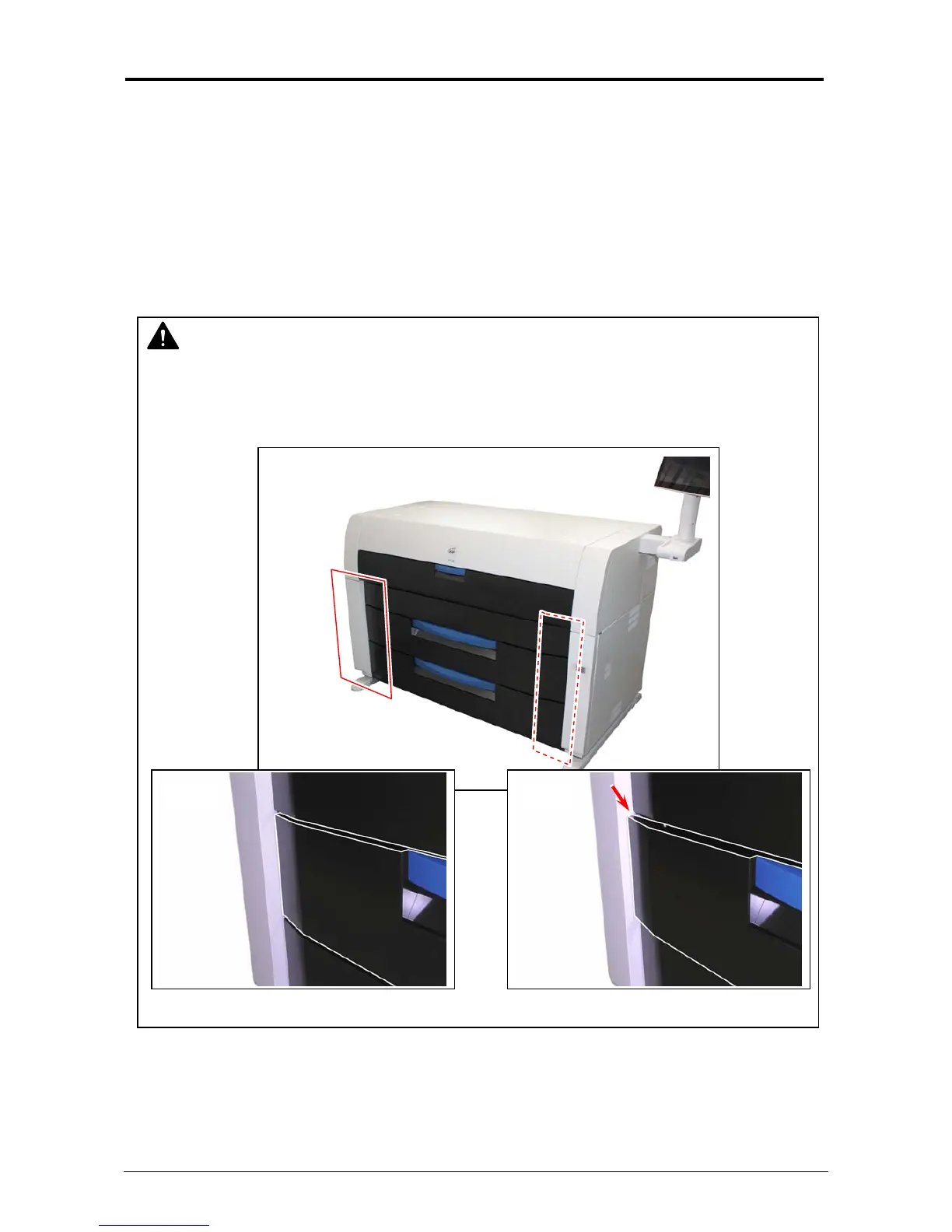
The above screen will be indicated if the Roll Deck is not locked correctly, although it may
look closed.
Open and close the Roll Deck again, pushing until locked. Ensure both sides of the roll deck
are in their correct position.
Correct: firmly closed Wrong: not closed completely
3. 2 Open Cover Errors
When any deck/cover is open (not closed firmly), the UI Screen will display “Door Open” or any
other prompt screen.
Close the concerning deck/cover as it is impossible to print, if this error exists.
3. 2. 1 Roll Deck Open
“Replace Roll” screen will appear on the UI screen when Upper / Lower Roll Deck is open.
Completely push the concerning Roll Deck toward the printer to firmly close it.
OK NG



 To Next Page