(7) Press and hold down key "FUN", Turn the electric switch lock from OFF to ON. After 5
seconds enter setting program. Start generating set. The protection function for electrical
parameters will be revoked
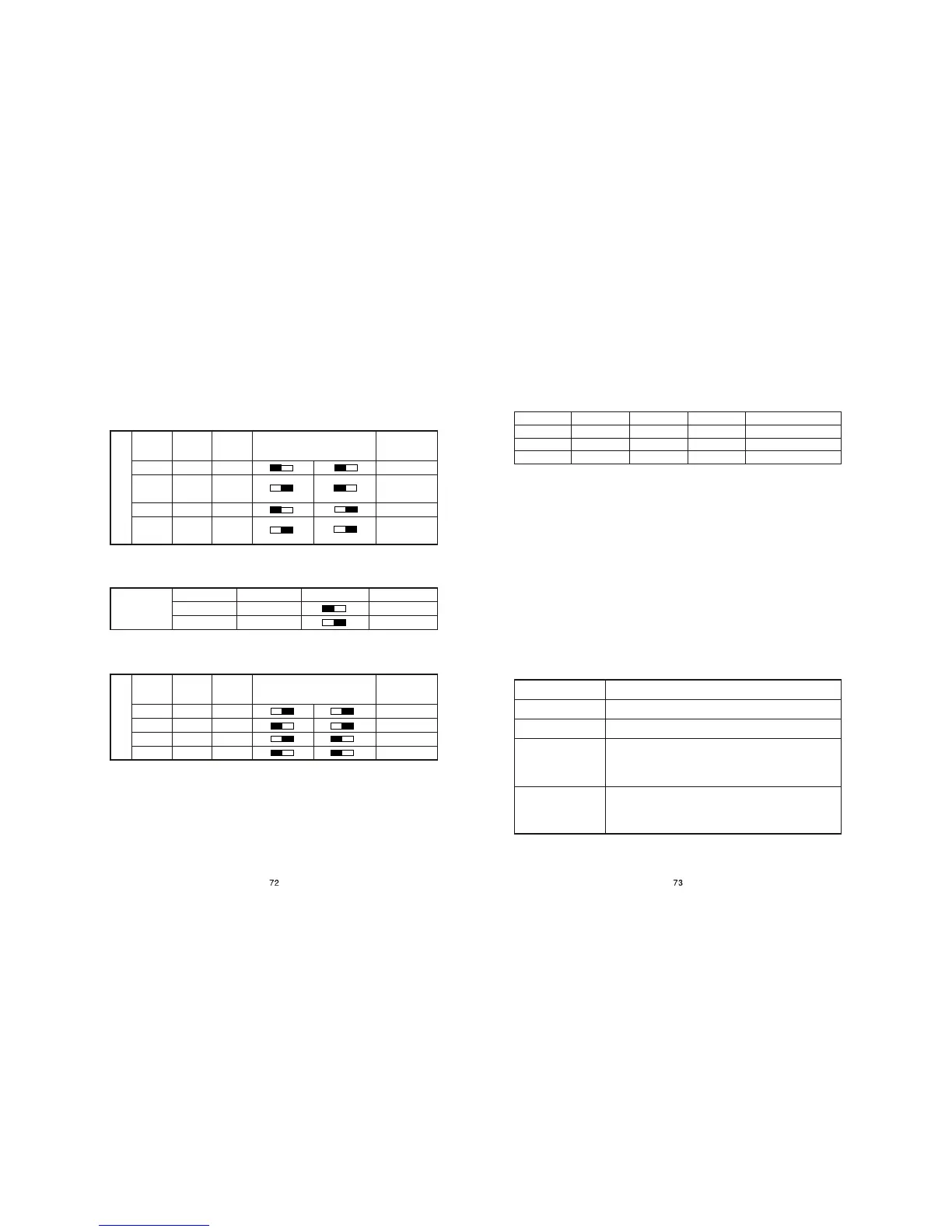
(8) Charge and checkout the toggle switches as table below
Warning: Do not adjust this switch. It is adjusted in factory. The user and
maintenance person should not vary the settings.
5.2 Checks
Starting check
(1) Turn the electric switch lock from OFF to ON. The rated current of generating
set output is displayed in display window. After 0.1-0.5 seconds the output voltage
will displayed (at this point the voltage is zero).
(2) Turn the electric switch lock from ON to ST. "STArt" will displayed in display
window. The starting motor drive the engine to start.
Display of electrical parameters
(1) After starting of generating set the voltage indicating lamp will on. The output
voltage is displayed in display window. According to different phase number of
output the voltage will be displayed as follows:
5.1 Setting
(1) Press and hold down key "FUN", turn the electric switch lock from OFF to
ON. After 5 seconds enter the setting program.
(2) According to the number of voltage phases and the table below select
corresponding toggle switch.
(3) Press key "FUN" to enter frequency setting. According to the frequency of
output voltage and table below select corresponding toggle switch.
(4) Press key "FUN" to enter voltage setting. According to the output voltage
and table below select corresponding toggle switch.
(5) Press key "FUN" to enter current setting. Display IXXX.X. Regulate the potentiometer
I_set to vary displayed value. Clockwise to decrease and counterclockwise to increase. The
minimum variation is 0.3. Set the current value to rated current..
(6) After setting:
a. Start generating set directly. At this point the protection function for electrical parameter is
revoked.
b. Turn the electric switch lock from ON to OFF, then restart generating set.
Phase number setting
Display
Toggle
switch
DIP4
Toggle
switch
DIP5
Toggle switch
DIP4 DIP5
Left Right Left Right
Meaning
PH-1
PH-2
PH=2
PH-23
ON ON
ON OFF
ON OFF
OFF OFF
Single phase single voltage output
ON OFF
ON OFF
ON OFF
ON OFF
OFF ON
OFF ON
OFF ON
OFF ON
Double voltage selected output
Three-phase
output
Double voltage
selected output
Meaning
Toggle switch DIPI
Toggle switch DIPI
Display
Frequency
setting
F-60
F-50
ON
OFF
Left Right
Left Right
Frequency of output voltage is 60 Hz
Frequency of output voltage is 50 Hz
Toggle
switch
DIP2
Toggle
switch
DIP3
Meaning
Toggle switch
DIP2 DIP3
Left Right Left Right
Display
Voltage setting
OFF
ON
OFF
ON
OFF
OFF
ON
ON
ON OFF
ON OFF
ON OFF
ON OFF
ON OFF
ON OFF
ON OFF
ON OFF
U-120
U-115
U-240
U-230
Output voltage 120
Output voltage 115
Output voltage 240
Output voltage 230
Type of engine
5KW diesel
DIP1(three positions)
Remark (three position toggle switch)
DIP2(three positions) DIP3(three positions)
OFF ON ON
According to the voltage of flywheel generator
Double voltage selected output
Display
Display output voltage
Display actual output voltage according to various selection
Double voltage simult-
aneous output
Three-phase output
Phase number
Single phase single voltage
Display "AbXXX", in which the XXX is voltage value, display voltage value of
line AB. Press key FUN to display"bCXXX", in which the XXX is voltage value,
display the voltage value of line BC. Press key FUN to display "CAXXX", in
which the XXX is voltage value, display the voltage value of line CA
Display "AXXX.X", in which the XXX.X is voltage value, display the high voltage
value of output. Press key FUN to display "bXXX.X", in which the XXX.X is
voltage value, display a lower voltage value of output. Press key FUN to display
"CXXX>X", in which the XXX.X is voltage value, display another lower voltage
value of output.


 To Next Page