4 Basic Operation
4.1 Powering on/off
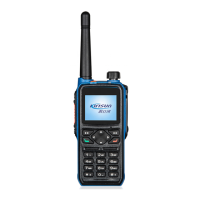
To power on the radio, turn the power/volume knob clockwise until a click is heard; the LCD screen
displays the power-on image and the backlight is on automatically; an alert tone and a sligt vibrating hint
(created by motor)will sound and shake at the same time .
To power off the radio, turn the power/volume knob counter-clockwise until a click is heard
4.2 Adjusting the Volume
When the radio is on, turn the power/volume knob to adjust the volume. Turn it clockwise to increase the
volume and counter-clockwise to decrease
After turning the power/volume knob counter-clockwise to the minimum volume, and keep turning it until a
click is heard.
4.3 Selecting the Zone
Zone is a group of channels. You can put channels of the same kind into a zone and you can quickly switch
to different channel group in different working environment. It supports a maximum of 248 zones, and
each supports a maximum of 128 channels.
1) Press
to enter the manual.
2) Select and enter “
zone menu.
3) Press【Up】/【Down】 key to select the target zone.


 To Next Page