EasyManua.ls Logo

Kirisun PT4200 - User Manual

Kirisun PT4200
12 pages
Print Icon
To Next Page IconTo Next Page
Loading...
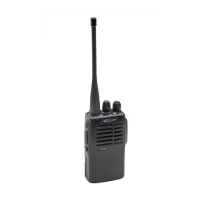
FM HANDHELD TRANSCEIVER
INSTRUCTION MANUAL
PT4200

Other manuals for Kirisun PT4200

Questions and Answers

  • B
    bgonzalesAug 15, 2025
    What to do if I cannot program the Kirisun Two-Way Radio parameters normally?
    • L
      lambrobertAug 15, 2025
      If you are having trouble programming the radio parameters, first ensure that the programming cable is securely connected. If the issue persists, check the socket and replace it if necessary.
  • K
    Kenneth StaffordAug 18, 2025
    Why does the Kirisun Transceiver battery drain so fast?
    • R
      Robert JordanAug 18, 2025
      If the battery power of your Kirisun Transceiver depletes quickly after charging, the battery life might be at its end. Replace it with a new battery pack.
  • J
    Joanna NealAug 21, 2025
    How to fix Kirisun PT4200 Two-Way Radio when I can't talk to or hear other group members?
    • S
      Summer HintonAug 21, 2025
      If you cannot communicate with other members, ensure that all radios are using the same frequency channel and that the CTCSS/DCS tone matches those of your group. Also, verify that you are within the effective communication range.
  • U
    ustephensAug 25, 2025
    What to do if Kirisun PT4200 Two-Way Radio cannot receive signals?
    • C
      Cameron SchultzAug 25, 2025
      If your radio is not receiving signals, try screwing the antenna again until secure. You can also try to reset the squelch level with a computer.
  • B
    Brian DavidsonAug 28, 2025
    How to fix no display on Kirisun Two-Way Radio after switching it on?
    • K
      Kevin HartmanAug 28, 2025
      If there is no display after switching on the radio, try recharging or changing the battery pack.
  • M
    Marilyn DaughertyAug 31, 2025
    What to do if I hear other voices on my Kirisun Transceiver channel?
    • M
      Marcus FullerAug 31, 2025
      If you are hearing voices from individuals outside your group on the Kirisun Transceiver channel, try changing the CTCSS/DCS tone. Ensure that you update the tone on all radios within your group to maintain consistent communication.
  • M
    Michelle DixonSep 4, 2025
    Why can't I talk to other group members on my Kirisun Transceiver?
    • K
      kevingarciaSep 4, 2025
      To resolve communication issues with your group on the Kirisun Transceiver, ensure that the CTCSS/DCS tone setting is identical for all members. Also, verify that you are within the effective communication range.
  • W
    willisbonnieSep 7, 2025
    Why is the communication range so short on my Kirisun Transceiver?
    • J
      John DavisSep 7, 2025
      If your Kirisun Transceiver's communication range is shorter than expected, ensure the antenna is securely connected and is the original antenna. Also, check the battery to make sure it's in normal state. If problems persist, consider having your local dealer adjust the squelch level.
  • M
    Mckenzie LeonardSep 10, 2025
    How to fix a Kirisun Transceiver that won't turn on?
    • J
      Jason MeyersSep 12, 2025
      If your Kirisun Transceiver does not switch on or the display remains blank after switching it on, the battery power might be insufficient. Try recharging or replacing the battery pack. Alternatively, the battery pack might not be correctly installed. Remove the battery pack and reinstall it.

Summary

Precautions and Safety Information

General Precautions

Observing precautions to prevent fire, personal injury, and radio damage during operation.

User Notice, Safety Warnings, and Usage Precautions

Notices on illegal operation, safety awareness, warnings for explosive atmospheres, and general usage tips.

Getting Started and Preparation

Unpacking and Supplied Accessories

Procedure for unpacking the radio and identifying all supplied accessories.

Battery Pack Preparation and Charging

Steps for charging the battery pack, including indicator lights and charging time.

Installing and Removing Components

Instructions for installing and removing the battery pack, antenna, speaker/microphone, and belt clip.

Radio Operation and Basic Functions

Radio Overview

Description of the radio's components including LED indicator, channel selector, and buttons.

Basic Operation Procedures

Guide to switching the radio on, adjusting volume, and selecting channels.

Making and Receiving Calls

How to make a call using the PTT button and receive calls with proper volume adjustment.

Scan Function

Instructions on how to start and stop the scan function, including restart methods.

Advanced Functions and Features

Auxiliary Functions

Details on time-out timer, battery saving, low battery warning, and monitor function.

Channel Features

Explanation of CTCSS/DCS tones and voice annunciation of channel numbers.

Cloning and Emergency Alert

Information on wired cloning mode and activating the emergency alert function.

Troubleshooting and Settings

Troubleshooting Guide

Common problems and their solutions, such as power issues, battery life, and communication range.

Dealer Settings Configuration

Configuration options for channels, scanning, squelch monitor, time-out timer, and automatic scan.

Kirisun PT4200 Specifications

General IconGeneral
BrandKirisun
ModelPT4200
CategoryTwo-Way Radio
LanguageEnglish

Related product manuals