EasyManua.ls Logo

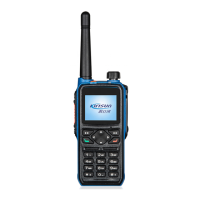
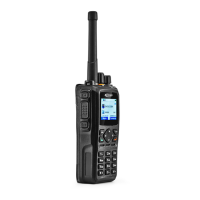
Kirisun T60 - User Manual

Kirisun T60
30 pages
Print Icon
To Next Page IconTo Next Page
Loading...
DP580 Digital Two-way Radio
2

Other manuals for Kirisun T60

Questions and Answers

  • S
    sethboydJul 27, 2025
    What to do if communication between Kirisun Two-Way Radios failed?
    • M
      Melissa JohnsonJul 27, 2025
      If communication between radios fails, first verify that both the caller and the callee are in the same group and have logged in to the same server. Also, check if the callee receives a call admission prompt and verify the volume level. Finally, ensure that the caller’s microphone is functioning correctly.
  • G
    George KirkAug 12, 2025
    What to do if Kirisun Two-Way Radio red light is flashing and I cannot login?
    • J
      Jill ArcherAug 12, 2025
      If the red light is flashing and you cannot log in, check the validity of the SIM card. Also, check if the radio can be registered through a Wi-Fi connection and whether the server set network management platform can be connected. Finally, check the signal strength display; if there is no signal, replace the antenna.

Summary

Safety Precaution

Battery

Using the Battery

1.1 Notice for Charging

Provides guidance on charging the radio's battery, including initial charging and important notes for optimal performance and battery life.

1.2 Charging

Details various methods for charging the radio's battery, including Micro USB ports and an optional desktop charger.

Using the Accessories

2.1 Installing;Uninstalling the Battery

Step-by-step instructions for safely installing and removing the battery from the radio, including visual aids.

2.4 Connecting Programming;Charging Cable

Explains how to connect the programming/charging cable to the radio and a PC for parameter configuration.

Programming Keys

4.1 Programming Keys

Details the functions that can be assigned to programmable keys (side keys, top key) for customized shortcuts.

Basic Operation

7.1 Powering On;Off

Guides users on how to power the radio on and off using the Power/Volume knob.

7.3 Adjusting the Volume

Instructions on how to increase or decrease the radio's volume using the Power/Volume knob.

7.5 Initiating a Call

Steps for initiating a call to a group's default contacts, including behavior when no contact is online.

7.16 Emergency Alarm

How to send or exit an emergency alarm by holding down a programmed top key.

Kirisun T60 Specifications

General IconGeneral
BrandKirisun
ModelT60
CategoryTwo-Way Radio
LanguageEnglish

Related product manuals