EasyManua.ls Logo

Kirisun DP485 - User Manual

Kirisun DP485
77 pages
Print Icon
To Next Page IconTo Next Page
Loading...
V220927
Kirisun Communications Co.,Ltd.
Professional wireless communication system solution supplier
DP485
SERVICE MANUAL

Table of Contents

Questions and Answers

  • L
    Larry MyersAug 17, 2025
    Why does my Kirisun DP485 Two-Way Radio fail to communicate?
    • J
      Jennifer SullivanAug 17, 2025
      Communication failures in your Kirisun Two-Way Radio can occur if the radios are not on the same frequency, if the radios use different CTCSS/DCS signaling codes (set the same one via PC), or if the radios are out of communication range.
  • T
    tina17Aug 20, 2025
    What to do if my Kirisun Two-Way Radio won't start?
    • J
      josephnguyenAug 20, 2025
      If your Kirisun Two-Way Radio fails to start, check the battery and charge or replace it if it's low. Also, the Power key might not work well, in this case replace the key. If the CPU does not work well, replace it with a new IC19.
  • J
    Jill FlemingAug 23, 2025
    What to do if I cannot receive signals on my Kirisun Two-Way Radio?
    • J
      Jonathan OlsenAug 23, 2025
      If you cannot receive signals on your Kirisun Two-Way Radio, it could be due to several reasons: * The antenna might have bad contact (screw up the antenna connector). * The sensitivity might be low (fine tune the debugging mode). * The squelch level might be too high (set a lower level via PC). * The Q3 might not work well (replace the 2SC3356).
  • E
    Edward ButlerAug 26, 2025
    What to do if my Kirisun Two-Way Radio has a red light on during transmitting, but the receiver hears no voice?
    • J
      Jessica JonesAug 26, 2025
      If your Kirisun Two-Way Radio shows a red light during transmitting but the receiver hears no voice, the tube power amplifier may not be outputting power (replace with a new amplifier), or the microphone may not be working well (replace with a new microphone).
  • S
    Stephanie ReyesAug 28, 2025
    What to do if my Kirisun DP485 Two-Way Radio has a green light on during receiving, but I cannot hear any voice?
    • L
      larrylaneAug 28, 2025
      If your Kirisun Two-Way Radio shows a green light during receiving but you cannot hear any voice, the speaker may not be working well (replace with a new speaker), or the audio amplifier IC5 may not be working well (replace with a new TDA8547).
  • L
    Leslie LyonsAug 31, 2025
    How to fix low voice volume on Kirisun DP485 Two-Way Radio?
    • A
      Andrew GonzalezAug 31, 2025
      To fix low voice volume on your Kirisun Two-Way Radio, check the settings of volume and MIC gain via the PC Tool.
  • J
    Joshua GarzaSep 3, 2025
    Why is communication failing on my Kirisun DP485?
    • N
      Nicholas WardSep 3, 2025
      If communication fails on your Kirisun Two-Way Radio, ensure that all radios are set to the same frequency channel. Also, verify that the radios use the same CTCSS/DCS signaling codes, setting it via PC if necessary. Finally, consider that you may be out of the communication range.
  • Q
    qgibsonSep 5, 2025
    How to fix Kirisun Two-Way Radio when startup fails?
    • N
      Nicholas PorterSep 5, 2025
      If your Kirisun Two-Way Radio fails to start, first check the battery. If the battery is low, charge or replace it. If the battery is not the problem, the power key may not work correctly and should be replaced. As a last resort, if the CPU is faulty, replace it with a new IC19.
  • B
    benjamin11Sep 8, 2025
    What to do if Kirisun DP485 Two-Way Radio cannot receive signals?
    • H
      Heather LambSep 8, 2025
      If your Kirisun Two-Way Radio cannot receive signals, ensure the antenna connector is securely screwed in. If the antenna connection is good, fine-tune the sensitivity in the debugging mode. Also, verify that the squelch level is not too high by setting a lower level via PC. Finally, consider replacing the Q3 (2SC3356) if it's not working correctly.
  • D
    Darius DiazSep 12, 2025
    Why is the red light on but no voice is heard on my Kirisun DP485 Two-Way Radio?
    • L
      Lauren WashingtonSep 12, 2025
      If the red light is on during transmitting on your Kirisun Two-Way Radio, but the receiver hears no voice, the tube power amplifier may not be outputting any power and needs replacement. Alternatively, the microphone may be faulty and require replacement.

Summary

Overview and External Features

Range of Application

Describes the intended use and scope of the manual for the DP485 radio.

Safety Precautions

Outlines safety measures for operating and handling the radio, including radiation and interference.

Maintenance Service Details

Details warranty conditions and paid maintenance services for the radio.

External View of the Radio

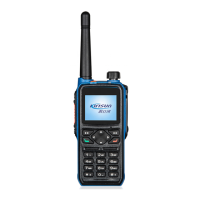
Provides a visual overview of the radio's external components and their labels.

Radio Operations and Circuitry

Programmable Keys Functionality

Explains the functionality and configuration options for the radio's programmable keys.

LED Indicator Meanings

Describes the different LED indications and their corresponding radio states.

Basic Operation Guide

Covers powering on/off, channel selection, volume adjustment, and initiating/receiving calls.

Main Board Circuit Diagram

Presents the schematic diagram for the radio's main circuit board.

Detailed Circuitry and IC Descriptions

RF and Baseband Circuitry

Shows schematic diagrams for RF, Baseband, TX, RX circuits, and the power section.

Integrated Circuit (IC) Descriptions

Provides descriptions and features of key integrated circuits used in the radio.

Features and Settings

Stun, Revive, and Remote Monitor

Explains the functions of stun, revive, and remote monitor features.

Channel Scanning Functions

Describes how to enable, use, and configure channel scanning.

Zone Management

Explains the concept of zones for organizing channels.

Radio Settings Configuration

Covers various radio settings like power, squelch, and tones.

Advanced Functions and Maintenance

Time-Out-Timer and Emergency Alarm

Explains TOT and how to send and manage emergency alarms.

Radio Settings via CPS Software

Describes how to set radio parameters using CPS software.

Radio Firmware Upgrade Procedure

Instructions for upgrading the radio's firmware using the software tool.

Assembly, Disassembly, and Debugging

Battery Installation and Removal

Step-by-step guide for battery installation and removal.

Antenna Attachment and Detachment

Instructions for attaching and detaching the antenna.

Belt Clip and Earphone Usage

Guide for mounting belt clip and using an external earphone.

Shell and Main Board Disassembly

Steps to remove the radio's outer shell and main board from its base.

Technical Details and Specifications

Debugging Methods and Test Procedures

Outlines debugging, adjustment components, PC test modes, and radio testing.

General Radio Specifications

Provides a comprehensive list of the radio's technical specifications.

Maintenance and Testing Equipment

Lists the necessary equipment for maintaining and testing the radio.

Troubleshooting Common Issues

Offers solutions for common problems and failures.

Appendices

Abbreviations Glossary

Defines common abbreviations used throughout the manual.

Electronic Component Lists

Lists electronic components for main and module boards across frequency bands.

Structural Material List

Lists structural and mechanical parts for the radio.

Accessory List

Lists the accessories included with the radio.

Diagrams and Layouts

Main Board Schematic Diagrams

Provides schematic diagrams for the main board.

Main Board Layout Drawings

Shows the top-layer and bottom-layer layouts of the main circuit board.

Module Board Schematic Diagrams

Provides schematic diagrams for the module board.

Kirisun DP485 Specifications

General IconGeneral
Frequency136~174 MHz, 400~470 MHz
Channel Capacity256 channels
Channel Spacing25 kHz/12.5kHz
Antenna Impedance50Ω
Operating Voltage7.4V
Rated Power1W 16Ω
Transmitting Power4W/1W@7.4V DC
Current Consumption≤1.5A@ 7.4V DC
Working Temperature-25℃~ +55℃
Microphone Impedance2.2kΩ
BatteryLithium-ion battery DC 7.4V , 2000mAh
Receiving Sensitivity (12dB SINAD )-120dBm
Squelch Sensitivity (3-level)≤-120dBm
Selectivity of Adjacent Channels70dB@25KHz /60dB@12.5KHz
Intermodulation Immunity65dB@25KHz/12.5 KHz
Blocking84dB
Frequency Stability≤±2.5ppm
Maximum Modulation Offset±5kHz@25KHz /±2.5kHz@12.5KHz
Modulation Distortion≤3%
Spurious Emission≤-36dBm

Related product manuals