LabAmp network configuration guide
002-808e-07.20
Page 10
3.2 DHCP configuration, PC in daisy-chain
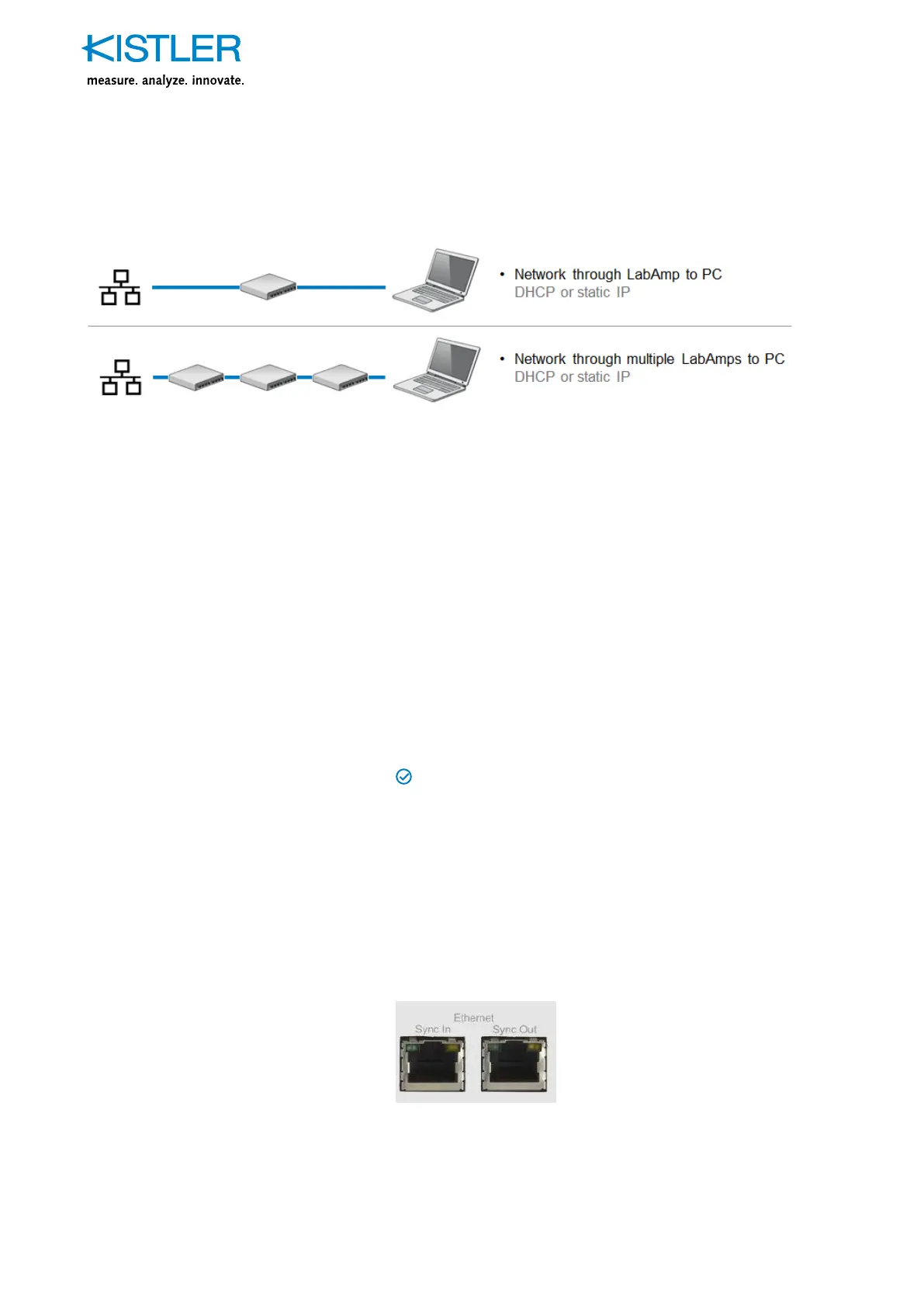
Fig. 4: LabAmps in a local network and PC in daisy-chain
Normally the user doesn’t have an influence on the architec-
ture of the local network e.g. a company network. Therefore
we don’t compare the options of different network setups
but focus on the most common case when there is a DHCP
server present in the network.
Anyway, in case a local network is using static IP settings,
the configuration is exactly the same as described under 3.1,
“Static IP configuration”.
Remark: Do not connect devices with static IP configuration
to networks with dynamic IP configuration. This can lead to
IP address conflicts
Recommended situation
DHCP
If measurements and configurations shall be made on one
or more normal computers in a company network, connec-
ting the LabAmp devices to a company network where IP
addresses are managed by a DHCP server, this is the best
option. The two Ethernet interfaces with integrated switch
functionality allow wiring the company network through the
LabAmp devices so that the actual PC can be connected to
the last device in the daisy chain.
Note: If a LabAmp device is switched off, the integrated
switch is turned off, too.


 To Next Page