English
13
OPERATING THE TOASTEROPERATING THE TOASTER
4
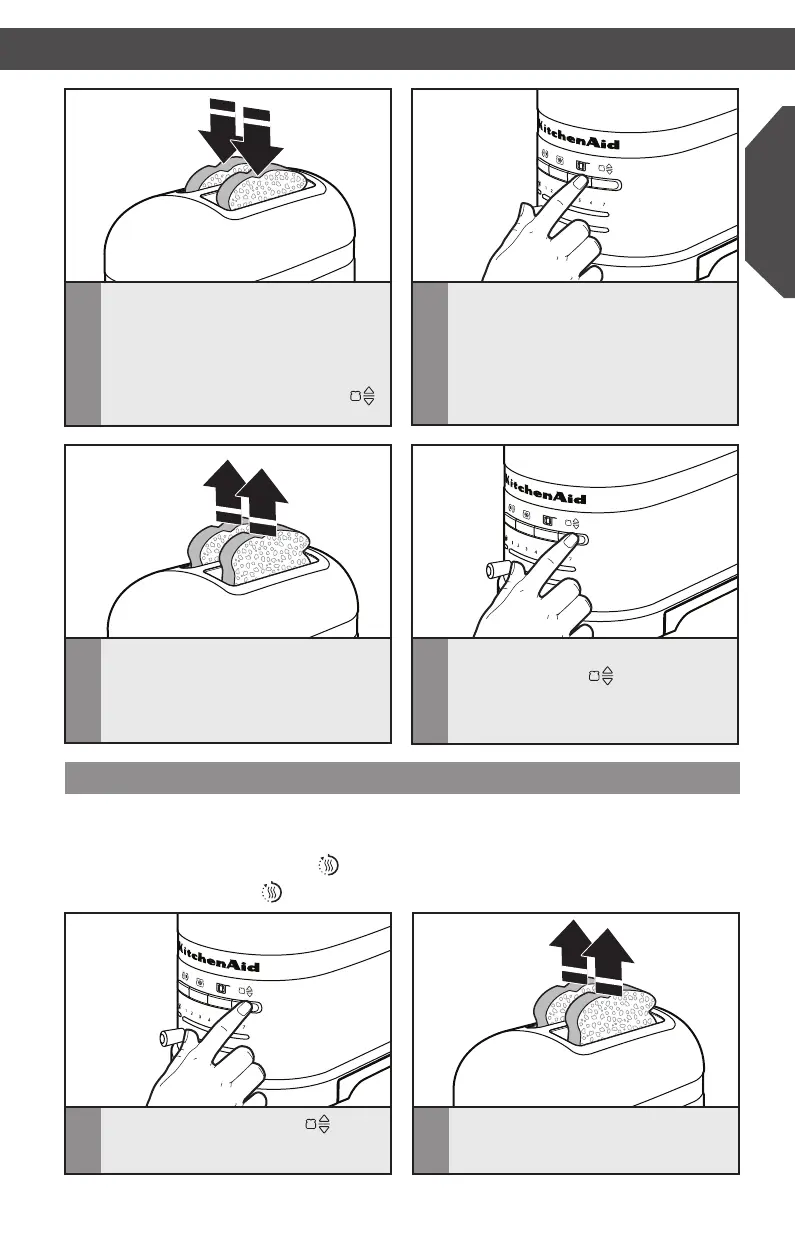
As soon as bread is placed in either slot
it will automatically begin to lower and
toasting will begin. Some food may be
too light to trigger automatic toasting. If
the food does not begin to drop after
3 seconds press TOAST/CANCEL
( )
to start the cycle manually.
6
When the Toaster is finished, it will
automatically raise the food and a signal
will sound. If food is not removed within
45 seconds, the Toaster will initiate the
Keep warm mode.
5
(Optional) Press desired special toasting
function button within 5 seconds. See
the “Special Toasting Functions” section
for more information.
7
To cancel toasting at any time, press
TOAST/CANCEL
( ). The Toaster
will raise the toast and turn off.
If the food is not removed within 45 seconds of the end of a cycle, the Toaster will
automatically lower the food and activate a “Keep warm” cycle using low heat for
up to 3 minutes. The Keep warm ( ) indicator will light while this cycle is active.
Keep warm function ( )
2
If food is not removed within the
3 minute Keep warm cycle, it will
raise up and the Toaster will turn off.
Using the special toasting functions
1
Press the TOAST/CANCEL ( )
button once. If food is not removed,
the Keep warm function will activate.
W10506838B_01_EN_v02.indd 13 2/12/14 5:32 PM


 To Next Page
 Loading...