14
OPERATING THE TOASTEROPERATING THE TOASTER
1
2
3
4
5
6
7
5
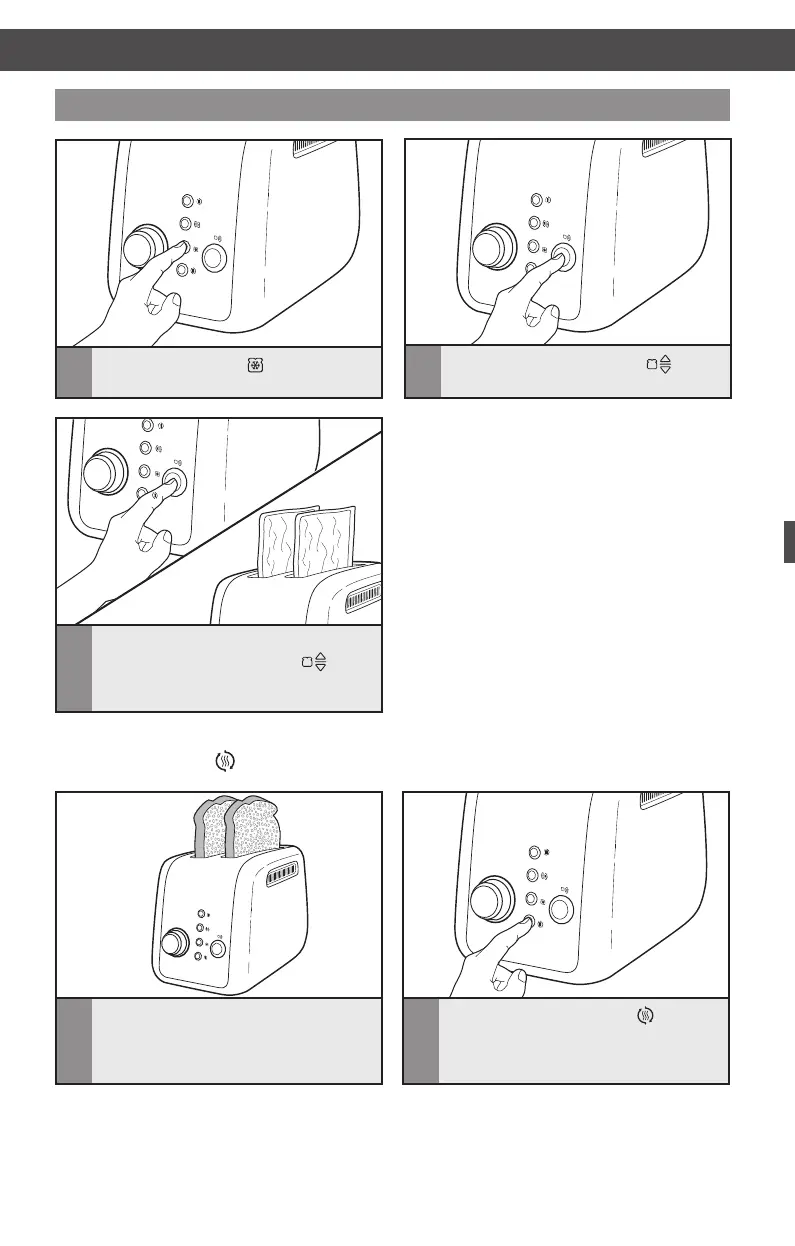
To cancel toasting at any time,
press the TOAST/CANCEL
( )
button again. The Toaster will shut off
and raise the toasted item.
3
Press the FROZEN ( ) button.
Using the special toasting functions
1
2
3
4
5
6
7
4
Press the TOAST/CANCEL ( )
button to begin toasting.
1
2
3
4
5
6
7
1
2
3
4
5
6
7
1
Insert the food into Toaster slot. Do
not place food with butter or any other
topping in the Toaster. Use the Reheat
function for dry foods only.
2
Press the REHEAT button ( ).
Reheat function ( )
CARE AND CLEANING
W10625929B_ENv1.indd 14 11/20/13 11:27 AM


 To Next Page
 Loading...