English
15
OPERATING THE TOASTEROPERATING THE TOASTER
4
To cancel reheating at any time, press
the TOAST/CANCEL
( ) button
again. The Toaster will shut off and raise
the toast.
NOTE: No Shade adjustment is necessary – the Reheat function overrides whatever Shade
level you have set.
Using the special toasting functions
1
2
3
4
5
6
7
3
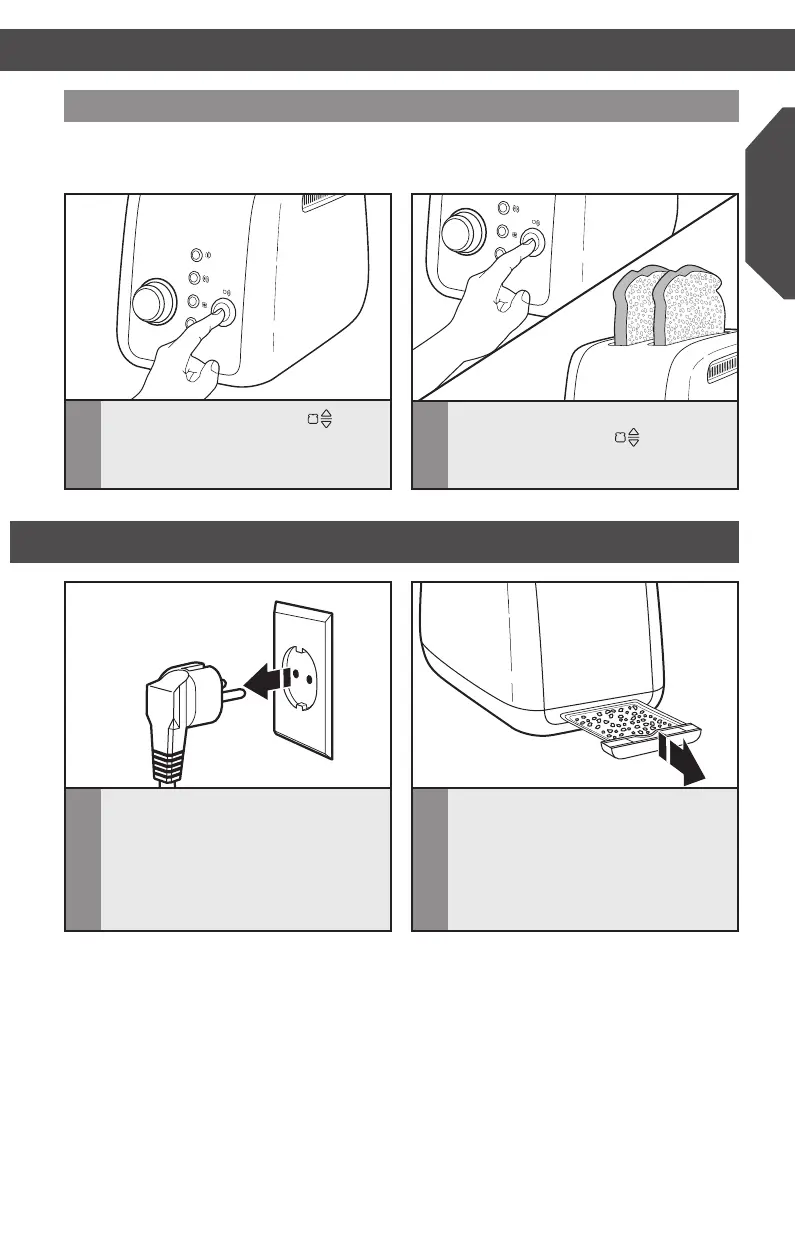
Press the TOAST/CANCEL ( )
button to begin reheating.
CARE AND CLEANING
1
Unplug the Toaster and let it cool
before cleaning.
2
Press and release the center of the
crumb tray then slide it out. Shake
the crumbs into a waste container. It
is recommended that the crumb tray
be emptied after each use. The crumb
tray can be washed in the top rack
of a dishwasher.
IMPORTANT: The tray will be hot immediately following a toasting cycle.
W10625929B_ENv1.indd 15 11/20/13 11:27 AM


 To Next Page
 Loading...