17
Display/clock
• When you first plug in the range, a tone
will sound, the display will be fully lit for a
few seconds, and the display will show the
last time set and “PF” (power failure). If,
after you set the clock (see “Setting the
clock” later in this section), the display
again shows “PF,” your electricity was off
for a while. Reset the clock.
• The time display will show “Err” and
3 short tones will sound if a time or
temperature is incorrectly entered.
1
2
3
CANCEL
OFF
START
CLOCK
SET START
•
TIMER
COOK
TIME
STOP
TIME
BROIL
BAKE CLEAN
4
5
6
7
8
0
9
OVEN
LIGHT
HR MIN MIN SEC
ON
O
F
DELAY
TIMED
CLEAN
STOP
COOK
TIMER
START
?
LOCKEDDOOR
CONTROL
PROBETEMP
O
SURFACE
LIGHT
MAXI
ECONO
•
••
SET START
•
CANCEL
CONTROL
LOCK
U
sing and Caring for Your
Oven
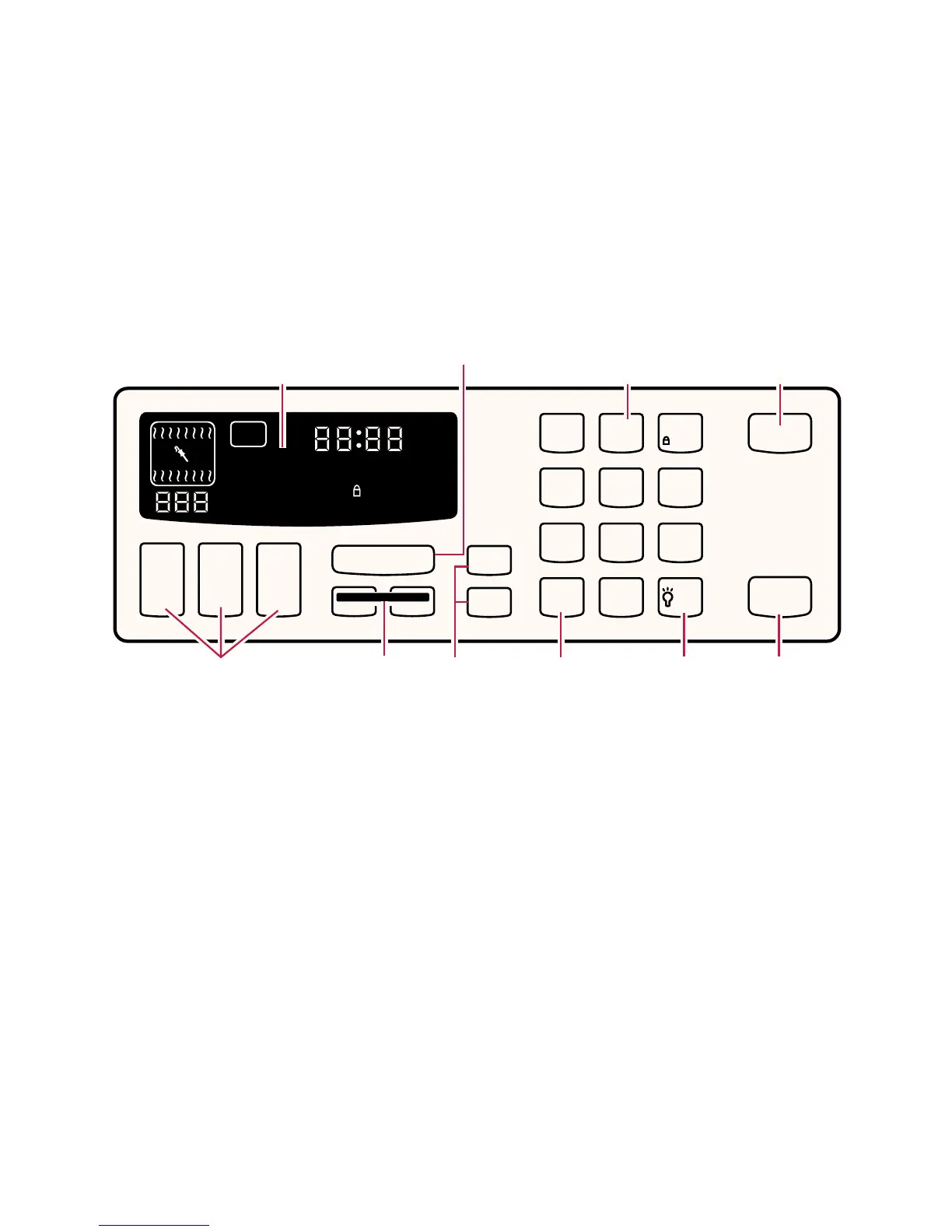
This section tells you, step by step, how to operate all oven functions controlled by the
electronic control. Carefully follow these instructions, along with the cooking tips and
cleaning information, for successful use of your range. Your model may not have all the
features as shown on the electronic oven control below.
Using the electronic oven control
Display
(see below)
Oven setting
pads
(pp. 27, 33,
36, 38, 45)
Start pad
(p. 24)
Number
pads
Clock set/start pad
(p. 25)
Timed and
delayed
cooking pads
(pp. 38-41)
Cancel/off
pad
(p. 24)
Oven
light pad
(p. 43)
Surface light pad
(freestanding
models only)
(p. 16)
Timer pads
(pp. 25-26)
NOTE: If you press a command pad
several times, the pad can stop working.
If you wait a few seconds, you can use
the pad again. When you first use the pad
again, you may have to hold down on the
pad a short time to get it to work.







 To Next Page