27
Baking or roasting
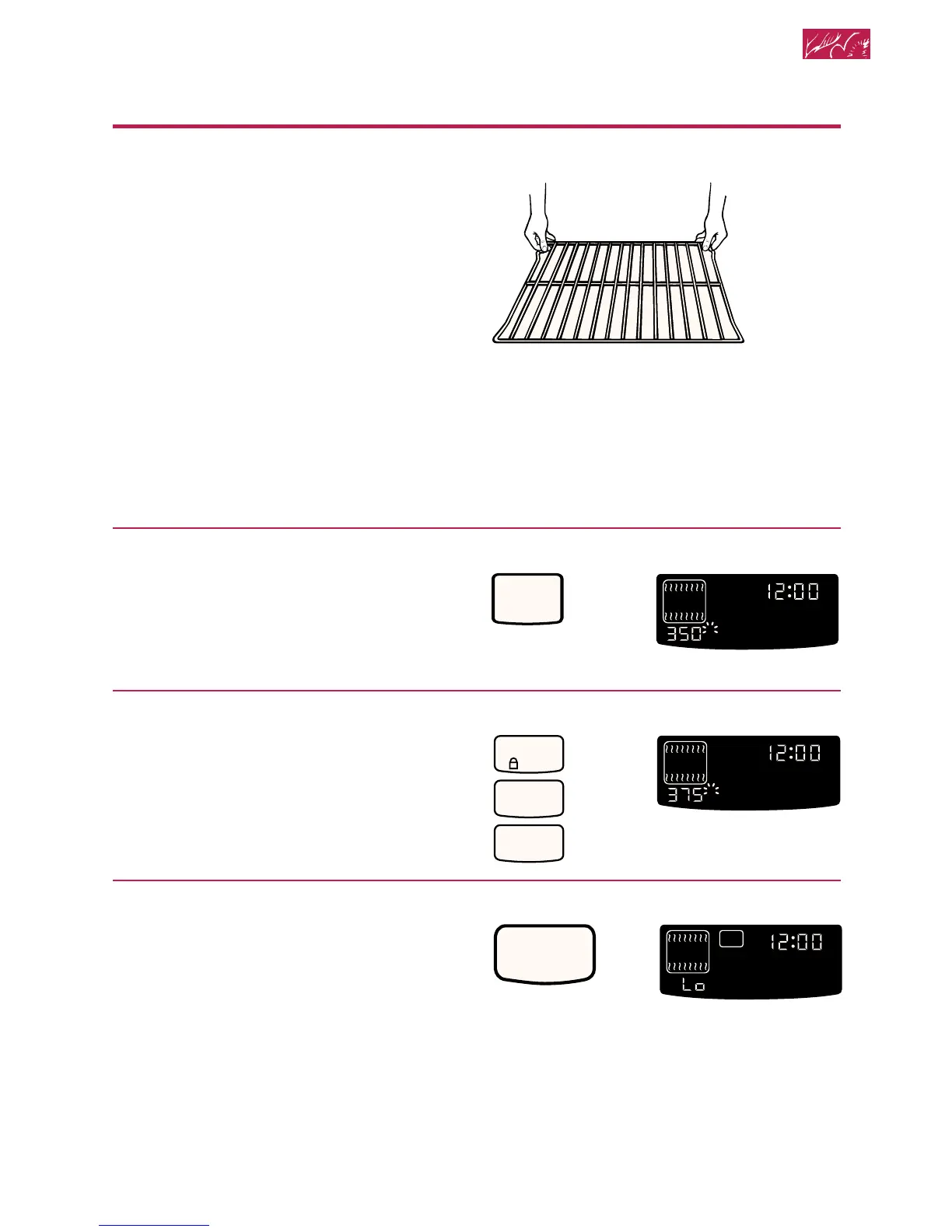
1. Position racks.
For correct rack placement, see “Rack
positions” and the “Rack placement”
chart later in this section.
NOTES:
• Before turning oven on position oven
rack(s) in desired location.
• Be sure the rack(s) is level.
• Use pot holders or oven mitts to
protect hands if rack(s) must be
moved while oven is hot.
• Do not let pot holder or oven mitt touch
hot elements.
• See “Cooking tips” later in this section
for additional baking and roasting tips.
2. Choose baking/roasting setting.
3. Set temperature (optional).
Do this step if you want to set a temper-
ature other than 350°F (177°C).
NOTE: See a reliable cookbook for
temperature recommendations.
4. When baking, preheat oven.
After the temperature reaches 170°F
(77°C), the temperature display will
show the actual oven temperature at
each 5°F (3°C) increase and stop at the
set temperature. One long tone will
sound when oven is preheated.
NOTE: When roasting, preheating is
not needed unless your recipe
recommends it.
PRESS YOU SEE
BAKE
HR MIN MIN SEC
ON
O
F
DELAY
TIMED
CLEAN
STOP
COOK
TIMER
START
?
LOCKEDDOOR
CONTROL
PROBETEMP
O
PRESS YOU SEE
HR MIN MIN SEC
ON
O
F
DELAY
TIMED
CLEAN
STOP
COOK
TIMER
START
?
LOCKEDDOOR
CONTROL
PROBETEMP
O
PRESS YOU SEE
START
HR MIN MIN SEC
O
F
DELAY
TIMED
CLEAN
STOP
COOK
TIMER
START
?
LOCKEDDOOR
CONTROL
PROBETEMP
O
ON
(“Lo” is displayed after
5 seconds if oven
temperature is below
170°F [77°C])
CONTROL
LOCK
3
7
5
(example for Bake
at 375°F [191°C])
Using and Caring for Your Oven
(or 177°C)
continued on next page







 To Next Page