38
Timed cooking
The electronic clock/oven control will turn
the oven on and off at times you set, even
when you are not around.
Delayed time cooking is ideal for foods
which do not require a preheated oven,
such as meats and casseroles. Do not use
delayed time cooking for cakes, cookies,
etc. – they will not rise properly. Before
using timed cooking, make sure the
clock is set to the correct time of day.
(See the “Setting the clock” section.)
To start baking/roasting now and
stop automatically:
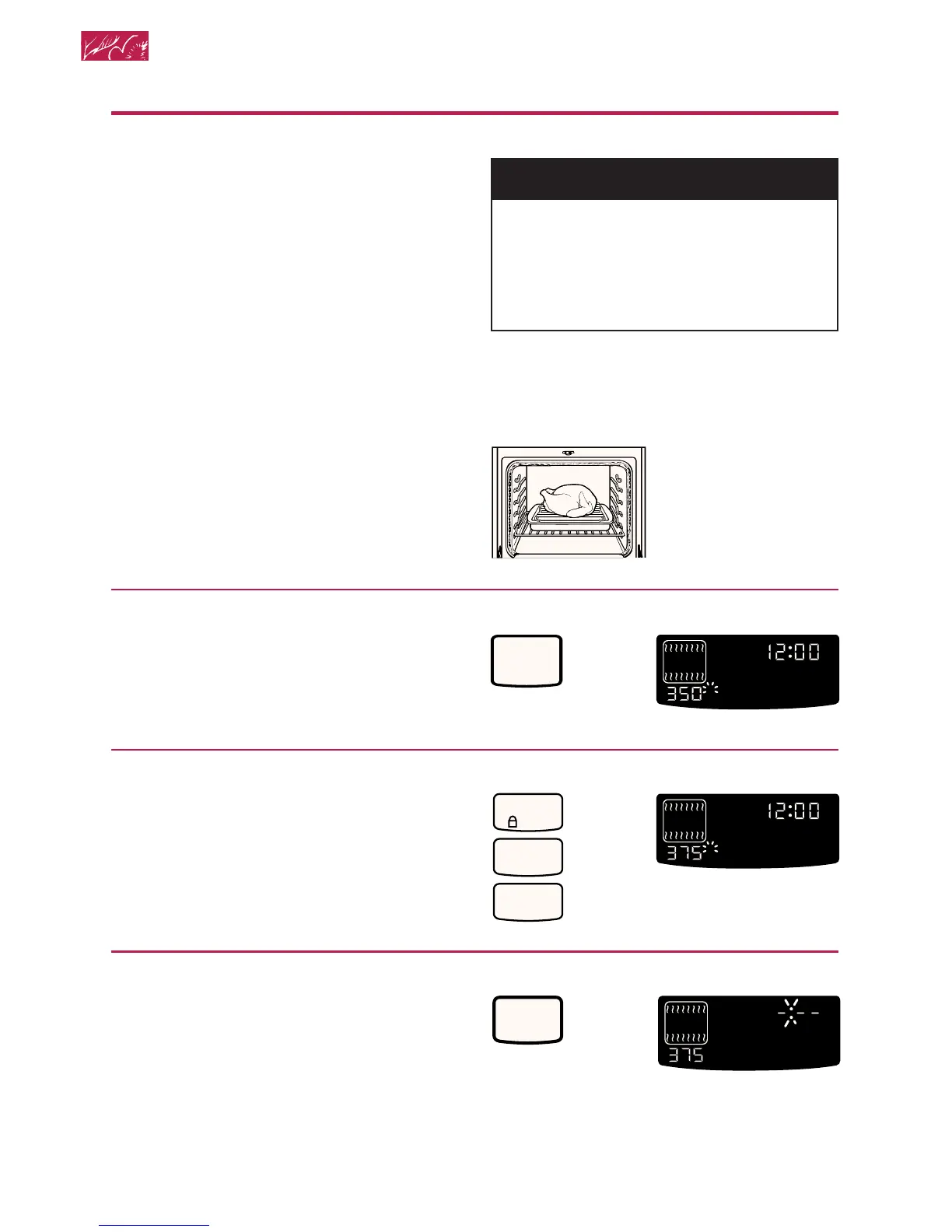
1.Prepare oven.
Position the oven rack(s) properly and
place the food in the oven. For correct
rack placement, see “Rack positions”
and the “Rack placement” chart earlier in
this section.
2.Choose Bake setting.
3.Set temperature (optional).
Do this step if you want to set a tem-
perature other than the one displayed.
NOTE: See “Baking chart” earlier in this
section or a reliable cookbook for tem-
perature recommendations.
4.Press COOK TIME.
wWARNING
Food Poisoning Hazard
Do not let food sit in oven more than
one hour before or after cooking.
Doing so can result in death,
food poisoning, or sickness.
PRESS YOU SEE
HR MIN MIN SEC
ON
O
F
DELAY
TIMED
CLEAN
STOP
COOK
TIMER
START
?
LOCKEDDOOR
CONTROL
PROBETEMP
O
PRESS YOU SEE
HR MIN MIN SEC
ON
O
F
DELAY
TIMED
CLEAN
STOP
COOK
TIMER
START
?
LOCKEDDOOR
CONTROL
PROBETEMP
O
(example shows 375°F
[191°C] temperature
setting)
CONTROL
LOCK
3
7
5
BAKE
PRESS YOU SEE
COOK
TIME
HR MIN MIN SEC
ON
O
F
TIMED
CLEAN
COOK
TIME
START
?
LOCKEDDOOR
CONTROL
PROBETEMP
O
Using and Caring for Your Oven
(or 177°C)







 To Next Page