28
Cooking tips
Baking tips
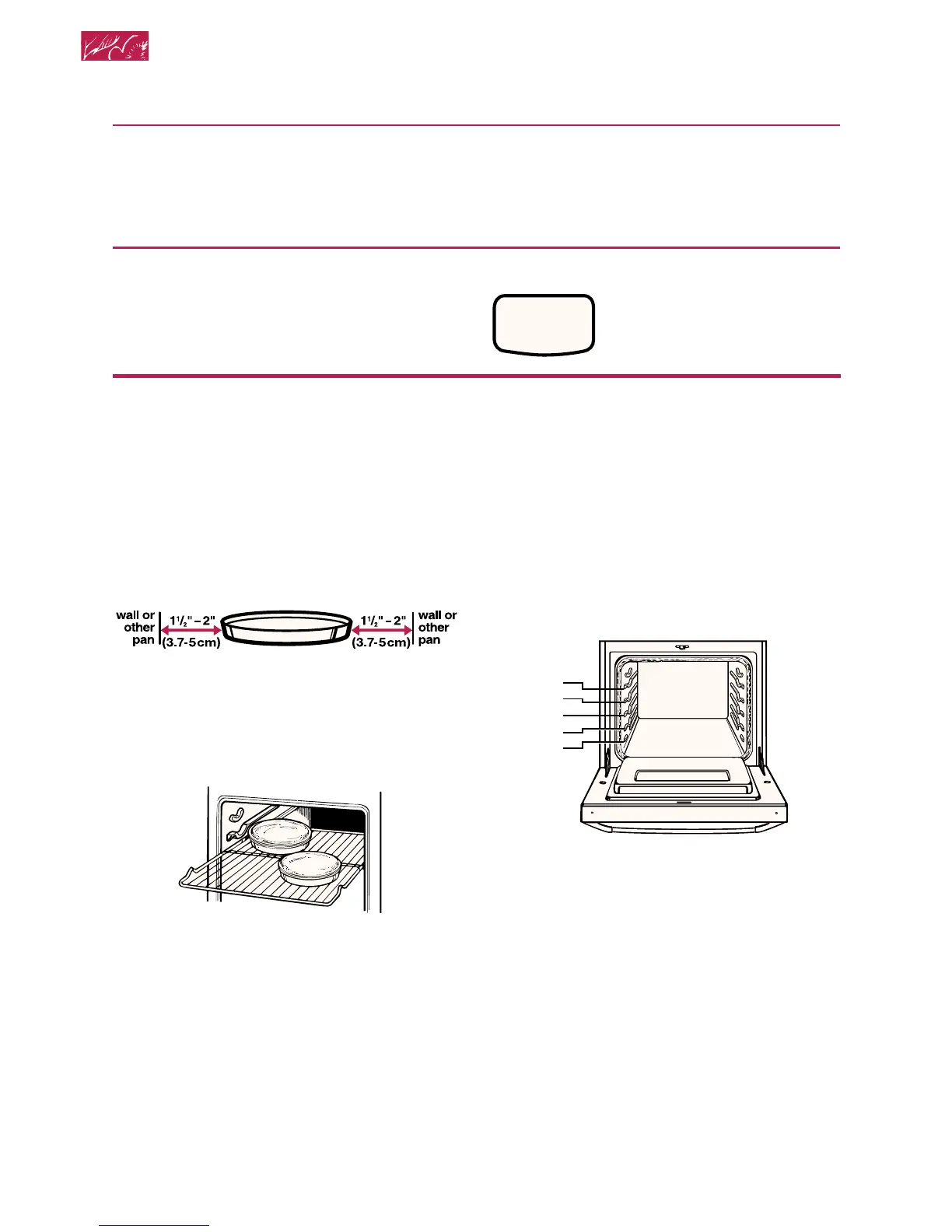
The hot air must circulate around the pans in
the oven for even heat to reach all parts of
the oven. This results in better baking.
For best air circulation:
• Place the pans so that one is not directly
over the other.
• For best results, allow 1
1
⁄2 to 2 inches
(3.7 to 5 cm) of space around each pan
and between pans and oven walls.
• When baking with 1 pan, place pan in the
center of the oven rack.
• When baking with 2 pans, place pans in
opposite corners of the oven rack.
Using and Caring for Your Oven
5. Put food in oven.
NOTE: If you want to change the
baking temperature after baking has
begun, repeat Steps 2, 3, and 4.
6. After cooking, turn off oven.
PRESS YOU SEE
CANCEL
OFF
(display will go blank)
NOTES:
• “Oven peeking” may cause heat loss,
longer cooking times, and unsatisfactory
baking or roasting results. Rely on your
timer.
• Do not allow pans to touch the heat
sensor on the left wall near the back. Poor
baking may result.
Rack positions
Your oven has two straight racks and five
rack positions. Rack position 5 is the highest
position, or farthest from the bottom of the
oven. Rack position 1 is the lowest position,
or closest to the bottom of the oven.
No. 4
No. 3
No. 5
No. 2
No. 1







 To Next Page