36
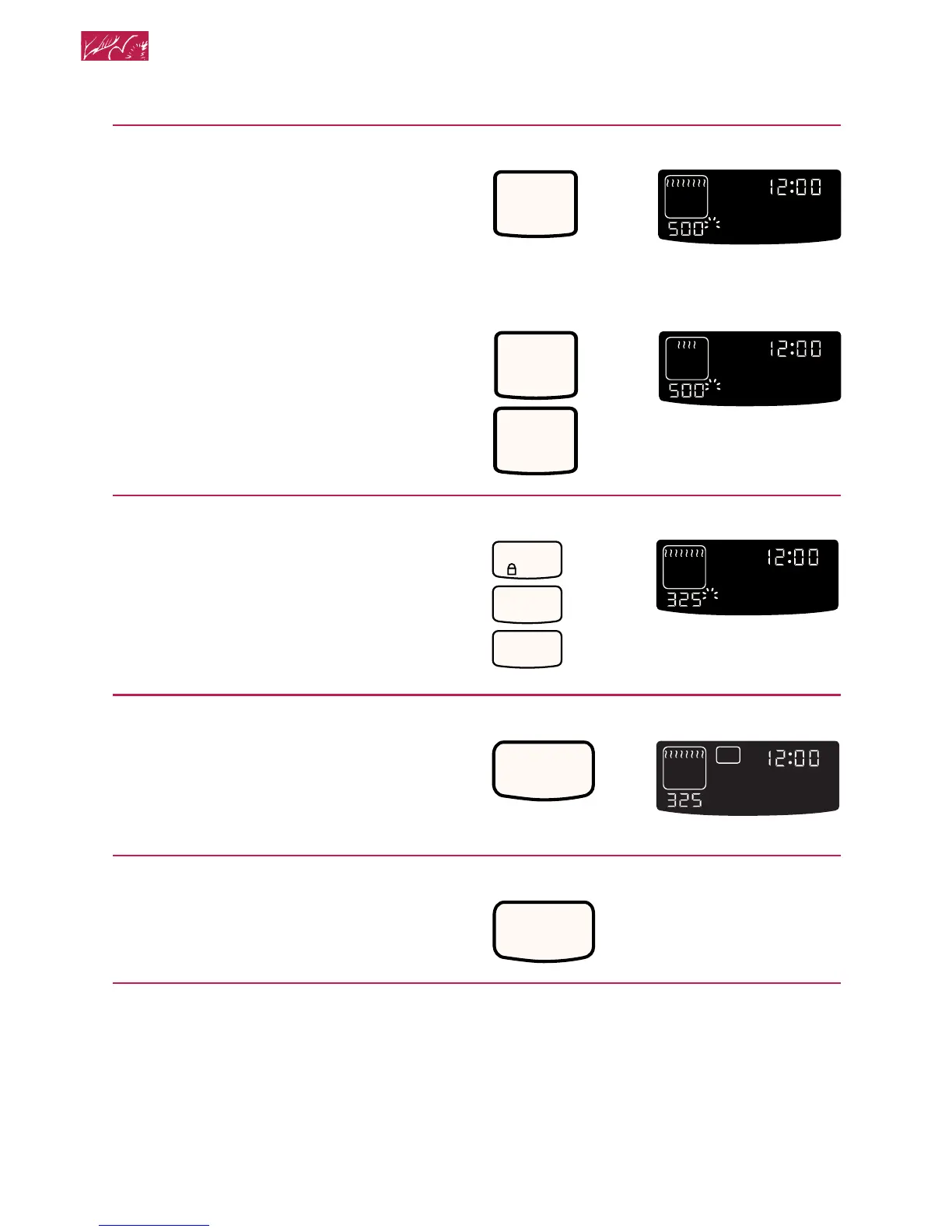
4. Press BROIL.
Once for Maxi Broil
OR
Twice for Econo Broil
5. Set temperature (optional).
Do this step if you want to use variable
temperature broiling (see below).
NOTE: See “Broiling chart” later in this
section for temperature recommendations.
6. Start oven.
NOTE: If you want to change the broiling
temperature after broiling has begun,
repeat Steps 4, 5, and 6.
7. When broiling is done,
turn off oven.
Variable temperature broiling
• If food is cooking too fast or you want the
food to broil slower from the start, set the
broil temperature between 170°F (77°C)
and 325°F (163°C). These temperature
settings allow the broil heating element to
cycle and to slow cooking. The lower the
temperature, the slower the cooking.
PRESS YOU SEE
BROIL
MAXI
ECONO
•
••
ON
HR MIN MIN SEC
O
F
DELAY
TIMED
CLEAN
STOP
COOK
TIMER
START
?
LOCKEDDOOR
CONTROL
PROBETEMP
O
PRESS YOU SEE
BROIL
MAXI
ECONO
•
••
ON
HR MIN MIN SEC
O
F
DELAY
TIMED
CLEAN
STOP
COOK
TIMER
START
?
LOCKEDDOOR
CONTROL
PROBETEMP
O
BROIL
MAXI
ECONO
•
••
(example shows 500°F
[260°C] for Econo Broil)
PRESS YOU SEE
(example shows 325°F
[163°C] broiling tem-
perature for Maxi Broil)
ON
HR MIN MIN SEC
O
F
DELAY
TIMED
CLEAN
STOP
COOK
TIMER
START
?
LOCKEDDOOR
CONTROL
PROBETEMP
O
CONTROL
LOCK
3
2
5
START
HR MIN MIN SEC
O
F
DELAY
TIMED
CLEAN
STOP
COOK
TIMER
START
?
LOCKEDDOOR
CONTROL
PROBETEMP
O
ON
(example for Maxi Broil)
PRESS YOU SEE
PRESS YOU SEE
CANCEL
OFF
(display will go blank)
• Fish and chicken are some foods that
may cook better if you use lower broiling
temperatures.
Using and Caring for Your Oven
(example shows 500°F
[260°C] for Maxi Broil)







 To Next Page