Sauna/Infrarot/Softclima/Infraclima
PAGE 8
50701103/02.13
5. Operation
5.1. Switching the cabin light On/Off
. Prerequisite: Switch On the main switch of the control system.
1. Press the
button.
. Symbol
appears in the display when the cabin light is switched On.
5.2. Setting the time and the water hardness
Setting the time
1. Switch On the control system at the main switch.
2. Press the MODE button.
. The menu bar is shown.
3. Select the menu symbol
with the left/right
buttons.
. The Time and the Service symbol will flash on the display.
4. Set the time with the up/down
buttons.
. With each depression of the button the value is changed by 1 minute. Holding the button down
changes the value at a faster rate.
5. Confirm the setting with the
button.
. The time stops flashing.
6. Press the MODE button until END appears in the display.
Setting the water hardness
7. Switch Off the control system at the main switch.
8. Keep the
button pressed and at the same time switch the main switch On.
. The display for adjusting the water hardness appears.
9. Set the water hardness with the up/down
buttons.
. The adjustment range lies between 0 and 30° dH. Check the water hardness with the
responsible water company.
10. Confirm the setting with the
button.
. The display stops flashing. The control system switches to standby. The time appears on the
display.
5.3. Switching standby On/Off
1. Actuate the main switch.
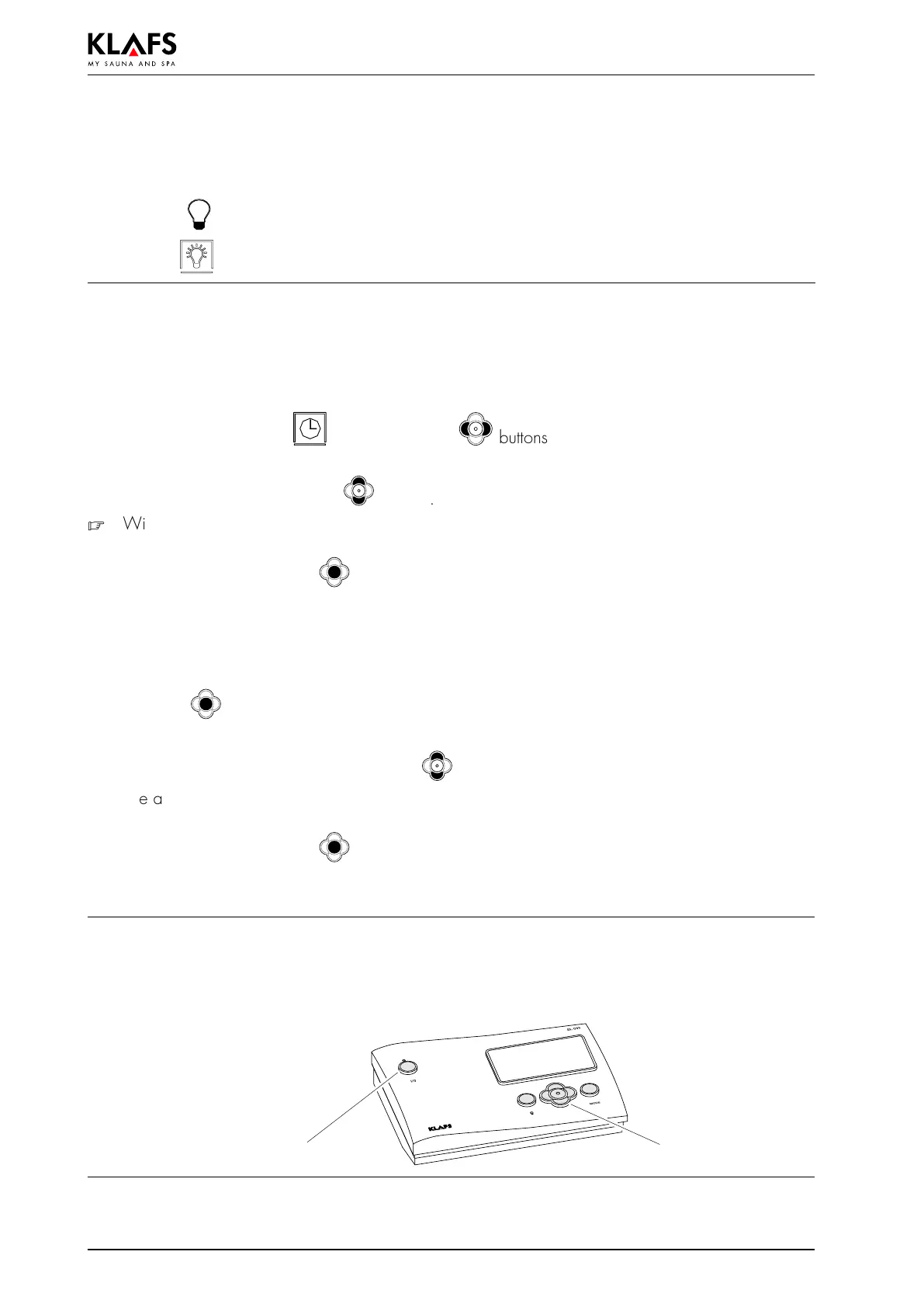
. With the main switch activated the control system is in standby and the control panel can be
operated with the control buttons. The time appears on the display.
Main switch Control panel



 To Next Page