43
EN
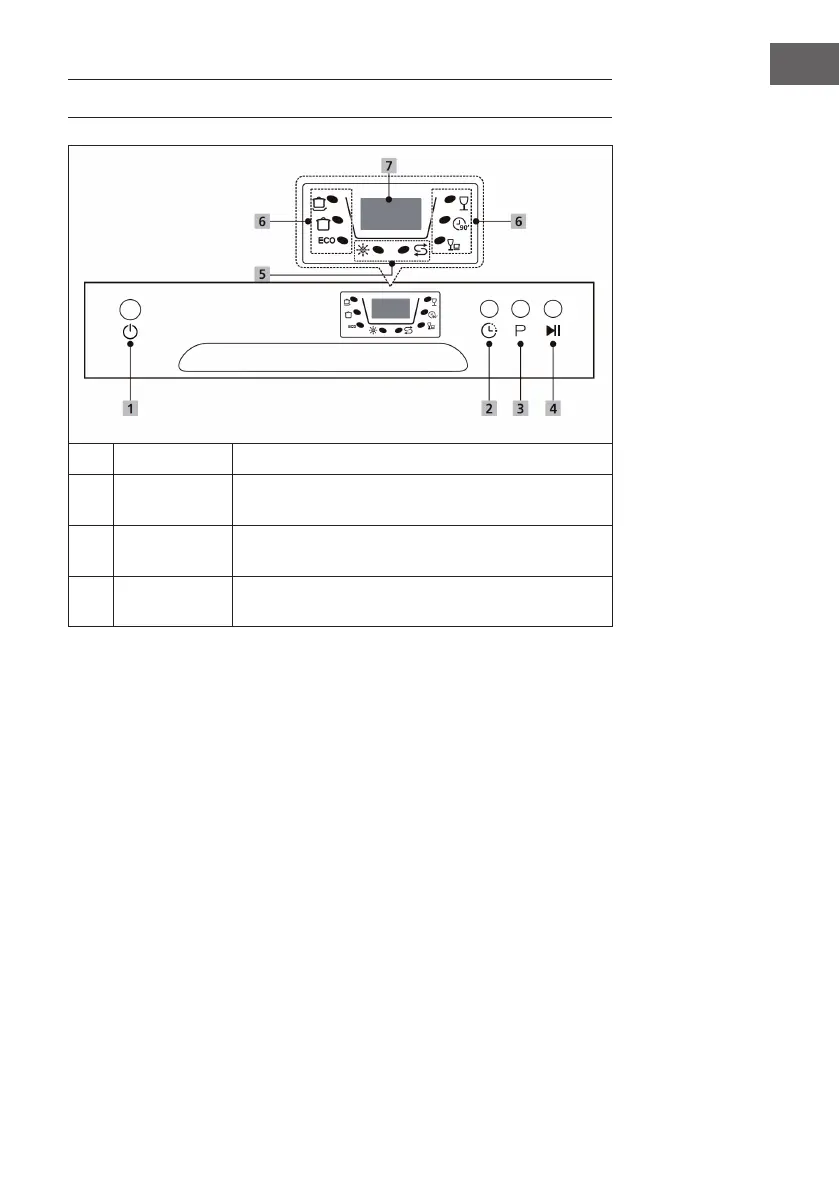
CONTROL PANEL AND KEYS
1
On/Off Press this key to switch the dishwasher on or off.
2
Delayed start
Press the key to set the delay time. The start can be delayed
by a maximum of 24 hours.
3
Programme
Press this key to select the appropriate wash programme,
the indicator for the selected programme will light up.
4
Start/Pause
Press this key to start the selected wash programme or
interrupt it when the dishwasher is in operation.





 To Next Page