
 Need help?
Do you have a question about the Klein Tools MM600 and is the answer not in the manual?
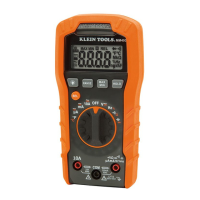
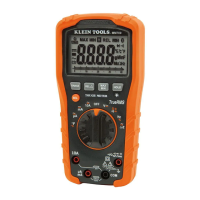
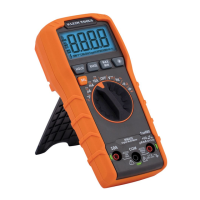
The Klein Tools MM600 is an auto-ranging digital multimeter designed for professionals, offering a comprehensive suite of measurement capabilities and user-friendly features. This robust tool is built to withstand demanding environments, as indicated by its "TOUGH METER" branding and IP42 dust and water resistance rating.
The MM600 is capable of measuring a wide range of electrical parameters, including AC/DC voltage, AC/DC current, and resistance. Beyond these core functions, it also provides specialized measurements for temperature, capacitance, frequency, and duty-cycle. Additionally, it features a diode test and continuity check, making it a versatile tool for various electrical troubleshooting and diagnostic tasks. The meter's auto-ranging capability simplifies operation by automatically selecting the most appropriate measurement range for the test being conducted, eliminating the need for manual range selection in most scenarios.
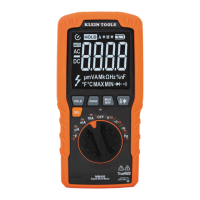
The multimeter's design prioritizes ease of use and safety. It features a clear 4000-count LCD display that shows measurement readings and various symbols indicating the selected mode and status. The function selector switch allows users to easily switch between different measurement settings. Secondary functions for each setting are accessible via the "SEL" (Select) button, enabling toggling between AC and DC for current and voltage, °F and °C for temperature, Hz and % for duty-cycle, and continuity, resistance, and diode test within their respective modes.
For enhanced usability, the MM600 includes several dedicated function buttons:
The MM600 also incorporates an auto power-off feature, which automatically turns off the meter after approximately 30 minutes of inactivity to conserve battery life. This feature can be deactivated by powering on the meter with the "SEL" button depressed. A "LEAD" reminder flashes on the display when the function selector switch is rotated to a measurement setting, prompting users to ensure test leads are inserted into the appropriate jacks.
Safety is a paramount concern, and the MM600 is rated CAT IV 600V and CAT III 1000V, indicating its suitability for measurements in various electrical environments, including at the source of a building's low-voltage MAINS installation. The manual emphasizes the importance of using CAT IV rated test leads and ensuring the test lead shield is firmly in place for CAT III / CAT IV locations to prevent arc-flash risk. For CAT II locations, the shields can be removed to access recessed conductors.
The MM600 is designed for straightforward maintenance, primarily focusing on battery and fuse replacement.
Crucially, the manual includes warnings regarding maintenance: to avoid the risk of electric shock, users must disconnect leads from any voltage source before removing the battery/fuse door and should not operate the meter while the battery/fuse door is removed.
For cleaning, the meter should be turned off and wiped with a clean, dry, lint-free cloth, avoiding abrasive cleaners or solvents. For storage, it's recommended to remove the batteries if the meter will not be used for a prolonged period. The meter should not be exposed to high temperatures or humidity. If stored in extreme conditions, it should be allowed to return to normal operating conditions before use.
The Klein Tools MM600 is a reliable and feature-rich digital multimeter, designed to meet the needs of professionals with its comprehensive measurement capabilities, user-centric design, and emphasis on safety and easy maintenance.
 General
| Product type | Digital multimeter |
|---|---|
| Product color | Black, Orange |
| AC current range | 0 - 10 A |
| DC voltage range | 0 - 1000 V |
| Measuring category | CAT III 1000V, CAT IV 600V |
| Placement supported | Handheld multimeter |
| Temperature measurement range | -18 - 538 °C |
| International Protection (IP) code | IP42 |
| Battery type | AAA |
| Power source | Battery |
| Number of batteries supported | 2 |
| Carrying case | Yes |
 Weight and Dimensions
| Depth | 178 mm |
|---|---|
| Width | 90 mm |
| Height | 53 mm |
| Weight | 408 g |






 To Next Page