21
SOFT 80, SOFT 100 PELLET-BURNING STOVE
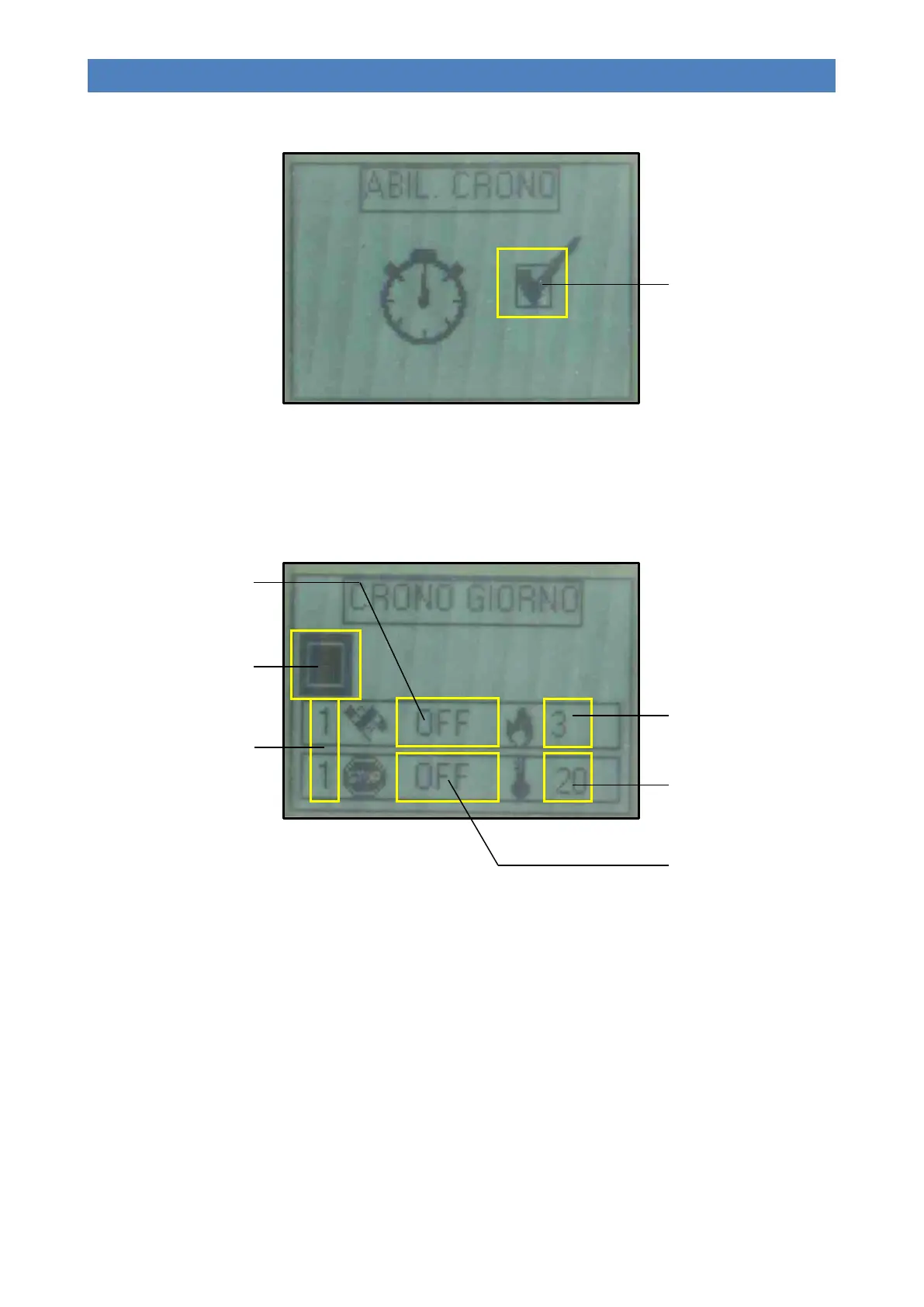
The image below shows the display when the timer is enabled:
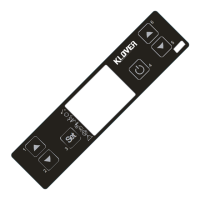
Sub-menu 02 – 02 – Daily chrono
Allows for enabling, disabling and setting the daily programme functions.
The daily timer has two time slots delimited by the set times, as shown in the following diagram (they do not have to be
used simultaneously):
- Buttons 1 and 2 (Increase and Decrease) are used to modify the selected value.
- Button 4 (Set) is used to select the next value.
- Button 5 (Esc) is used to select the previous value.
- Button 3 (ON/OFF) is used to return to the previous menu.
Number of the selected time
slot
(2 slots available)
Enable field
(It must be enabled if at least one
time slot is active)
SET OUTPUT
(Working power in the selected
time slot)
SET ROOM
(Room temperature in the
selected time slot)
Switch-on time
(OFF signals to the clock to
ignore the command)
Switch-on time
(OFF signals to the clock to
ignore the command)



 To Next Page