23
SOFT 80, SOFT 100 PELLET-BURNING STOVE
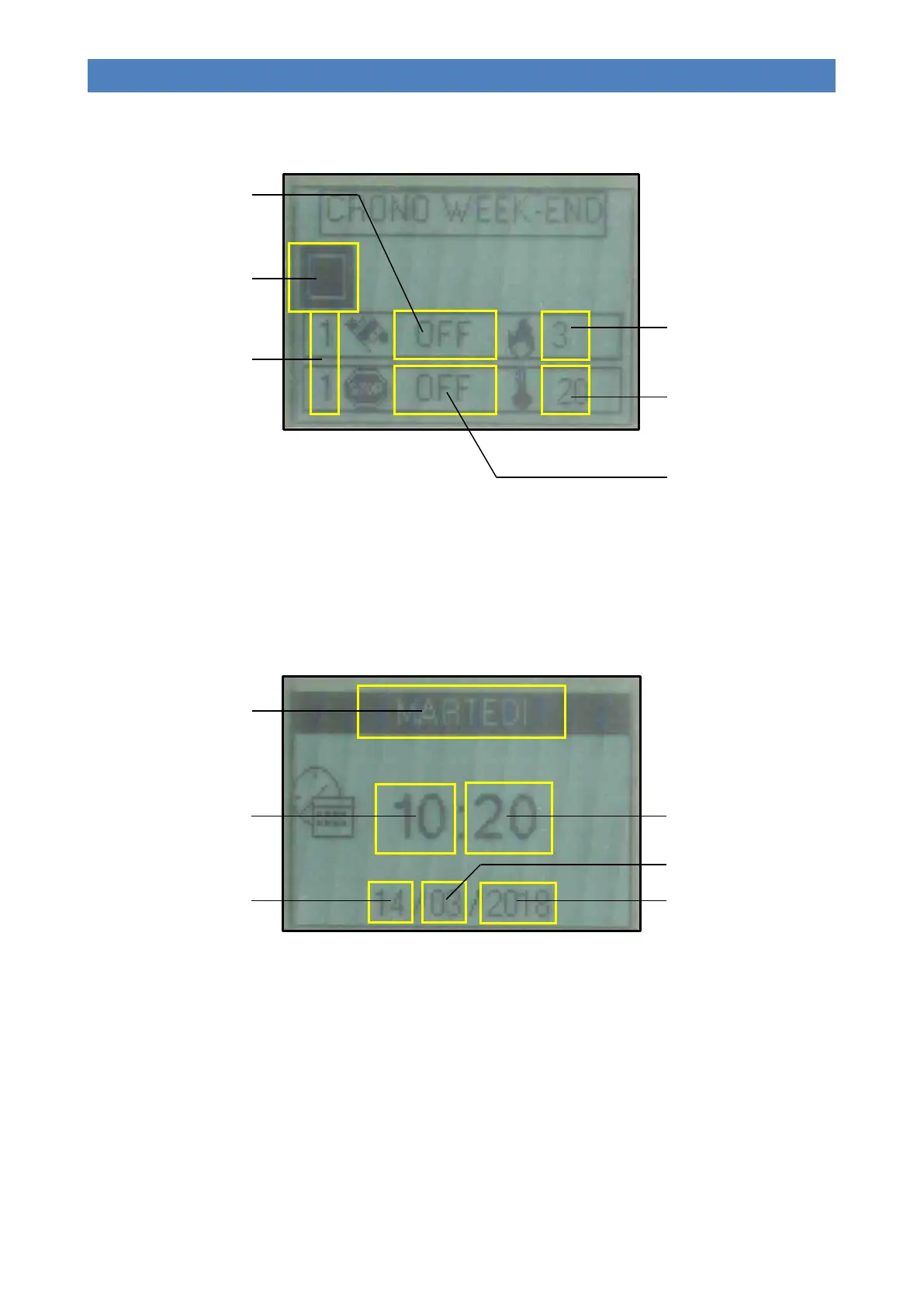
Sub-menu 02 – 04 – Week-end chrono
Allows for enabling, disabling and setting the weekend timer functions (applies to Saturday and Sunday).
- Buttons 1 and 2 (Increase and Decrease) are used to modify the selected value.
- Button 4 (Set) is used to select the next value.
- Button 5 (Esc) is used to select the previous value.
- Button 3 (ON/OFF) is used to return to the previous menu.
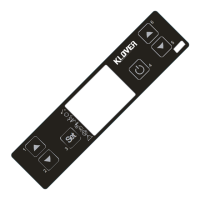
Menu 03 – Set clock
It allows you to set the day, time and current date.
- Buttons 1 and 2 (Increase and Decrease) are used to modify the selected value.
- Button 4 (Set) is used to select the next value.
- Button 5 (Esc) is used to select the previous value.
- Button 3 (ON/OFF) is used to return to the previous menu.
Menu 04 – Language
Allows you to select the dialogue language from the available choices (Italian, English, French, German and Spanish).
Menu 05 – Settings
It allows for adjusting the various remote control settings.
Number of the selected time
slot
(2 slots available)
Enable field
(It must be enabled if at least one
time slot is active)
SET OUTPUT
(Working power in the selected
time slot)
SET ROOM
(Room temperature in the
selected time slot)
Switch-on time
(OFF signals to the clock to
ignore the command)
Switch-on time
(OFF signals to the clock to
ignore the command)



 To Next Page