EasyManua.ls Logo

KMS Simplekey 4 - SEM; SEM Introduction; SEM Connections

Default Icon
52 pages
Print Icon
To Next Page IconTo Next Page
To Previous Page IconTo Previous Page
Loading...
Key Management Systems Ltd 51 | P a g e
SEM
Introduction
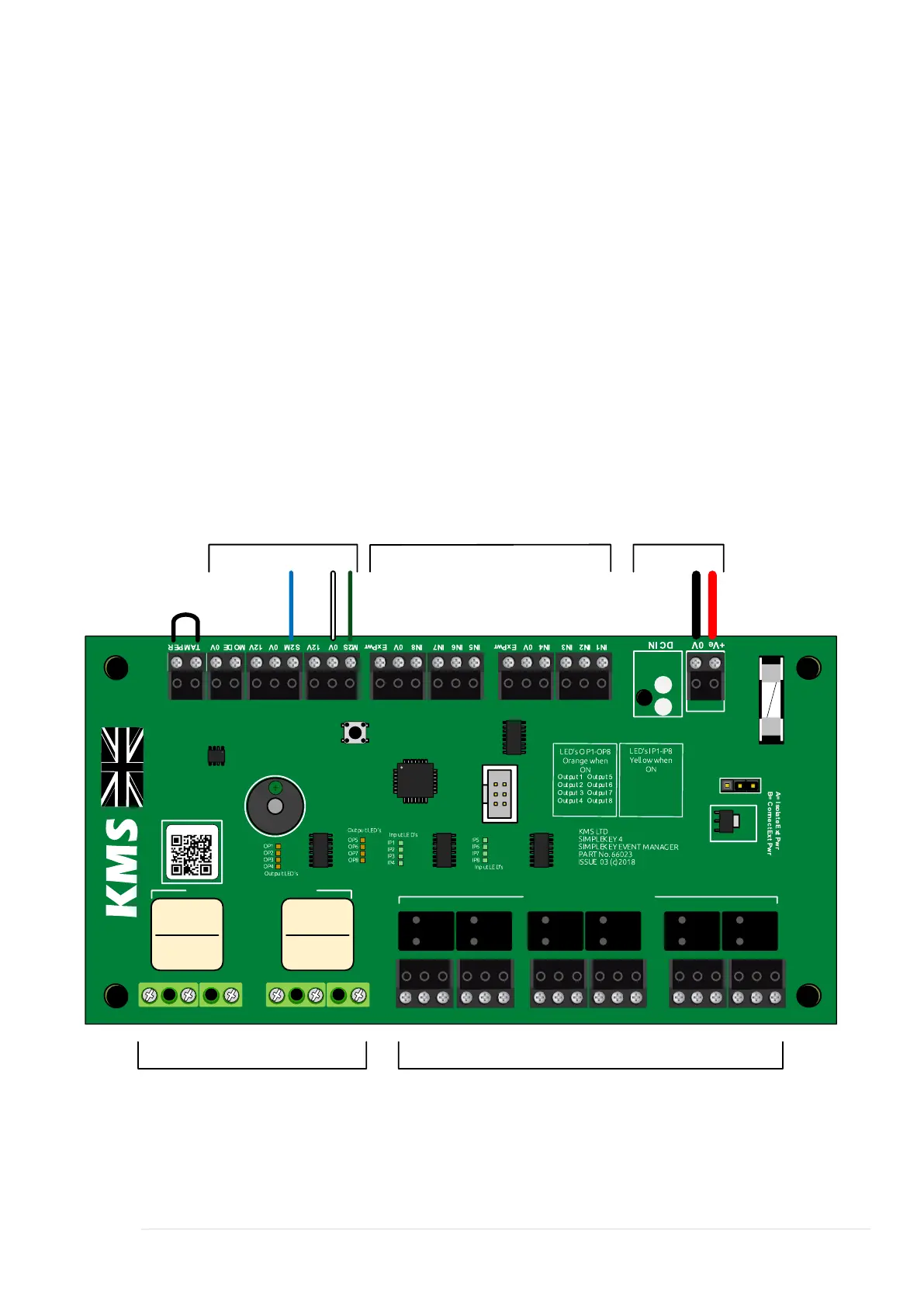
The Simplekey Event Manager (SEM) has eight outputs in the form of double-pole volt
free relays, and eight local inputs. A local input may be a switch or trigger from 3
rd
party equipment. In addition to local inputs, an external reader can be used as a form
of input. Typical uses for the SEM would be lift control where a single reader is used,
and various lift buttons are activated depending on the token holders access profile.
The example below shows lift control but also the SEM being used to switch on
lighting at the same time.
Connections

00000085
PB114012
SCHRACK
12VDC
PB114012
SCHRACK
12VDC
Input 1
Input 2
Input 3
Input 4
Input 5
Input 6
Input 7
Input 8
DC Fuse 1Amp
Press to Enable LED s
A
B
N/C1 C/01 N/01 N/C2 C/02 N/02 C/03 N/C3 N/03 C/04 N/C4 N/04 C/05 N/C5 N/05 C/06 N/C6 N/06 C/07 N/C7 N/07 C/08 N/C8 N/08
5 Amp Relay # 1 & 2
1 Amp Relays # 3-8
12-14v
Emergency Break-glass
or other inputs
BUS Input
1 Amp Relays5 Amp Relays

Table of Contents