EasyManua.ls Logo

knd DVR - 2.4 PTZ Mode

Default Icon
46 pages
Print Icon
To Next Page IconTo Next Page
To Previous Page IconTo Previous Page
Loading...
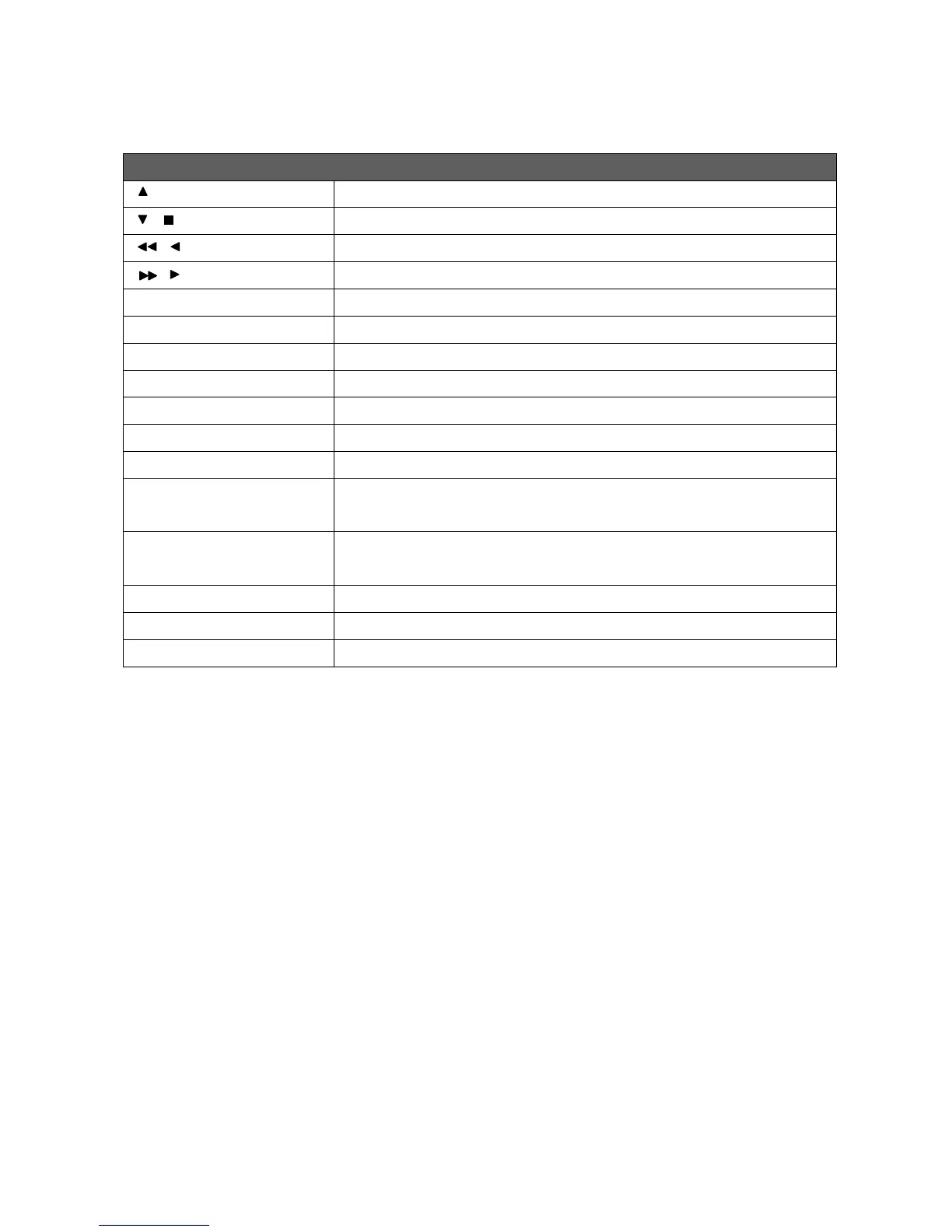
2.4 PTZ Mode
PTZ Remote Controller Control
/ SLOW
Move PTZ up.
/
Move PTZ down.
/
Move PTZ to the left.
/
Move PTZ to the right.
ZOOM +
PTZ zoom-in.
ZOOM -
PTZ zoom-out.
FOCUS +
PTZ focus-in.
FOCUS -
PTZ focus-out.
IRIS +
PTZ iris-open.
IRIS -
PTZ iris-close.
TOUR
Activate PTZ pre-set tour. *
PRESET + NUMBER
To save a preset location
Press PRESET and a number key. DVR will save the current location.
PLAY + NUMBER
To go to a preset location
Press PLAY and a number key. DVR will move to the preset location.
ZOOM
Set current PTZ location as the start of the line-scan. *
PIP
Set current PTZ location as the start of the line-scan. *
FREEZE
Activate line-scan. *
*Different brands of PTZ protocol sometimes may not be 100% compatible with each other.
Therefore, these functions may not be applicable.