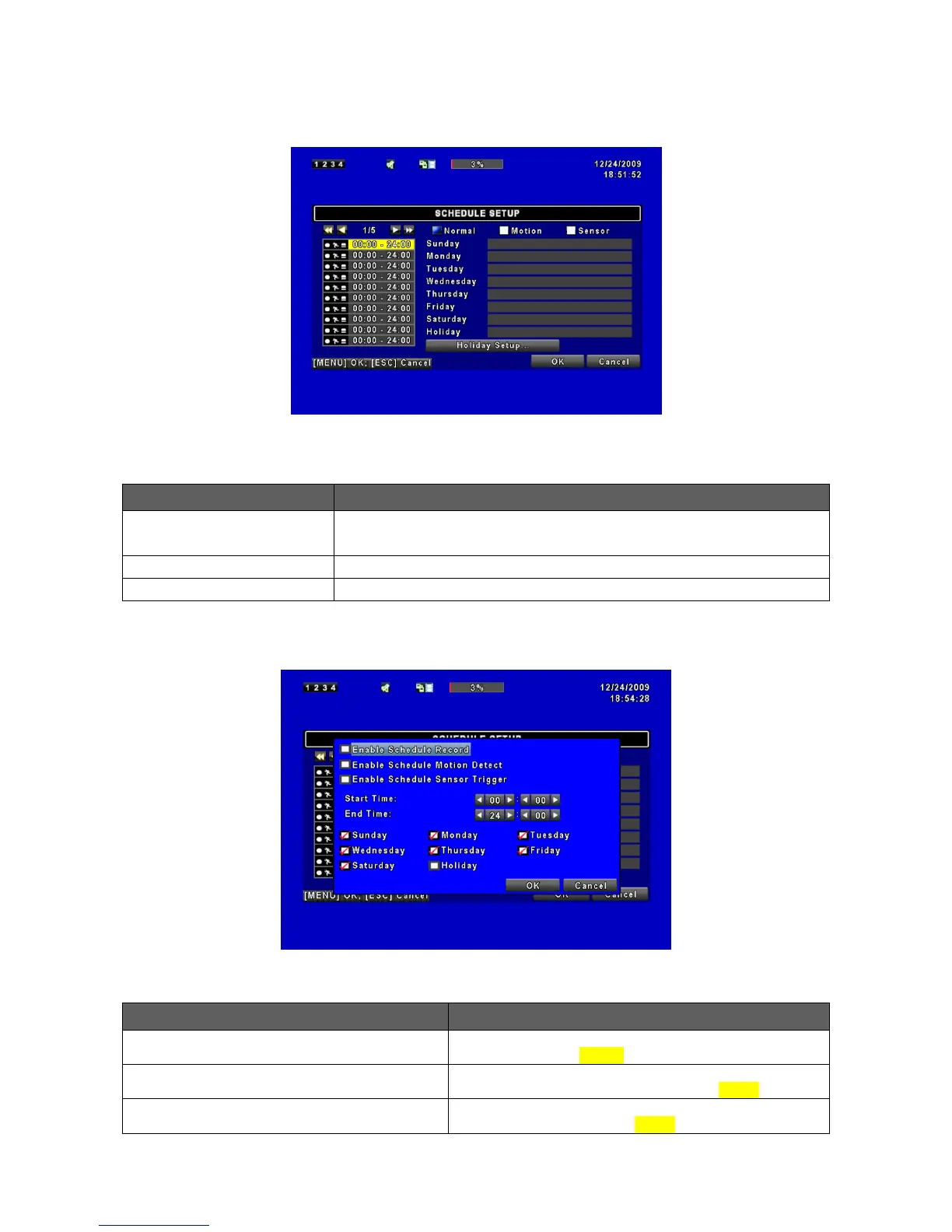
Apart from manual recording, you can also setup the recording time by weeks and
schedule recordings include: normal, motion detection, and sensor detection.
Click or press ▼ to select Page. Each page provides 10 schedules for
setup. 5 pages in total.
Enter to setup holiday, maximum up to 50 days.
View Normal/ Motion / Sensor Setup.
4.4.1 Schdule Record Setup
Click on the time icon on the left side. The setup menu will be displayed. You can have
detail setup by dates, time and event.
Enables schedule recording according to the time
schedule (shown above).
Enable Schedule Motion Detect
Enables schedule motion detection recording
according to the time schedule (shown above).
Enable Schedule Sensor Trigger
Enables schedule sensor trigger recording according to
the time schedule (shown above).



 To Next Page