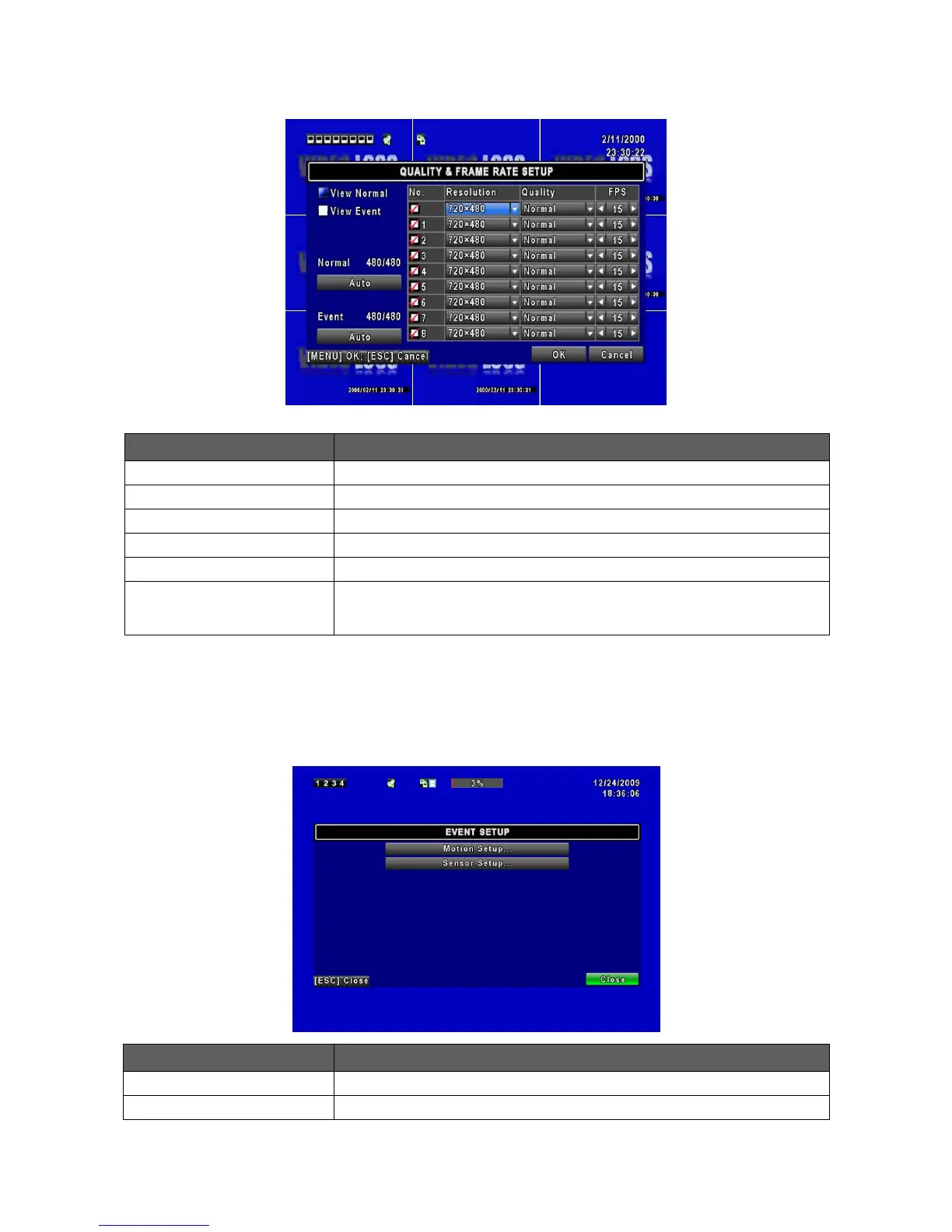
4.2.1 Quality & Frame Rate Setup
Setup resolution, quality and FPS separately for different record type.
Check/ Uncheck the box will enable/ disable recording of that channel.
Choose record resolution, this value will be used by each channel.
Choose from Below Basic / Basic/ Normal/ High/ Highest.
Choose recording frame rate (1~30).
The maximum recording frames available by the average distribution of
each channel.
*Number of “Auto” means the DVR processing ability. Recording data depends on “FPS”.
Ex: If channel 1 to channel 8 set to 15 FPS, the sum will be 120 FPS. (8 x 15 = 120)
Enter to set up motion detection
Enter to set up sensor detection



 To Next Page